

Skills are marked Preview in the interface. The model described here is settled — what may still move is the interface around it.
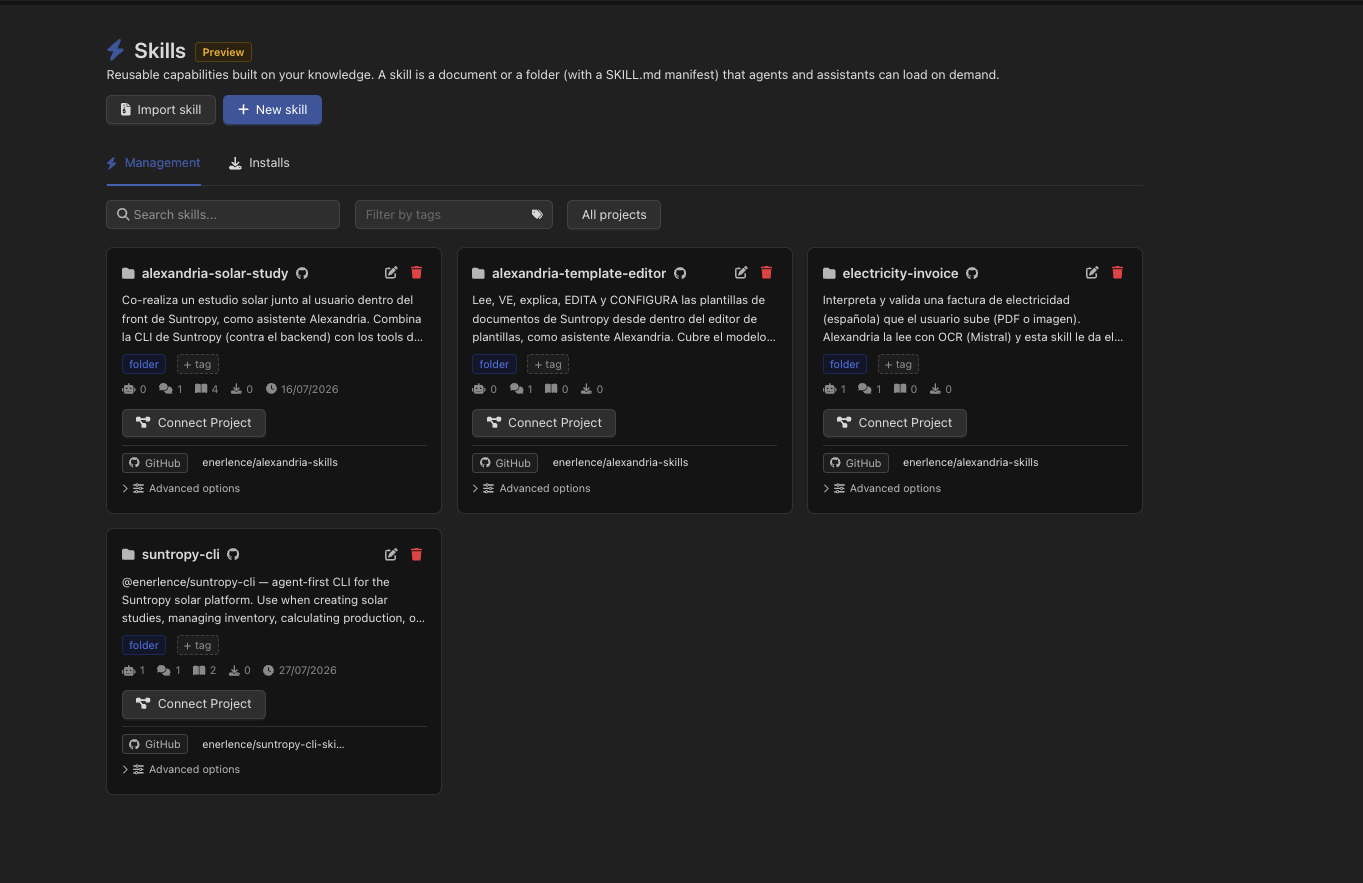
What a skill is made of
Skills live in Knowledge — a skill is a document or a folder with a flag on it — so everything on the rest of this section applies: versions, the editor, folders, search.Document skill
A single markdown document. Everything the agent needs is on that one page.
Folder skill
A folder with a
SKILL.md at its root and whatever else it needs beside it: reference pages, examples, scripts, templates. The manifest explains itself and points at the rest.SKILL.md, for a folder skill:
The description is not decoration: it is the only thing the model sees before deciding whether to open the skill. Write it as the answer to “when should I use this?”, not as a title restated. Without frontmatter, the document’s own name and its generated summary are used instead.
.skill, a .zip, or a lone SKILL.md.
Attaching a skill
Skills are attached where knowledge is attached: an agent, an assistant and an environment each have a Knowledge / Skills / Memory switcher in their configuration. Open Skills, then Link skill.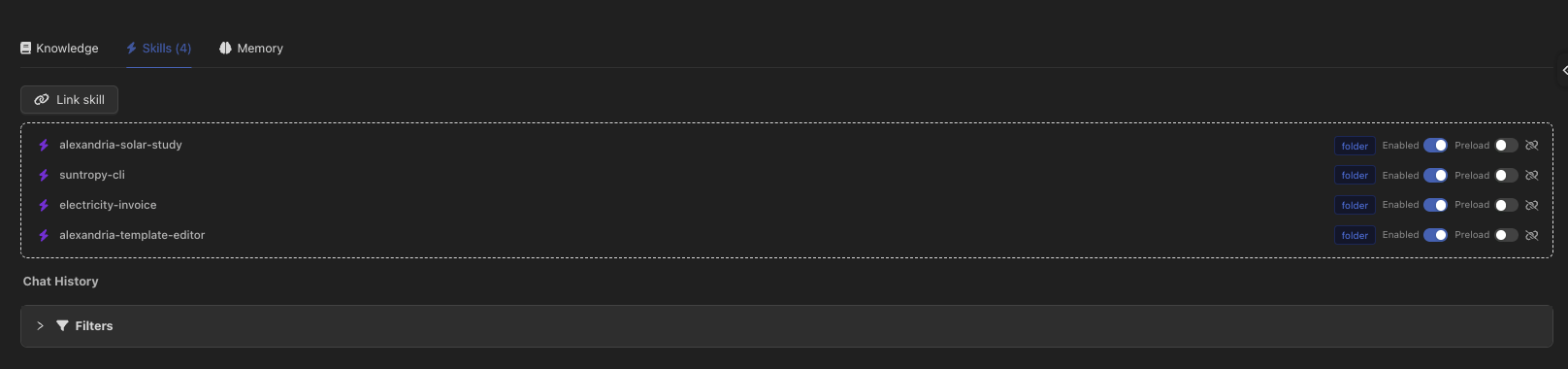
Environment skills and the entity’s own skills are merged, not replaced: an agent connected to an environment gets both. If the same skill appears in both, the entity’s own setting wins.
Each attached skill has two switches:
What reaches the model
This is worth understanding, because it is where the token bill is decided. Devic adds a block to the system prompt, after the prompt you wrote, marked====== SKILLS ========. Every attached and enabled skill appears in it as an XML element:
<content>:
On demand (default)
Only the name and the description. Alongside them, an instruction telling the model how to fetch the rest:
read_knowledge_document with the skill’s id for a document skill, or with its manifestId for a folder skill — and then list_knowledge_directory and read_knowledge_document to walk into whatever the manifest references.Preloaded
The full text inlined in
<content>. The model has it from the first token, with nothing to fetch — and pays for it on every single call of the conversation, whether or not the skill turns out to be relevant.Using one inside a prompt
A skill can be referenced from the prompt editor with@, under the Skills category. That inserts a reference the agent resolves by name, which is how you go from “you have skills” to “when a refund is requested, use the Refund policy check skill”.
Sharing skills
The same catalogue is reachable outside the console:Installs are tracked per user and per skill, so an administrator can see who is running an outdated copy — or a copy of a skill that has since been deleted. It is on the Installs tab of the skills page.
Where it fits
Skills from GitHub
Keep a skill in a repository and let Devic read it live.
RAG in agents
The knowledge tools a skill is loaded through.
Environments
Attaching a skill once for a whole family of agents.
Writing documents
The editor, frontmatter and links a skill is written with.