

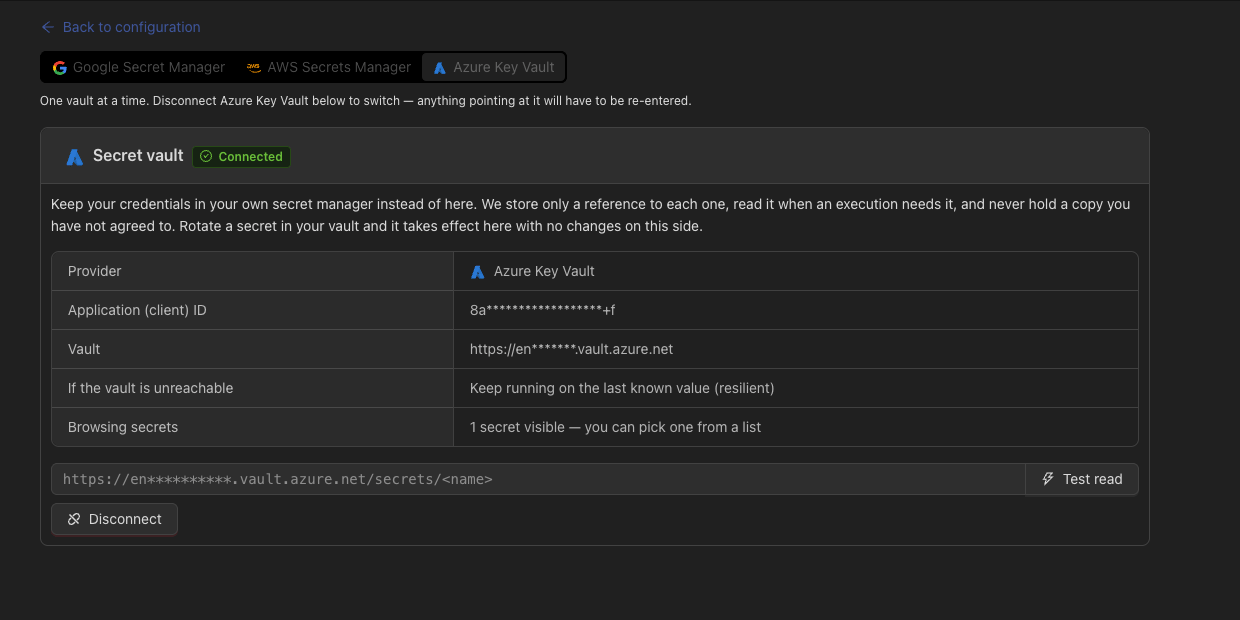
Bring your own vault
Devic can hold a reference instead of a secret. When a run needs the value, Devic reads it from your secret manager, uses it, and never stores it.Google Secret Manager
AWS Secrets Manager
Azure Key Vault
- You rotate on your side. Devic reads the current version; nothing has to be updated here.
- You can cut us off. Revoke the service account and the reads stop, immediately and unilaterally.
- Your audit log. Every read appears in your provider’s audit trail, not only in ours.
What can be a reference
Identifiers are deliberately excluded: a Basic username, a client id, a scope or a header name are not secrets, and treating them as such would only make configuration harder to read.
Encryption for what stays
Credentials you do leave with Devic are encrypted at rest with AES-256-GCM and masked whenever they are read back — including through the internal API the console itself uses.A masked value written back does not overwrite the stored secret. That is what lets you edit one field of a tool server without blanking its token, and it is the behaviour to expect from every form that shows
••••••••.Connecting a vault
1
Create a service identity
A Google service account, an AWS IAM principal or an Azure application, with read access to the secrets Devic will need — and nothing else.
2
Connect it
In Configuration → Vault, choose the provider and provide its credentials.
3
Test it
Devic performs a real read before saving. A vault that is connected but unreachable is worse than one that is not connected.
4
Reference secrets
In any supported field, use the provider’s own reference syntax instead of the value.
Related
Environment variables
Where most runtime credentials live.
Model providers
Provider keys and where they are stored.