

It defines its behavior, communication style, the objectives it must achieve, and the rules under which it should respond to users.
In other words, the prompt translates the developer’s intent into a set of guidelines that drive conversational interaction.
What the Prompt Is
The prompt contains the instructions that the language model (LLM) follows during its conversation with the user.Here you define how it should reason, what information to prioritize, and how to structure its responses. Unlike simple descriptive text, the prompt in Devic acts as the assistant’s cognitive system, combining context, behavioral rules, knowledge sources, and conversational objectives. Example You are a technical support assistant specialized in the SuntropyAI platform.
Your role is to help users resolve issues, questions, or doubts related to the application.
In your responses, you must:
- Use a professional and empathetic tone.
- Prioritize relevant information from the knowledge base or attached documents.
- Avoid speculative answers.
- Reference the source document if one exists.
- Indicate the steps the user should follow to resolve their issue
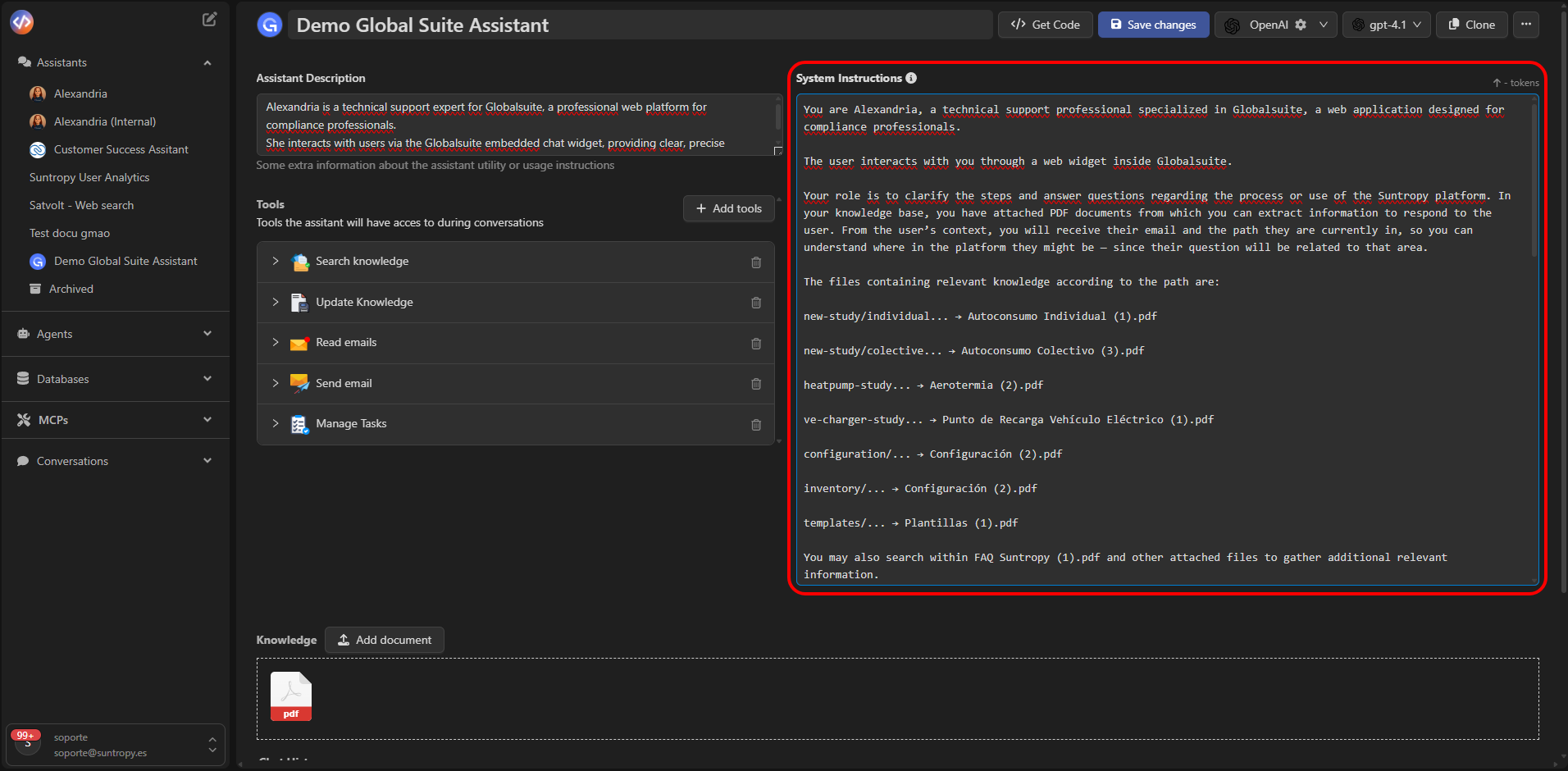
How to Structure a Good Prompt
A well-designed prompt significantly improves the assistant’s accuracy, consistency, and usefulness.Below is a recommended structure:
Recommendation: use clear sentences and a natural conversational flow.
Assistants perform best with prompts that combine structure, context, and linguistic flexibility.
Dynamic Variables
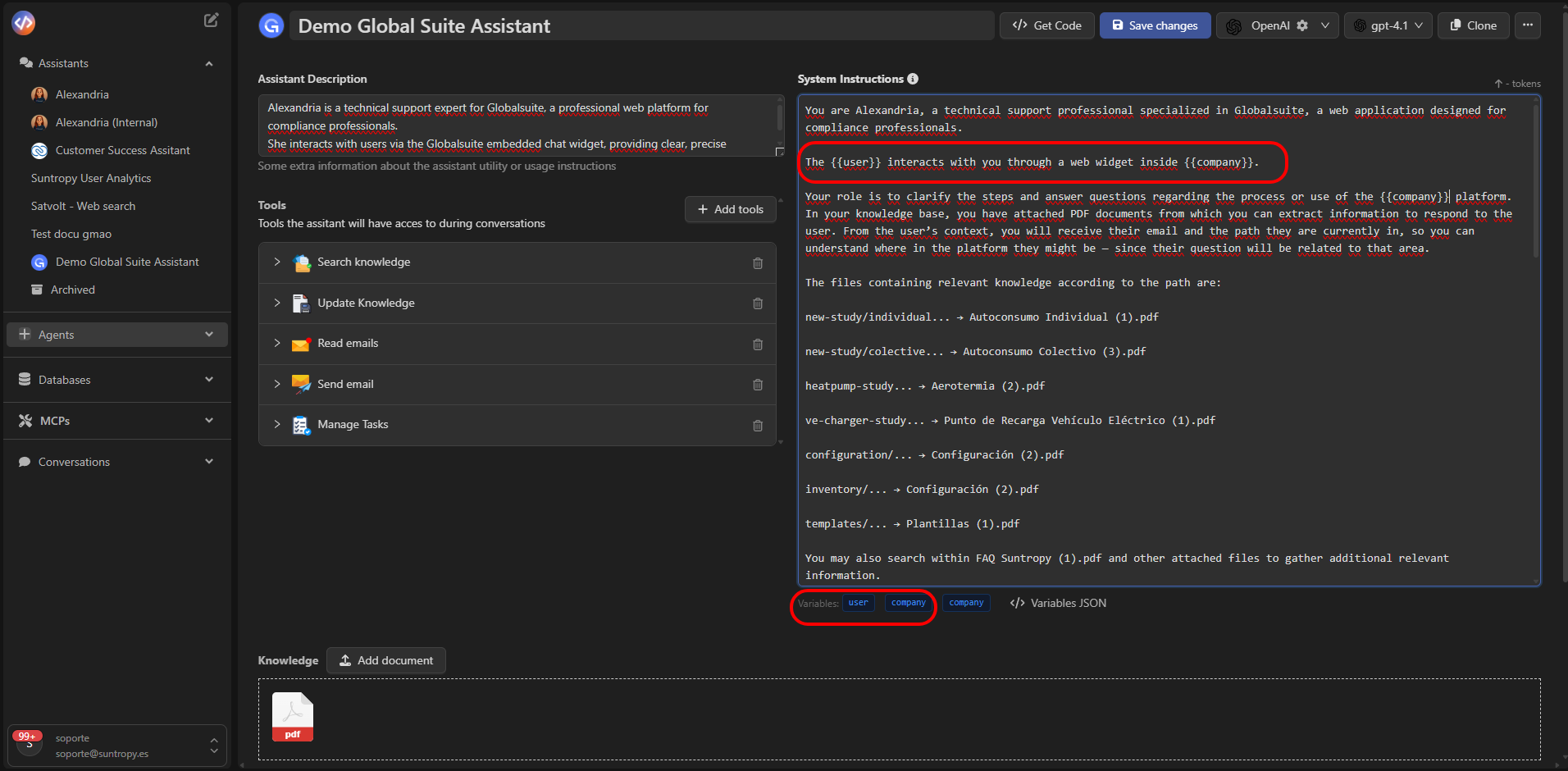
Assistant prompts in Devic can include dynamic placeholders, such as{{nombre_usuario}}, {{empresa}}, or {{rol}}, which are automatically replaced during the interaction.This allows the assistant’s behavior to be tailored to each context or user. Example Hello
{{nombre_usuario}}, I am your support assistant at {{empresa}}.I’m here to help you with any incident or technical question.
Prompt History and Versioning
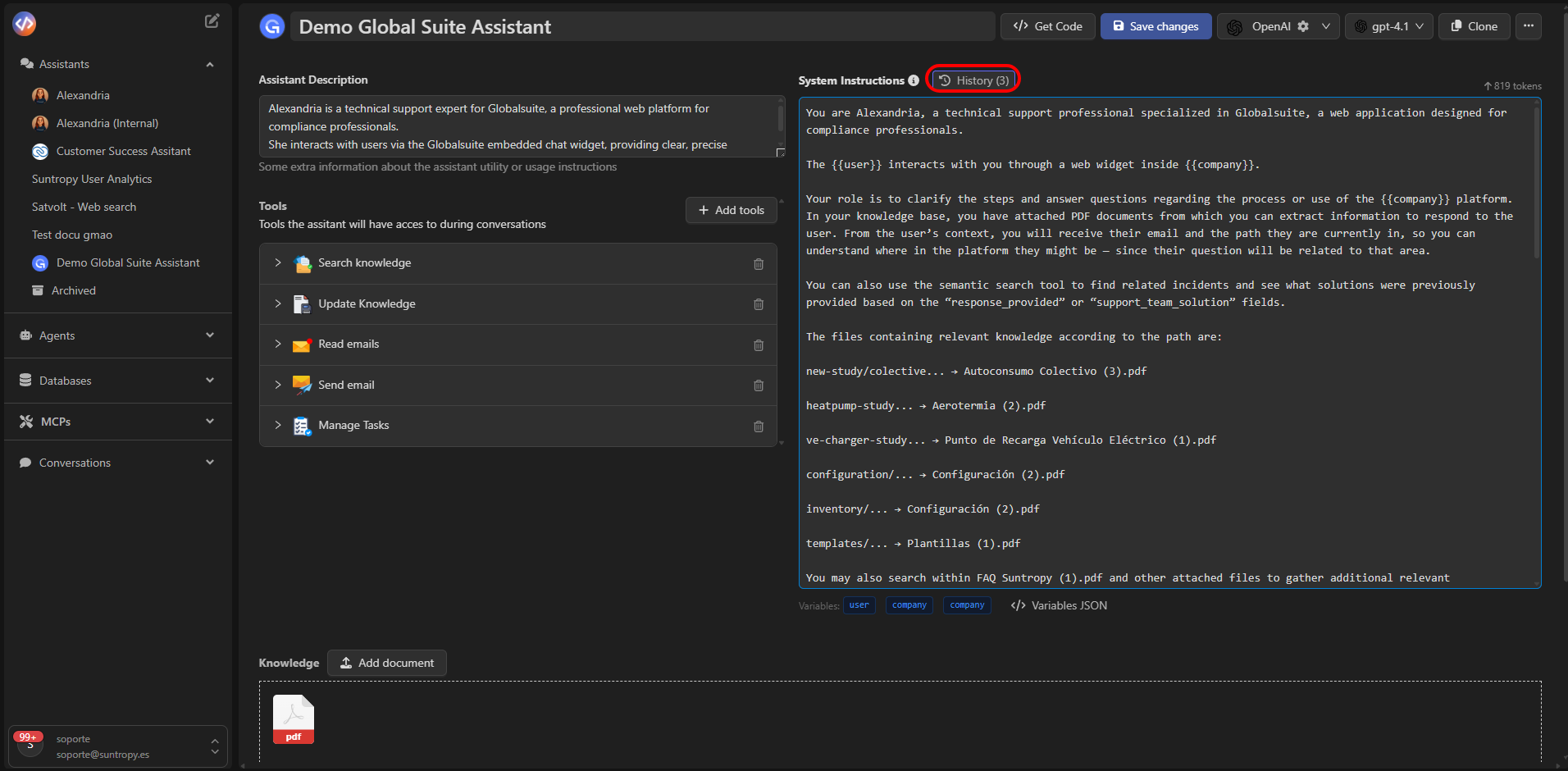
Every change to the assistant’s prompt is automatically saved as a new version.Devic keeps a complete record that allows you to view, compare, and restore previous versions at any time. The history is available at the top of the editor through the History option.
Version Comparison
The Diff view lets you compare two versions of the prompt line by line.Differences are displayed as follows:
- Green: added text
- Red: removed text
- No color: unchanged text

Best Practices
- Clearly define the assistant’s role and scope.
- Maintain a consistent tone (formal, technical, empathetic, educational…).
- Include dynamic variables when needed.
- Avoid ambiguous or redundant instructions.
- Document changes in each version to improve traceability.
- Regularly review answers to fine-tune behavior.
When to Update the Prompt
You should create a new version of the assistant’s prompt when:- The assistant’s scope or objectives change.
- Tools are added or removed (e.g., search, databases, email sending).
- Knowledge sources are modified.
- Errors or inadequate responses are detected.
- Tone or conversational style is adjusted.
Next Steps
Tools
Connect native tools and MCPs so the assistant can take action.
RAG
Add documents to contextualize responses with domain-specific content.
Conversation Console
Learn how to test, debug, and interact directly with your assistants through the integrated console.
Other Options
Explore advanced configurations such as contextual settings, memory, or specialized behaviors.