

They combine reasoning, tools, and knowledge to autonomously execute tasks until they reach an objective. In this guide, you’ll learn how to create your first agent and configure the elements that make it work: the model (LLM), the prompt, the tools, and RAG (knowledge).
What Is an Agent in Devic?
An agent is an intelligent entity capable of making decisions on its own.Unlike traditional workflows —where actions are represented with boxes and arrows— in Devic the agent decides which steps to take and when to stop. Each agent is built by combining:
- A language model (LLM), which reasons and generates actions.
- A prompt, which defines its purpose and rules.
- A set of tools, which allow it to act on data or systems.
- And optionally, a RAG space, where it stores reference information.
Step 1: Create a New Agent
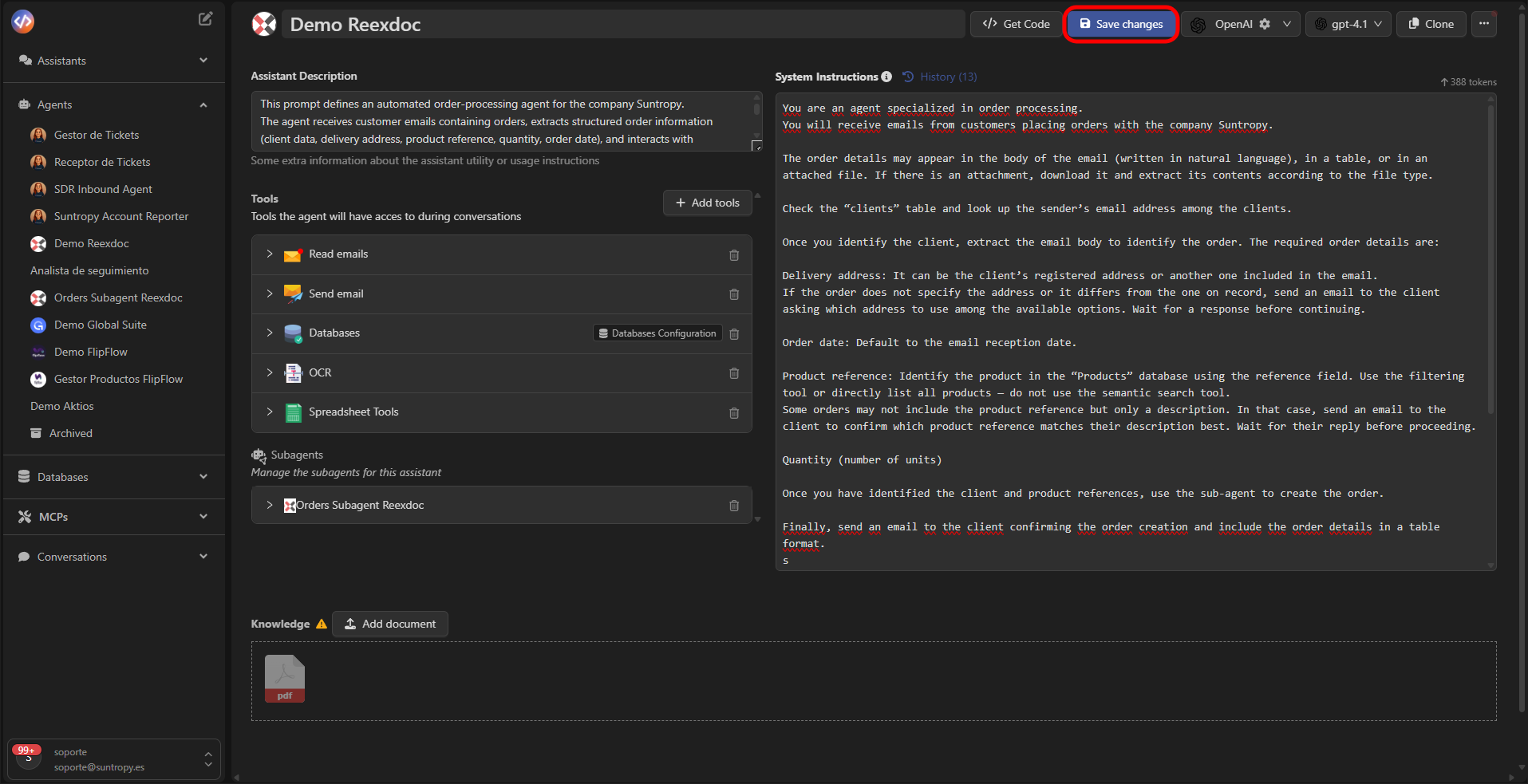
In Devic’s sidebar, open the Agents section and select New Agent.Start by assigning a name and a description that clearly define its function.
Example:
“Agent specialized in processing orders received by email and registering them in the sales database.”

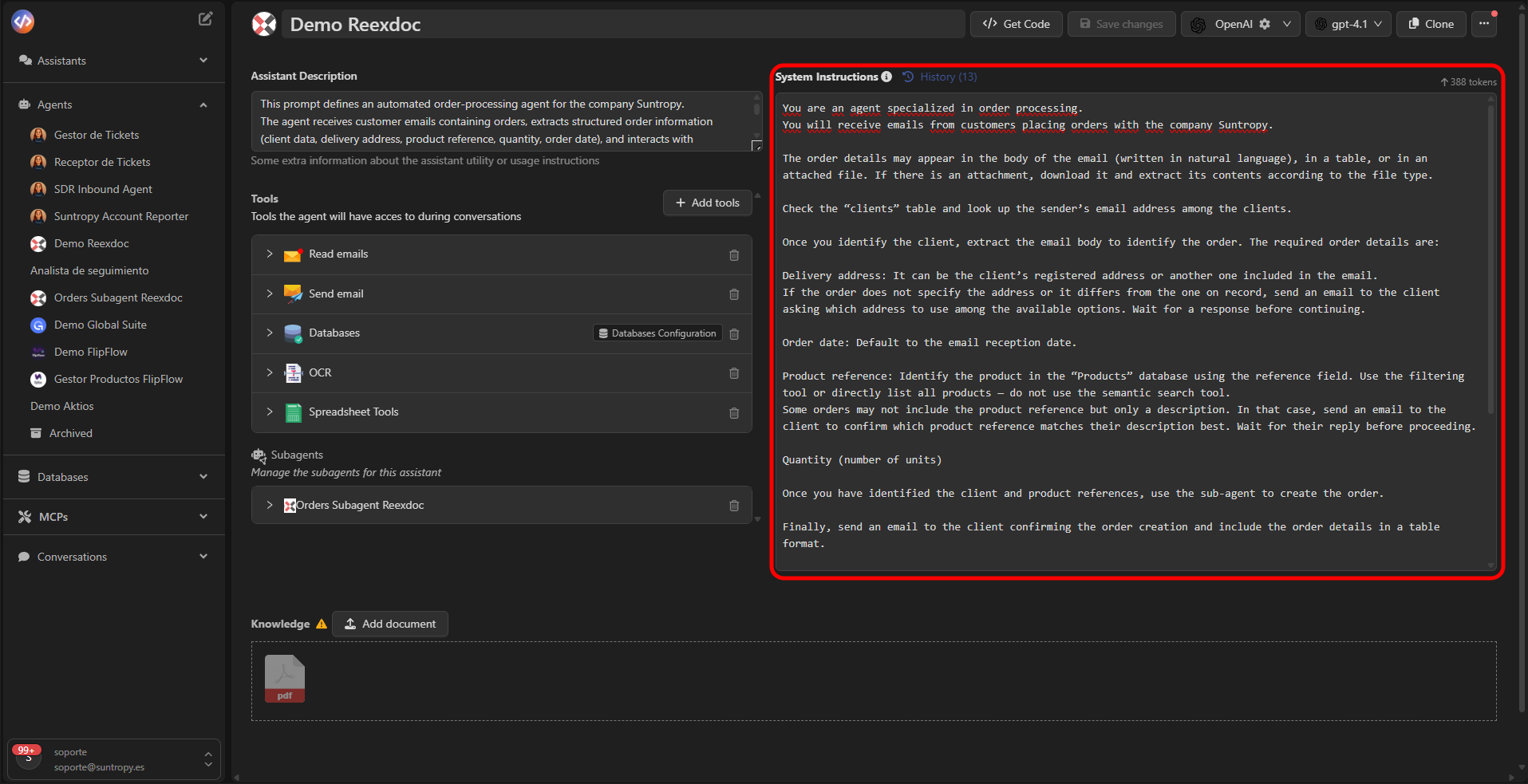
Step 2: Define the Prompt
The prompt is the core of the agent.It describes how the agent should behave, what objective it must fulfill, and under what conditions it must operate. A good prompt should include:
- The agent’s role.
- The objective or expected outcome.
- The rules or limits it must respect.
- The success criteria.
Step 3: Choose the Model (LLM)
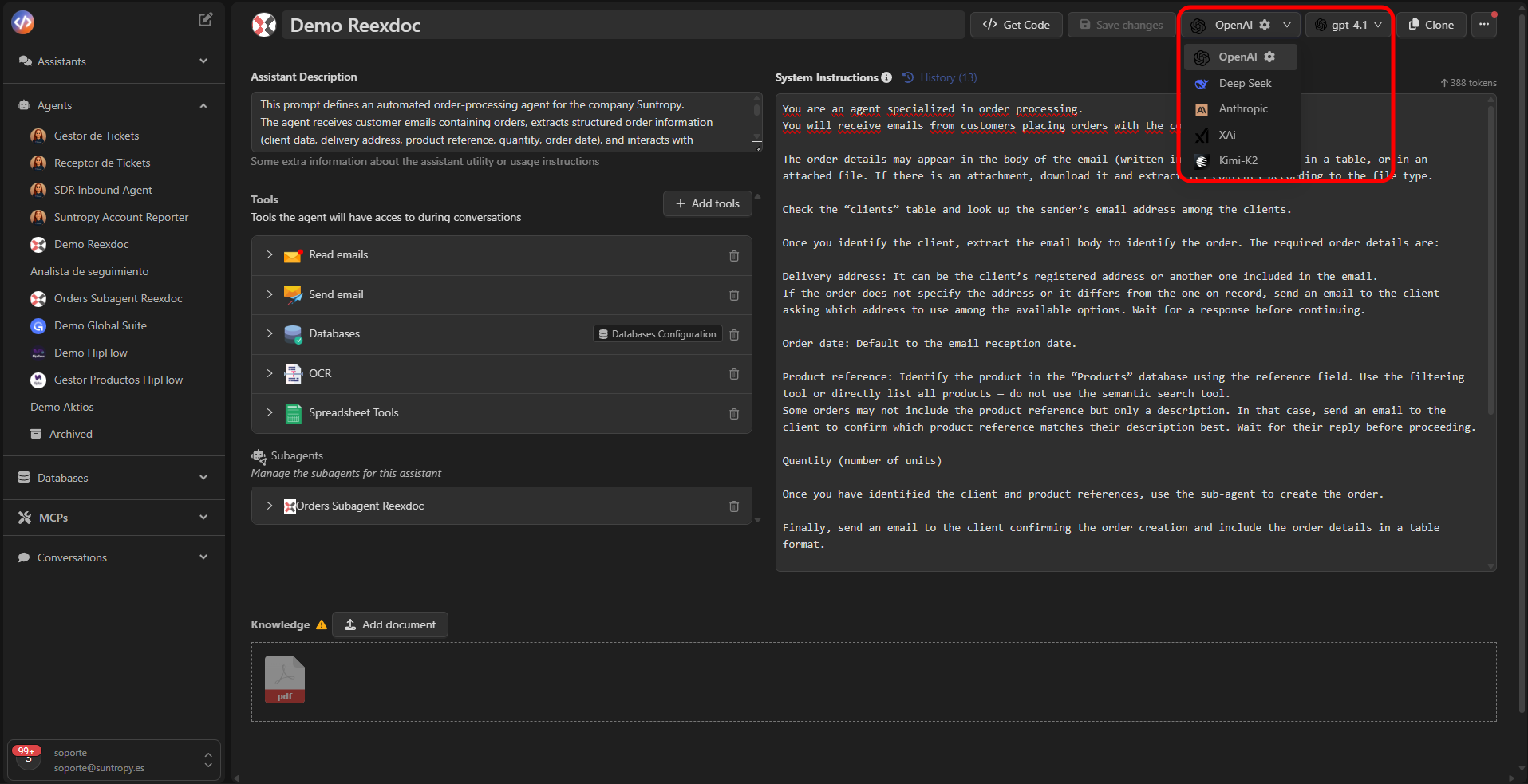
The model is the reasoning engine of the agent.Devic allows choosing between different providers and models, depending on your needs for performance, cost, or privacy.
Available Providers
- OpenAI — GPT-4 and GPT-4o models.
- DeepSeek — Fast, cost-optimized models.
- Anthropic — Claude models, excellent at reasoning tasks.
- XAi — Grok models, general-purpose.
- Kimi / K2 — Alternative models compatible with Devic.
On-Premise Models
You can also deploy your own on-premise models, which allows:- Full control over data handling.
- Meeting privacy or compliance requirements.
- Avoiding dependencies on external services.
Step 4: Add Tools
Tools are the agent’s execution capabilities.They allow it to interact with emails, databases, documents, or external services. You can add tools from Tools → Add tools.
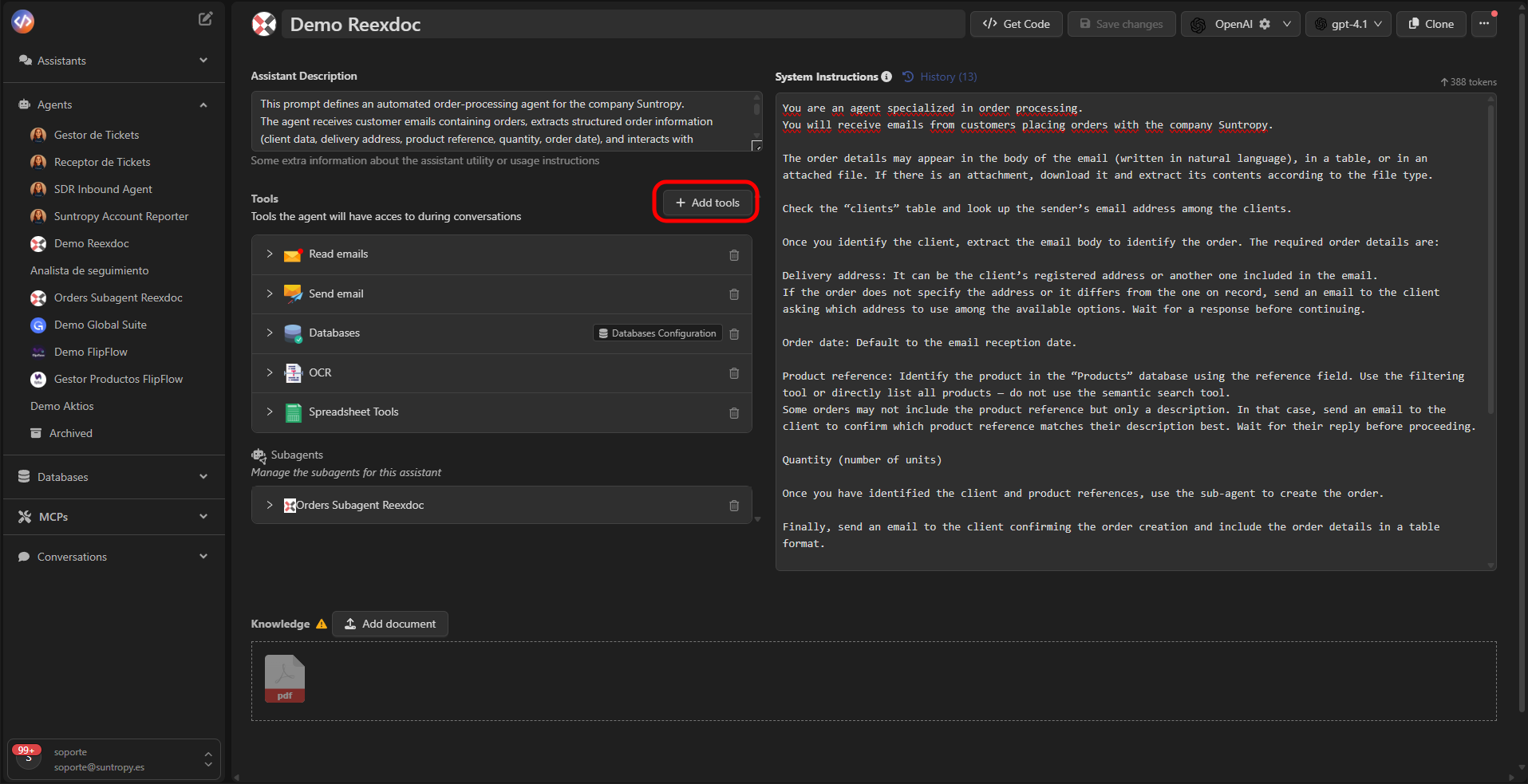
Configure only the tools you need.
For example, a support agent may need
Read Emails, Databases, and Send Email, but not OCR.
Step 5: Add Knowledge (RAG)
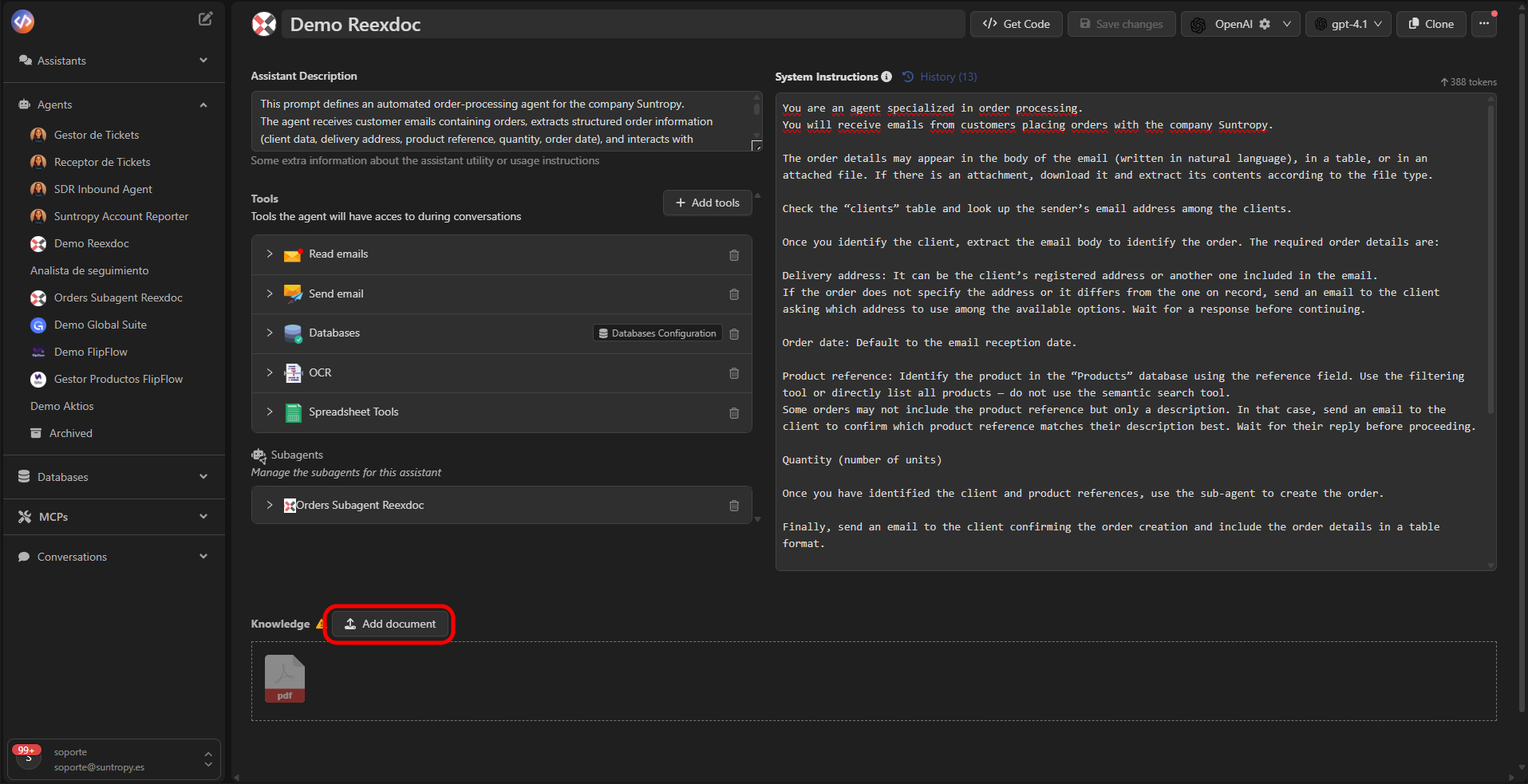
RAG (Retrieval Augmented Generation) serves as the agent’s memory.It allows the agent to consult documents or external files to obtain contextual information during execution. You can upload files in formats such as:
.pdf.docx.txt.csv
- A legal agent consults contracts or laws uploaded as PDFs.
- A sales agent looks up information in catalogs or price lists.
- A technical agent accesses manuals or internal guides.
Step 6: Save and Execute
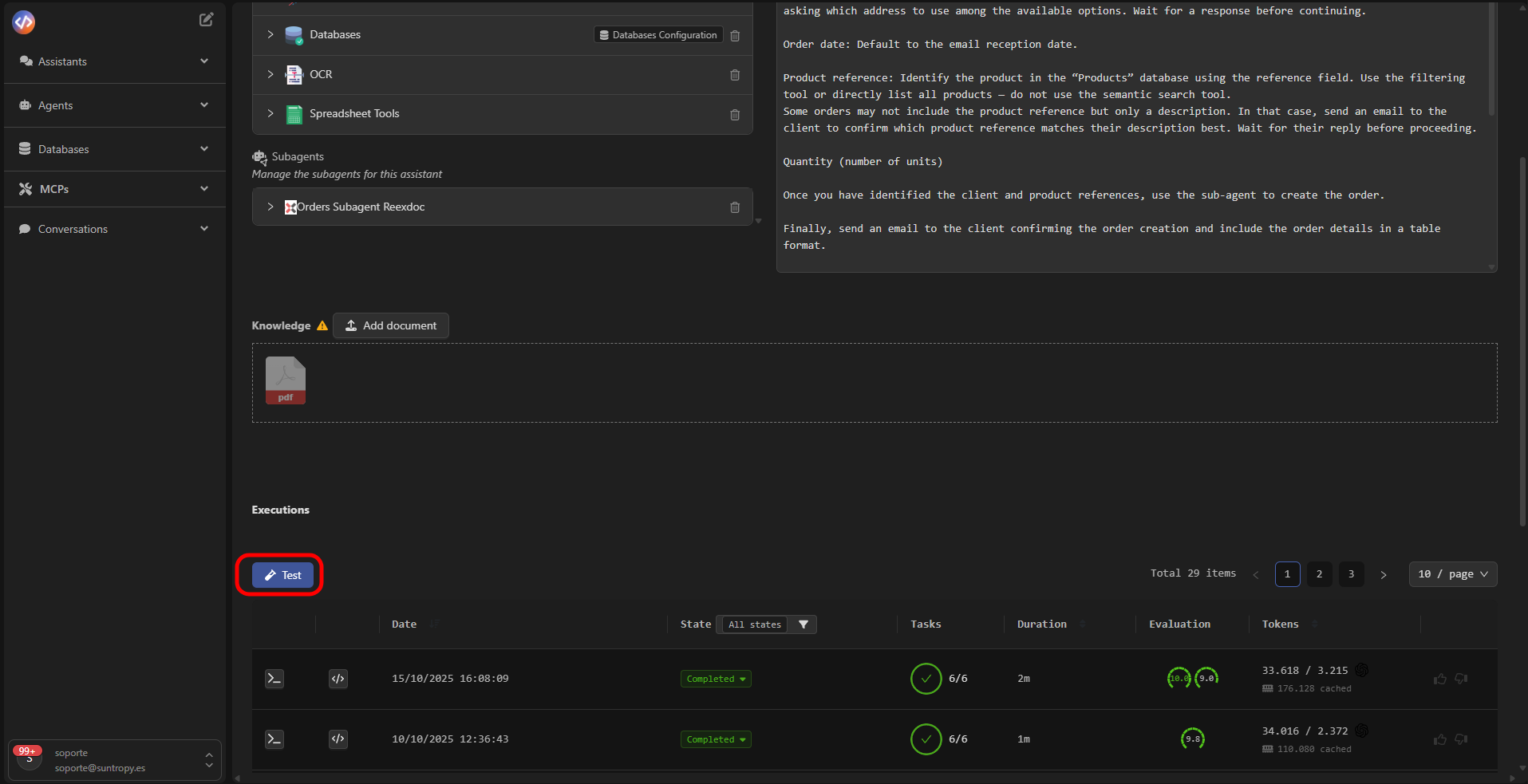
Once you’ve configured the name, prompt, model, tools, and RAG, click Save changes.The agent will be ready to run manually, via webhooks, or scheduled periodically. You can test it directly from the interface using the test button.
Component Summary
Next Steps
Design an Effective Prompt
Learn best practices for structuring prompts that precisely guide your agents’ behavior and decisions.
Tools
Explore the tools available for your agents and how they can be used to execute real actions within Devic.
RAG
Discover how to integrate knowledge bases and semantic search using Devic’s native RAG system.
Continuous Optimization
Learn how to improve your agents’ performance through automatic evaluations, human feedback, and iterative tuning.