

Agents
Agents in Devic are intelligent entities capable of making autonomous decisions until they achieve a specific goal.They are composed of four fundamental elements:
- An LLM model — the main reasoner.
- A prompt — the context and behavior rules.
- A set of tools — the actions it can execute.
- A knowledge base (RAG) — information sources the agent queries on demand using semantic search.
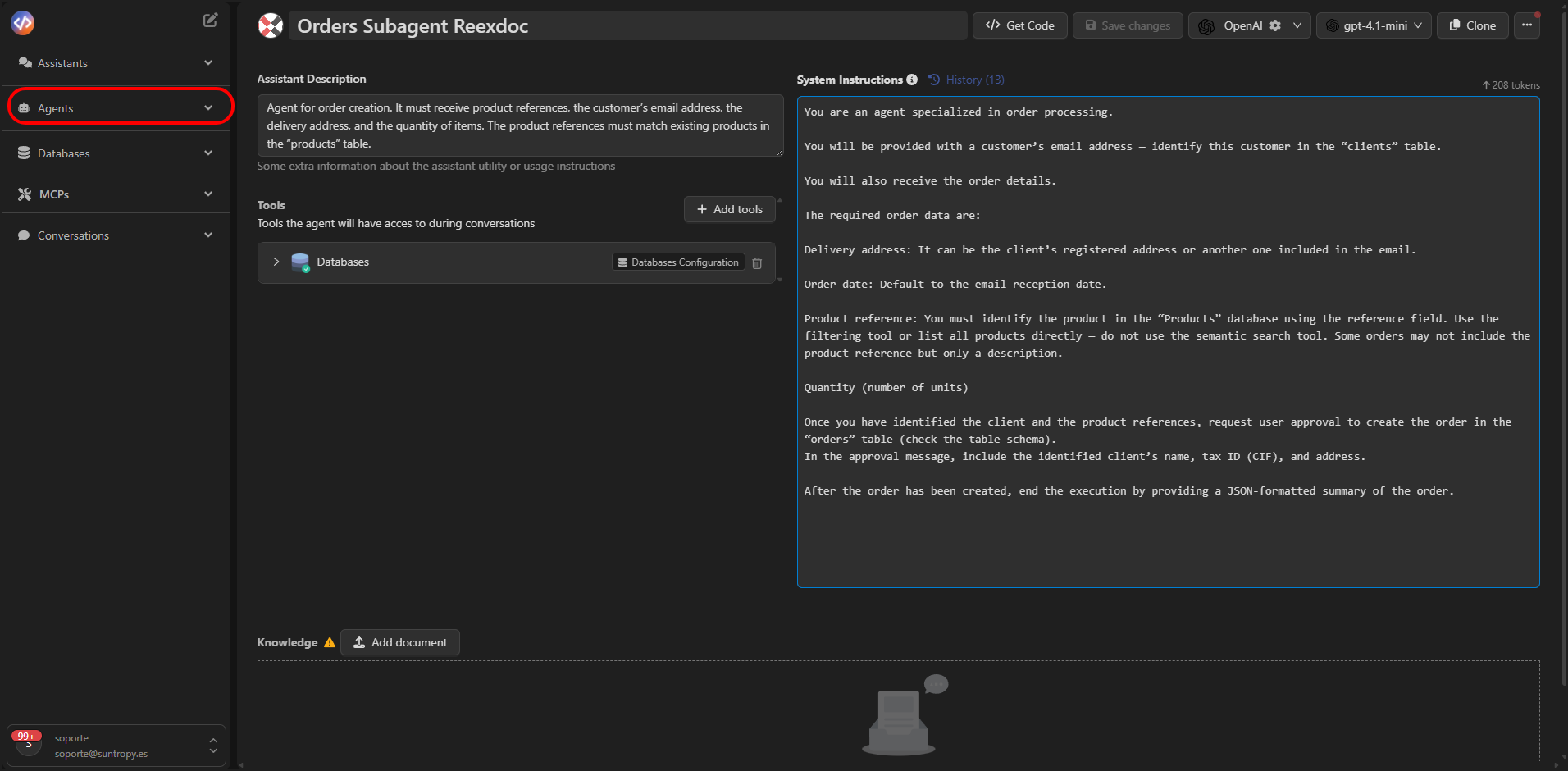
How We Understand Them in Devic
Unlike other environments where agents are represented as flows or box-and-arrow diagrams, in Devic we do not conceive agents as predefined flows. An agent does not follow a rigid path:the agent itself decides which steps to take, which tools to use, when to query its knowledge via RAG, and when to stop, until it achieves the expected result. This allows Devic agents to be autonomous, adaptive, and solution-oriented, reacting to the contexts or data they encounter during execution.
Functional Structure
An agent combines:
This combination makes it possible for the agent to reason and act autonomously, without requiring pre-programmed sequential flows.
Interaction with Agents
Interaction with agents is not continuous, as it is with assistants.An agent runs in response to a trigger, performs its actions until it completes the task, and then finishes its cycle.
Possible Execution Triggers:
- Scheduled periodic runs (for example, every day or week).
- Webhooks or external events that activate it automatically.
- Other tools or agents that trigger its execution.
- Manual actions from the Devic interface or API.
Conceptual Example
An agent can be configured to:- Run every Monday morning.
- Query the weekly sales database (Vector Search).
- Generate a chart and a summary PDF.
- Send the report to the team via email.
- Which tools to use (query database, retrieve knowledge, generate chart, send email).
- In which order to use them.
- When the task should be considered complete.
In Summary
Agents are the key component for intelligently automating complex processes in Devic: they reason, retrieve knowledge with RAG, and act on their own until they achieve the goal.
Next Steps
Launch Your First Agent
Learn step by step how to create, configure, and launch your first agent in Devic.
Agent Prompt
Discover how to design effective prompts that define the behavior, tone, and limits of your agents.
Tools
Learn about the tools your agents can use to interact with data, services, and other MCPs.