

Overview
Below is the full description of the Built-in Tools included in Devic, organized by functional purpose.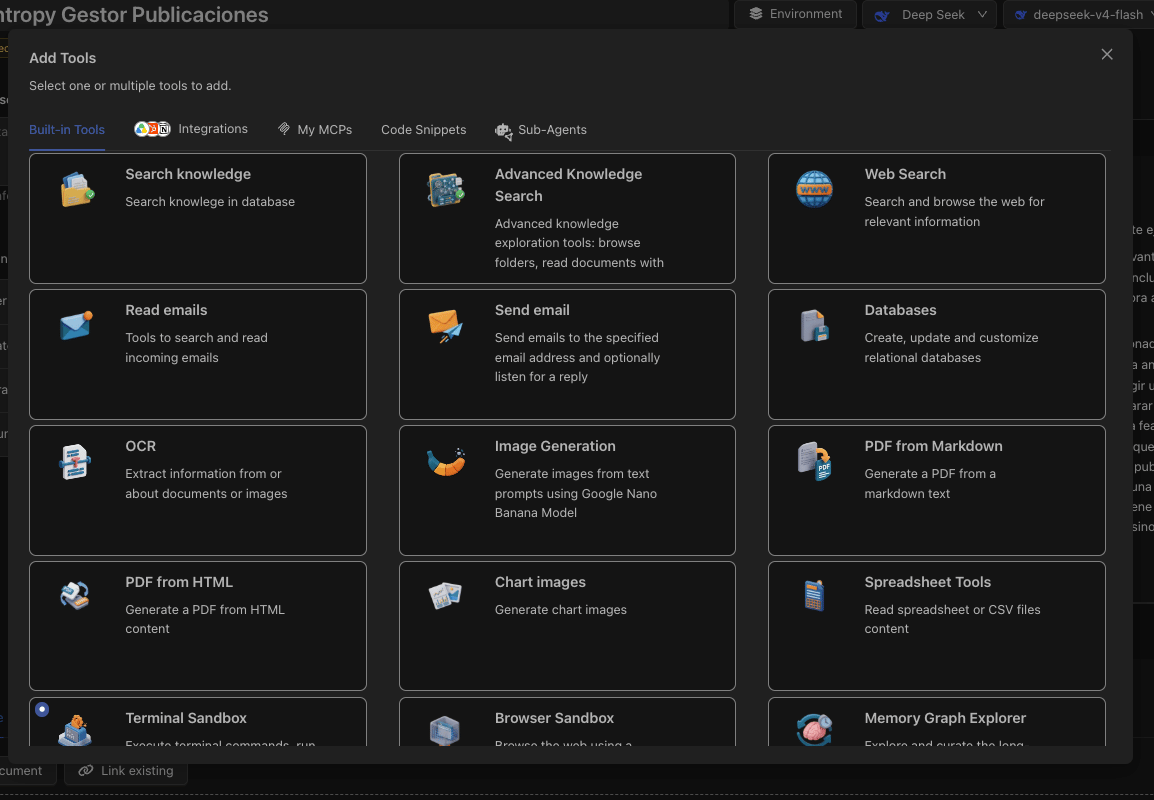
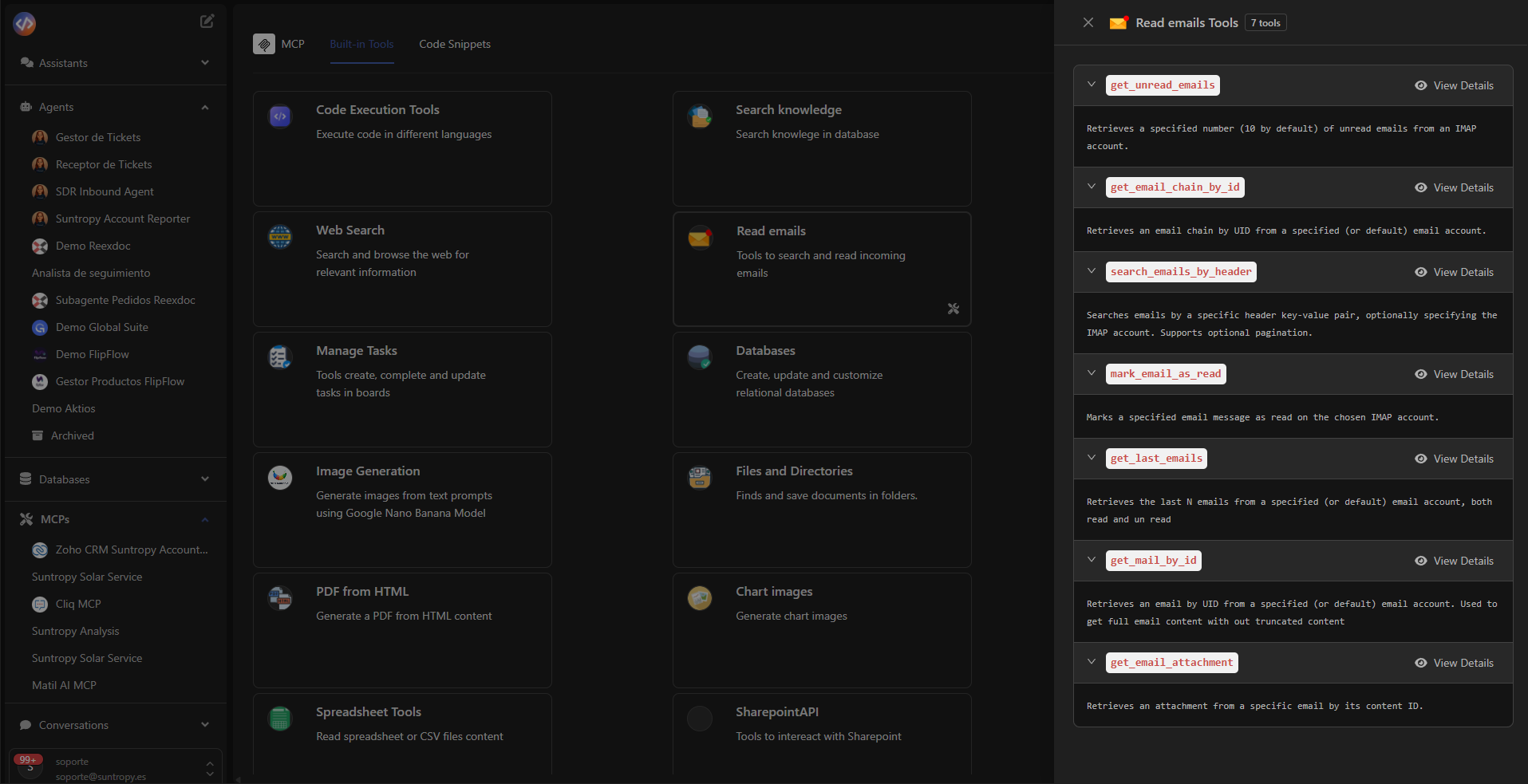
Read Emails
Reads and manages email messages.- Available tools:
get_unread_emails,get_last_emails,mark_email_as_read,get_email_attachment, among others.
Send Email
Allows automated email sending.- Tool:
send_basic_email - Description: Sends an email to the specified address and can listen for a reply.
- Recommended use:
- Sending personalized emails.
- Automated notifications or reports.
- Internal alerts or agent-to-agent communication.
Code Execution Tools
Executes code in different languages directly from Devic (currently Python).- Tool:
execute_python_code - Description: Executes Python code and returns the result or an error.
- Recommended use:
- Data processing or logical validation.
Terminal Sandbox
Gives the assistant or agent an isolated Linux machine where it can run code and shell commands. This is the tool group to add when a skill or a task requires executing something — installing a package, running a Node or Python script, building a file — rather than just reasoning about it.- Available tools:
create_terminal_sandbox,run_terminal_command,stop_terminal_sandbox,get_sandbox_status,extend_sandbox_timeout- Files:
write_sandbox_file,read_sandbox_file,list_sandbox_files,create_sandbox_directory - Transfers:
download_sandbox_file(returns a shareable URL),upload_file_to_sandbox - Serving:
get_sandbox_public_url
- Runtimes: Node.js and Python, with full shell access.
- Recommended use:
- Generating files (documents, presentations, spreadsheets) with code.
- Running scripts a skill defines.
- Anything that needs real execution and a filesystem.
Sandboxes are ephemeral: files are lost when the sandbox stops unless snapshots are enabled. To hand a generated file to the user or to another step, get a URL with
download_sandbox_file.Browser Sandbox
Browses the web with a real headless Chromium inside a sandbox, when reading a page is not enough and the assistant needs to interact with it.- Available tools:
create_browser_session,browser_navigate,browser_observe,browser_action,browser_get_element,close_browser_session - Recommended use:
- Sites that require clicking, typing or scrolling to reach the content.
- Visual checks through screenshots.
Search Knowledge
Searches for relevant information within internal knowledge bases.- Tool:
retrieve_from_rag_in_file
Advanced Knowledge Search
Explores the knowledge base like a filesystem instead of only searching it semantically. Required for skills: it is what lets a model open a skill’s instructions on demand.- Available tools:
list_knowledge_directory,read_knowledge_document,grep_knowledge,search_knowledge - Recommended use:
- Attaching skills (without this group their full text is injected into the system prompt on every run).
- Browsing folders and reading specific documents by id.
- Searching exact text patterns across the knowledge base.
Update Knowledge
Updates the knowledge base of agents and MCPs through write or synchronization operations.- Tool:
update_memory - Description: Each agent maintains its own memory state, which can be updated by adding new text fragments (e.g., descriptions, notes, or results). This update only affects the agent’s internal memory — it does not modify source documents.
- Recommended use:
- Add or update contextual knowledge for the agent.
- Synchronize information from documents or external APIs.
- Allow the agent to “learn” new data incrementally while keeping original sources unchanged.
Web Search
Allows searching for up-to-date information on the web.- Available tools:
search_webweb_extract
Databases
Creates, queries, updates, and deletes structured information in internal databases.- Tools:
get_tables,create_table,filter_rows,update_row,vector_search_table_rows, among others.
Files and Directories
Manages documents and folders within the Devic workspace.- Available tools:
create_folder,get_folder_content,move_document_to_folder,navigate_to_folder, among others.
OCR
Extracts text from images or scanned documents.- Available tools:
ocr_documentquery_document
PDF from HTML
Converts HTML content into visually formatted PDF documents.- Tool:
generate_pdf_from_html - Recommended use:
- Creating corporate reports or styled templates.
PDF from Markdown
Generates PDF files from Markdown text.- Tool:
generate_pdf_from_markdown
Image Generation
Generates images from a text prompt.- Tool:
generate_image - Recommended use:
- Illustrations or visual assets for a document or a presentation.
Image Viewer (vision)
Loads an image into the model’s visual context so it can actually look at it.- Tool:
view_image - Note: this group is added automatically for models that support vision — you do not need to assign it.
Chart Images
Generates visual charts from structured data.- Tool:
generate_chart_image - Description: Creates bar, line, or area charts.
- Recommended use:
- Data visualization or dynamic reports.
Spreadsheet Tools
Allows reading and manipulating spreadsheets (Excel or CSV).- Tools:
get_sheets,get_sheet_content
Text File Templates
Generates documents from templates (Word, Excel, PDF).- Available tools:
fill_text_template,get_text_templates,merge_word_documents
SharePoint API
Integrates Devic with Microsoft SharePoint.- Tools:
check_active_site,get_document_details,get_excel_content,update_cell
Short and Medium Term Memory
Allows agents to access the context of previous interactions.- Tools:
get_agent_threads_summary,query_agent_thread_details
Group IDs for the API and the CLI
In the dashboard you pick these groups from a list. Over the API or the CLI you reference them by UID, insideavailableToolsGroupsUids — the same flat array
that also holds your own MCP servers’ ids:
For an agent the field lives inside
assistantSpecialization; for an assistant it
sits at the root. Adding a group grants every tool it contains — narrow it down
with enabledTools if you only want some.
This table lists the groups you can assign today. Availability can differ by
account and by plan, so if a group described above is not offered in your
dashboard, it is not enabled for you — check there before wiring its UID.
Next Steps
Agents
Learn how to create and configure autonomous agents capable of executing complex processes and making context-aware decisions.
Assistants
Discover how assistants provide rich conversational experiences and integrate with your tools and business data.
Databases
Explore how to create, manage, and connect relational or vector databases to enhance search and reasoning capabilities.
MCPs
Dive into the Model Context Protocol (MCP) standard and learn to connect your internal APIs and services as intelligent tools.