

The four sections
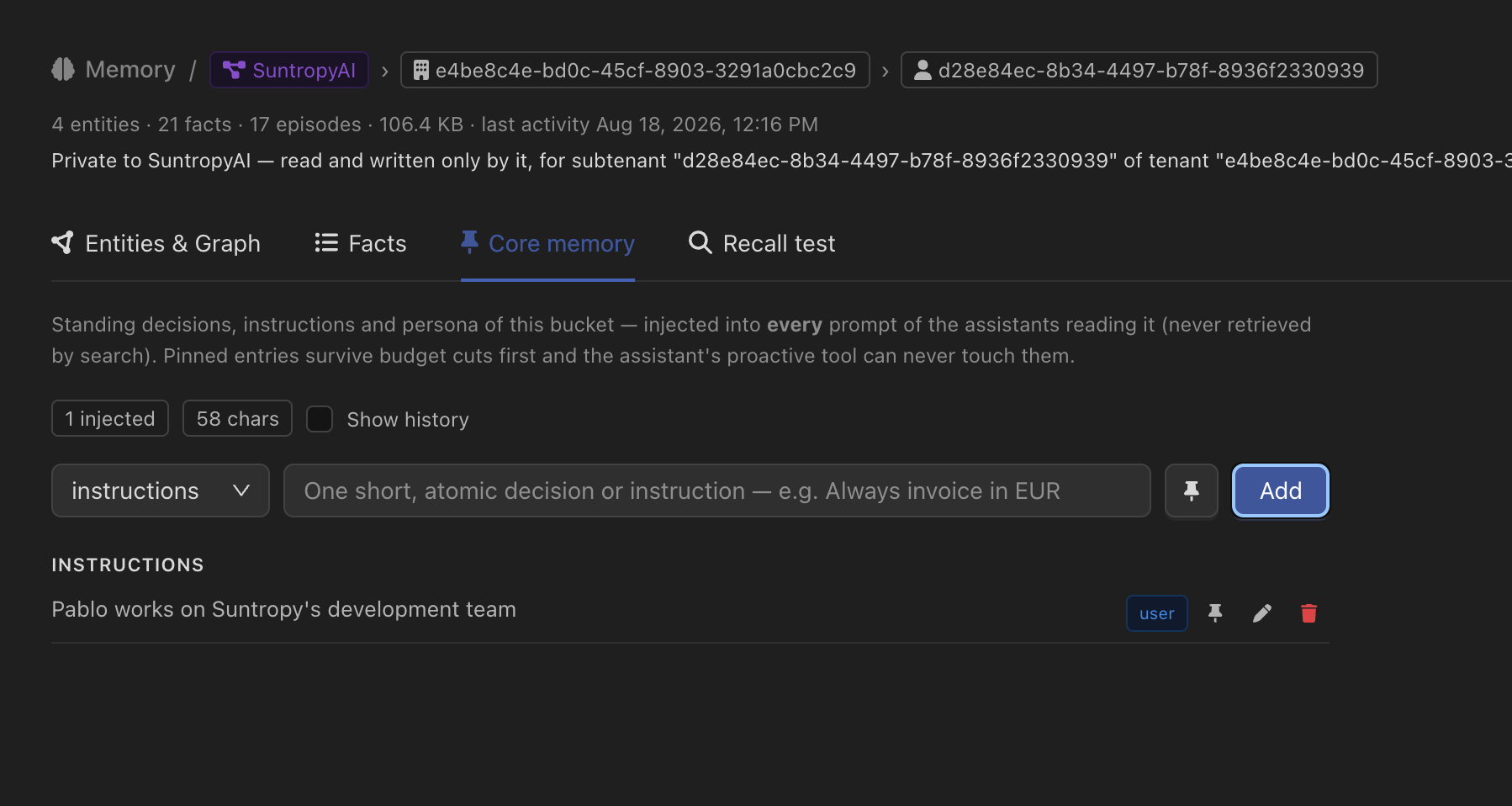
Entries can be pinned, and pinning does two things worth knowing. A pinned entry is the last to be dropped when the block exceeds its render budget, and the assistant’s own proactive tool can never touch it — so a rule you set by hand cannot be quietly rewritten by the model that has to follow it.
The panel shows the budget alongside the entries — how many are being injected and how many characters they take — so you can see what the block is costing before it starts costing it.
Editing it
Three things can write to core memory, and they are deliberately different:You
From the console, or from the memory modal in an embedded widget.
Your product
Through the API, so a profile that already exists in your own database does not have to be retyped.
The assistant
When proactive core memory is on, the assistant gets a tool to record a standing decision itself, mid-conversation.
An edit takes effect on the next turn — the rendered block is refreshed as soon as you write, not when a cache happens to expire.
Letting the end user edit their own
In an embedded assistant, core memory is often the user’s own profile. The@devicai/ui chat drawer can show it and let them change it:
CoreMemoryModal, with editable={false} for a read-only view of what the assistant remembers about them.
Two requirements. The API key or tenant session the page uses must be allowed to reach
/api/v1/memory/* — see API keys. And this is a React component: the hosted widget has no equivalent control.Limits
Each deployment has a ceiling on how many entries a core block can hold and how long they can be. The current limits are returned alongside the entries, so an interface can show how much room is left rather than failing on save.Through the API
The bucket is resolved server-side from the assistant’s configuration and the tenant you name — the same resolution the chat runtime uses, so what you read is what the assistant gets. When the assistant has no core memory tier enabled, the read returns
enabled: false with an empty list rather than an error.