

This applies to folder skills only. The connected folder must contain a
SKILL.md at its root — that file is what makes it a skill.Connecting one
1
Connect your GitHub account
Once per user, from the account settings. Devic uses your token, which is also why you can connect a public repository that belongs to somebody else.
2
Pick the folder
Create a skill and choose from GitHub. You browse the repository’s tree rather than typing a path; folders holding a
SKILL.md are marked and selectable, so the selection is valid by construction. A repository can hold many skills — one folder each — which is how public skill collections are laid out.3
Choose the branch
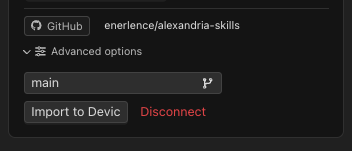
The skill follows a branch. Change it later from the skill’s card and the content follows.
What “live” means
Nothing is copied into Devic. When the agent loads the skill, Devic fetches the files from the repository and serves them, cached for five minutes.
The agent walks the folder exactly as it walks any other skill: it reads
SKILL.md first, then opens whatever that file points at. grep_knowledge works too, though on a connected skill it falls back to a lexical search over the repository files rather than a semantic one, since these files have no embeddings in Devic.
Bringing it in
Two operations sit on the skill’s card, under Advanced options:Related
Skills
What a skill is, and how it reaches the model.
Organising knowledge
Folders, hierarchy and the document graph.