

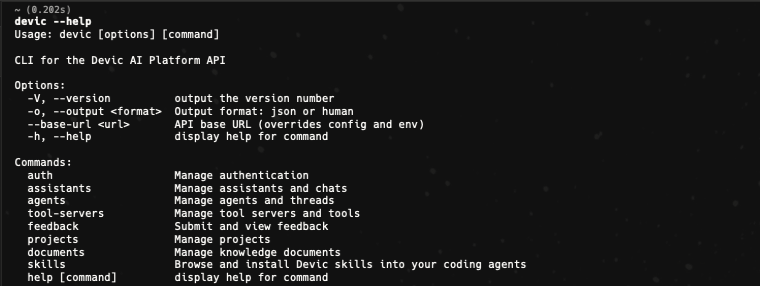
@devicai/cli wraps the Devic public API in a command-line tool. It is agent-first: structured JSON by default when piped, machine-readable errors, meaningful exit codes and polling that does not block forever.
Authentication
~/.config/devic/config.json. Get a key from API keys.
Output
Human-readable tables in a terminal, JSON when piped or non-interactive. Force either with--output json / --output human.
Errors always go to stderr as JSON — {"error":"…","code":"…"} — and the exit code says what happened: 0 success, 1 error, 2 authentication required, 3 poll timeout.
What it covers
Assistants
devic assistants list | get | chat, with conversation history and feedback.Agents
devic agents … — CRUD, threads, approvals, pause and resume, evaluations, costs.Tool servers
devic tool-servers … — MCP and custom servers, their tools, cloning.Integrations and triggers
devic integrations … and devic triggers … — connect apps, pick tools, subscribe to events.Knowledge and skills
devic documents …, devic skills … — read, write and install.Projects
devic projects … — and --project on most listings.Environments
devic environments … — the machine, its secrets, its snapshot and who is connected to it.Sandboxes
devic sandbox start | exec | stop, plus ls, cat and write on a real Linux machine.Scheduling an agent
An agent can run itself. There is no external cron to set up, and the three scheduling modes are mutually exclusive:Provisioning a machine
Environments and sandboxes take the environment by id or by name, and the sandbox commands find the live session on their own afterstart.
--env: they are encrypted at rest, injected into the machine
as ordinary environment variables, and always read back masked. --env merges
over what is stored, so adding one variable does not destroy the others.
Following a long run
--wait blocks until a run finishes, which is fine at a keyboard and wrong for an agent driving the CLI from a sandbox, where commands are killed after about 45 seconds.
watch is the incremental alternative. It looks for a short window, reports only what changed since the previous call, and says whether watching further is worth it:
Alongside them,
advice carries a recommended cadence and diagnostics explains why a run is not moving — a disabled agent, one at its concurrency limit, a queue delay, a pending approval, a scheduled resume.
Server-side SDK
For Node backends,@devicai/sdk offers the same API as a typed client — including minting tenant sessions: