

Task Tracking and Execution Progress
Each execution of an agent in Devic is composed of a set of tasks that represent the individual steps or actions performed during the process.This task system allows you to monitor progress, review partial results, and detect potential issues in complex workflows.
General Task Overview
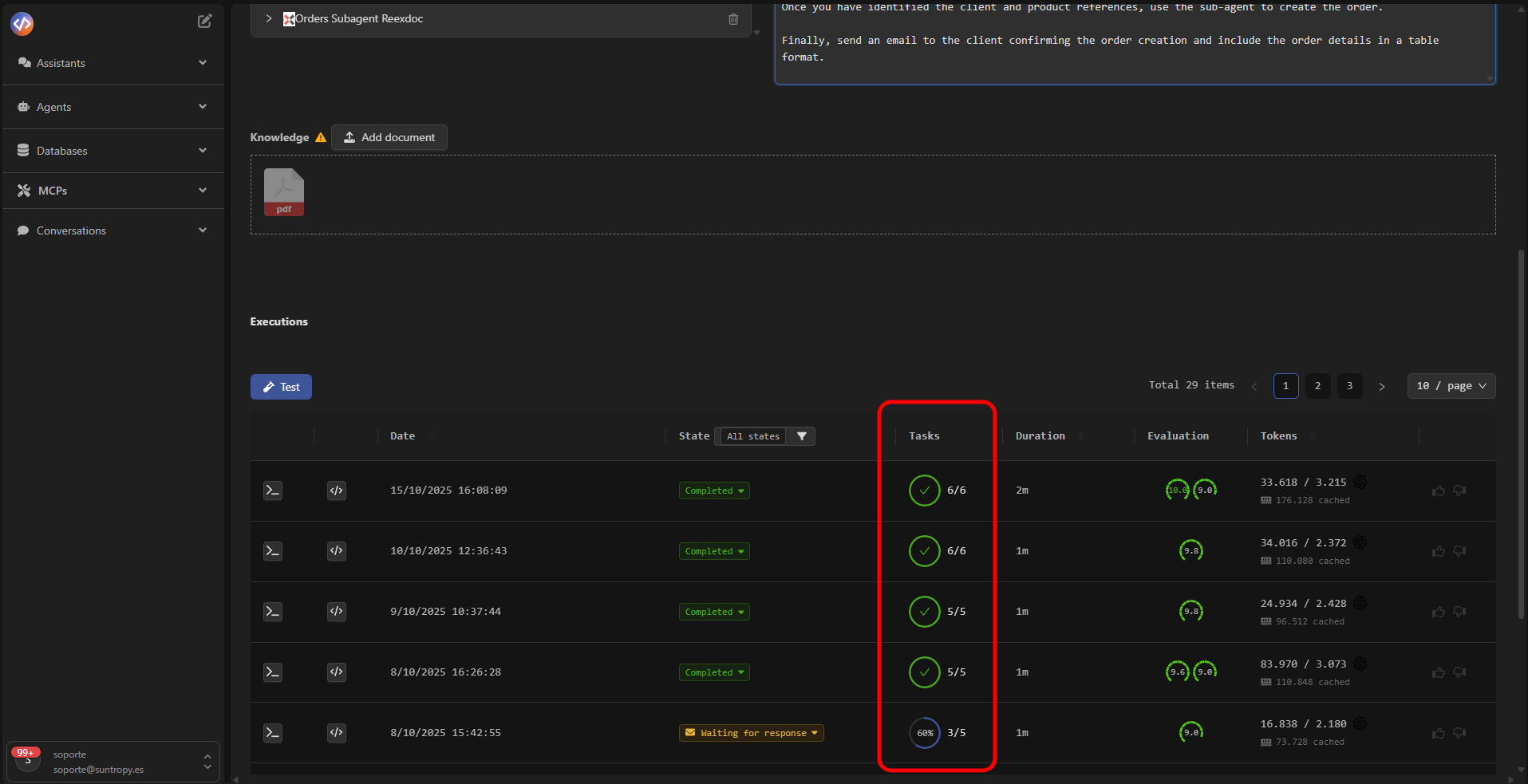
From the executions panel, the Tasks column shows the number of completed tasks versus the total assigned.The circular indicator visually reflects the level of execution progress.
Thread Tasks
Clicking on an execution opens the Thread Tasks panel, which displays the details of each task processed during the flow.Each block includes the name, status, and a detailed description of the obtained result.
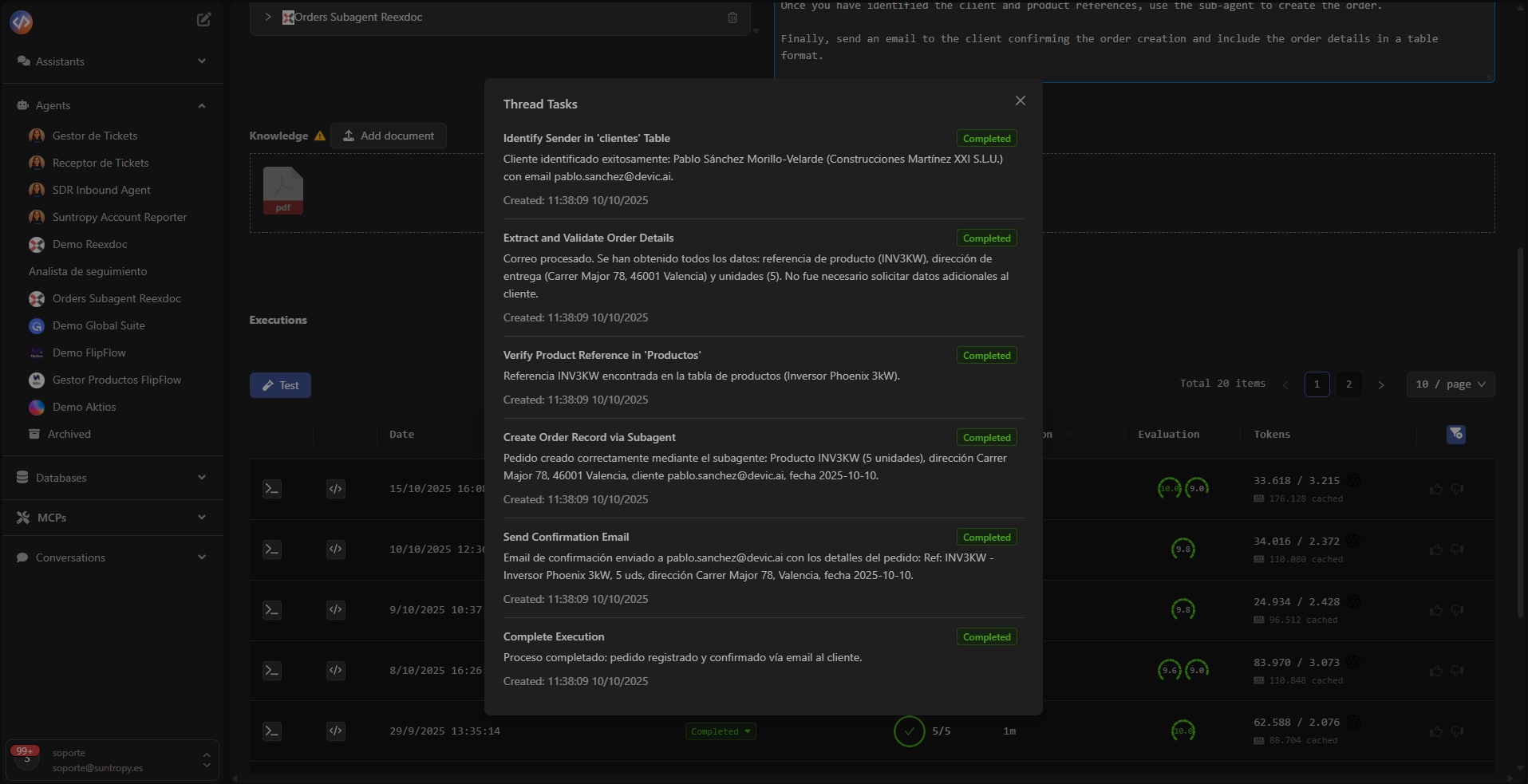
- Name: identifier of the step within the flow (e.g., “BIA report collection”).
- Description or result: text generated by the agent with processed or analyzed information.
- Status: indicates whether the task was successfully completed or remains pending for review.
- Timestamp: date and time of execution for full traceability.
Result Interpretation
The task panel allows you to inspect in detail the steps followed by the agent, facilitating:- Analysis of content generated by each subprocess.
- Detection of gaps, repetitions, or errors.
- Validation of the logical execution sequence.
- Technical auditing of the model’s behavior.
Evaluation and Consistency
When tasks are successfully completed, their results are automatically integrated into the overall evaluation of the execution.This enables correlation between performance, accuracy, and number of tasks completed, providing reliable performance metrics.
Devic’s task system allows you to segment agent logic into auditable steps, ensuring transparency, traceability, and granular control over each execution.
Next Steps
Automatic Evaluations
Configure metrics and automatic evaluations to measure your agents’ performance, accuracy, and consistency.
Costs
Monitor token consumption, analyze execution costs, and optimize model and resource usage.