

Log Analysis and Execution Traceability
Devic incorporates a complete logging and traceability system that allows you to inspect the internal behavior of agents during each execution.Through the logs, you can follow step by step the actions performed, the tools used, the messages exchanged with the model, and the state of each task. This module facilitates debugging, auditing, and continuous optimization of agent performance, providing full visibility into every process.
Accessing Logs
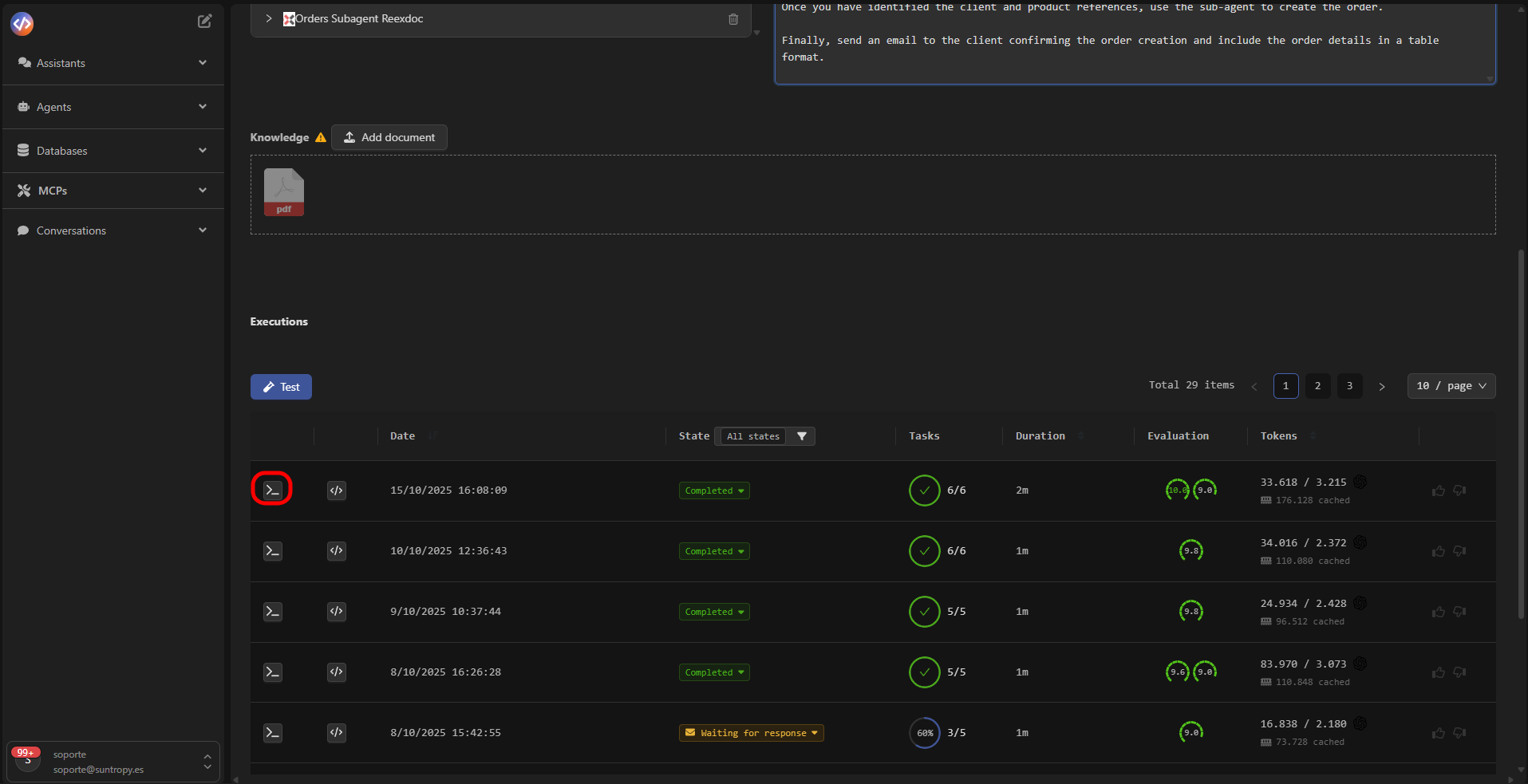
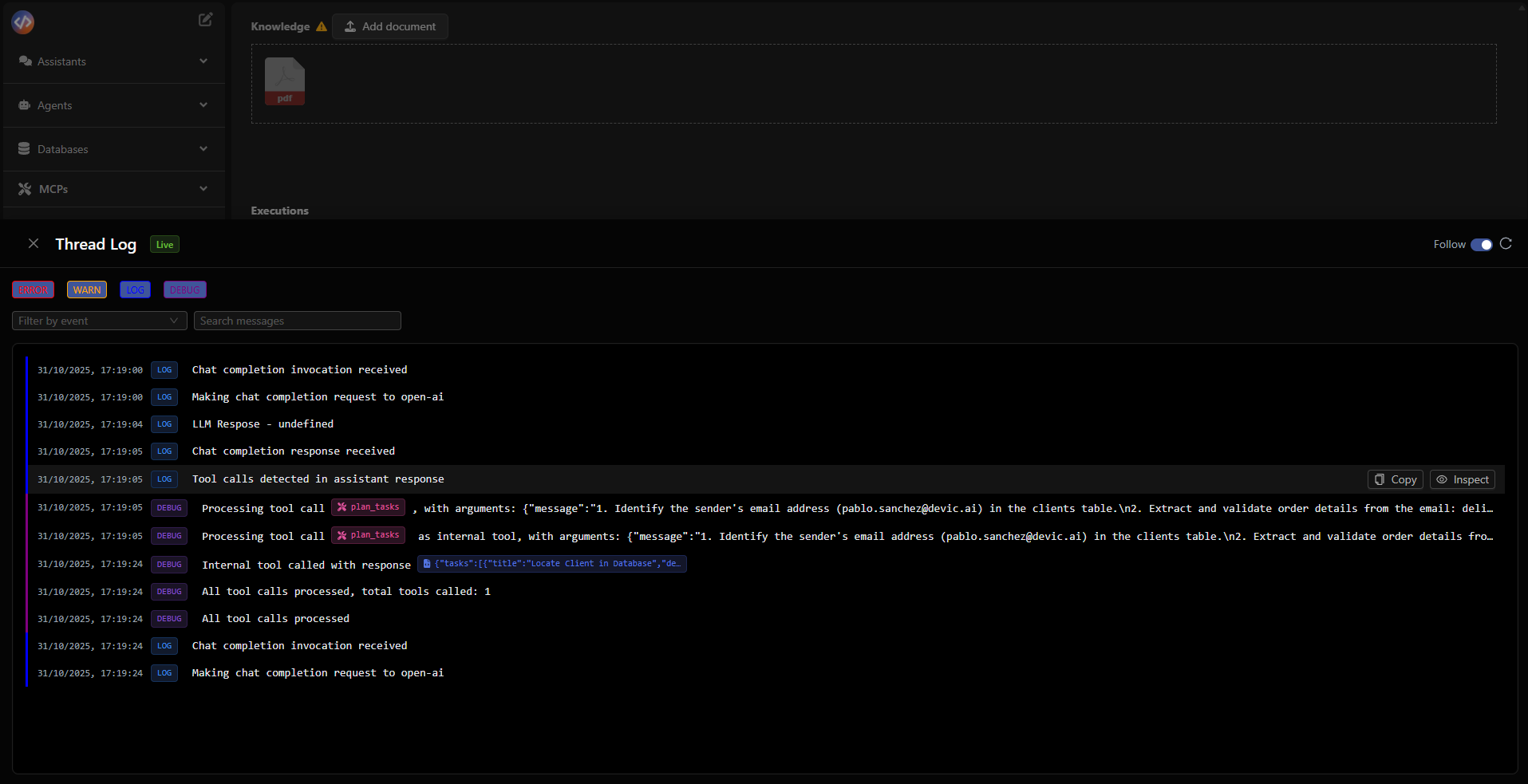
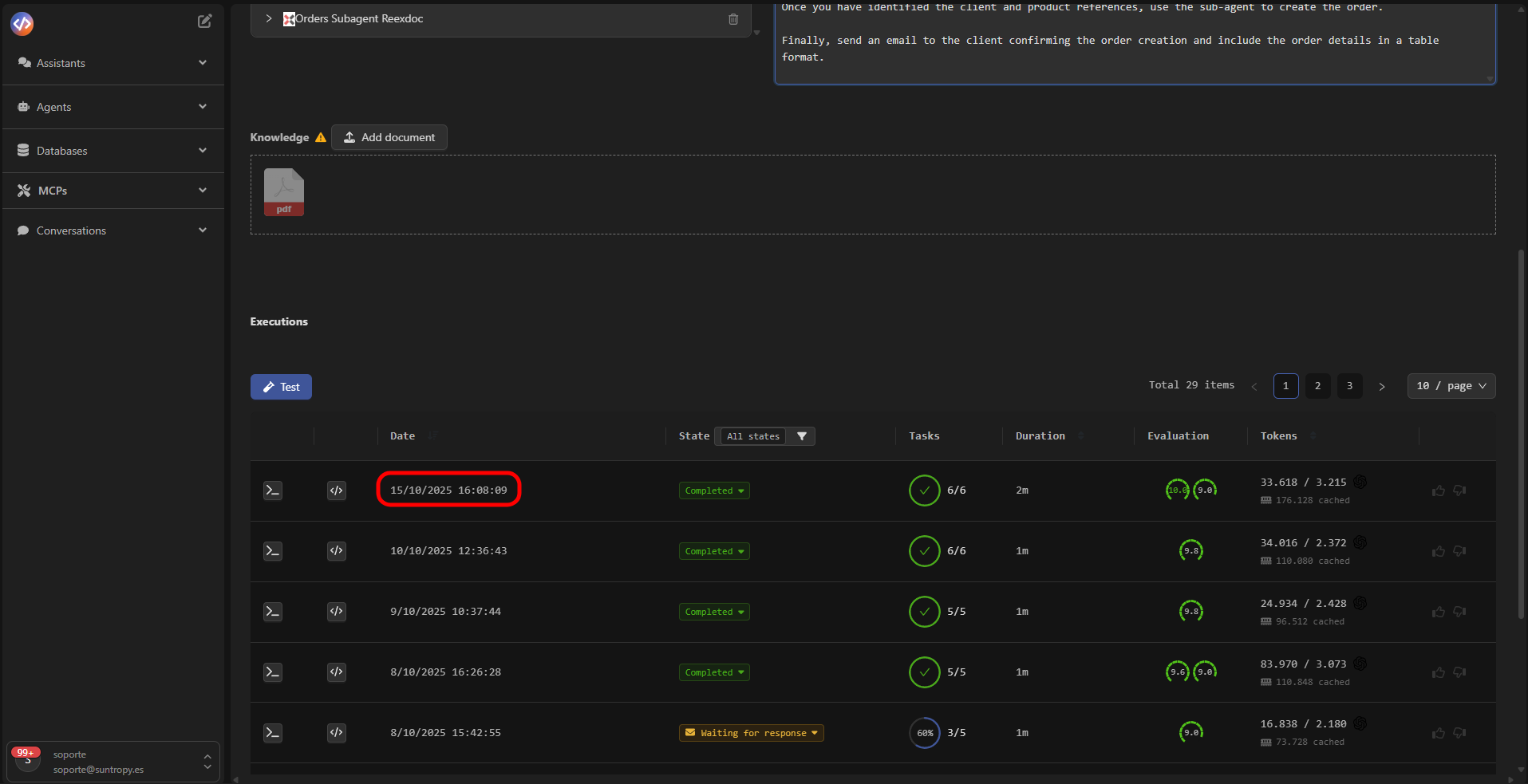
From the agent’s execution history, each entry includes options to inspect its technical log.When selected, the Thread Log panel opens, showing in real time all events generated during the execution.
Thread Log
The Thread Log records in a structured way the technical conversation between the agent, the tools, and the model.Each event is documented with its type, execution timestamp, and content.
- Tool calls and the arguments used.
- Model responses (LLM Response).
- Internal system messages (start, planning, completion).
- Task states and completed steps.
Message Details
Selecting a specific event opens the Assistant Message Details panel, where the tools called by the agent are displayed, along with their payload and the generated response.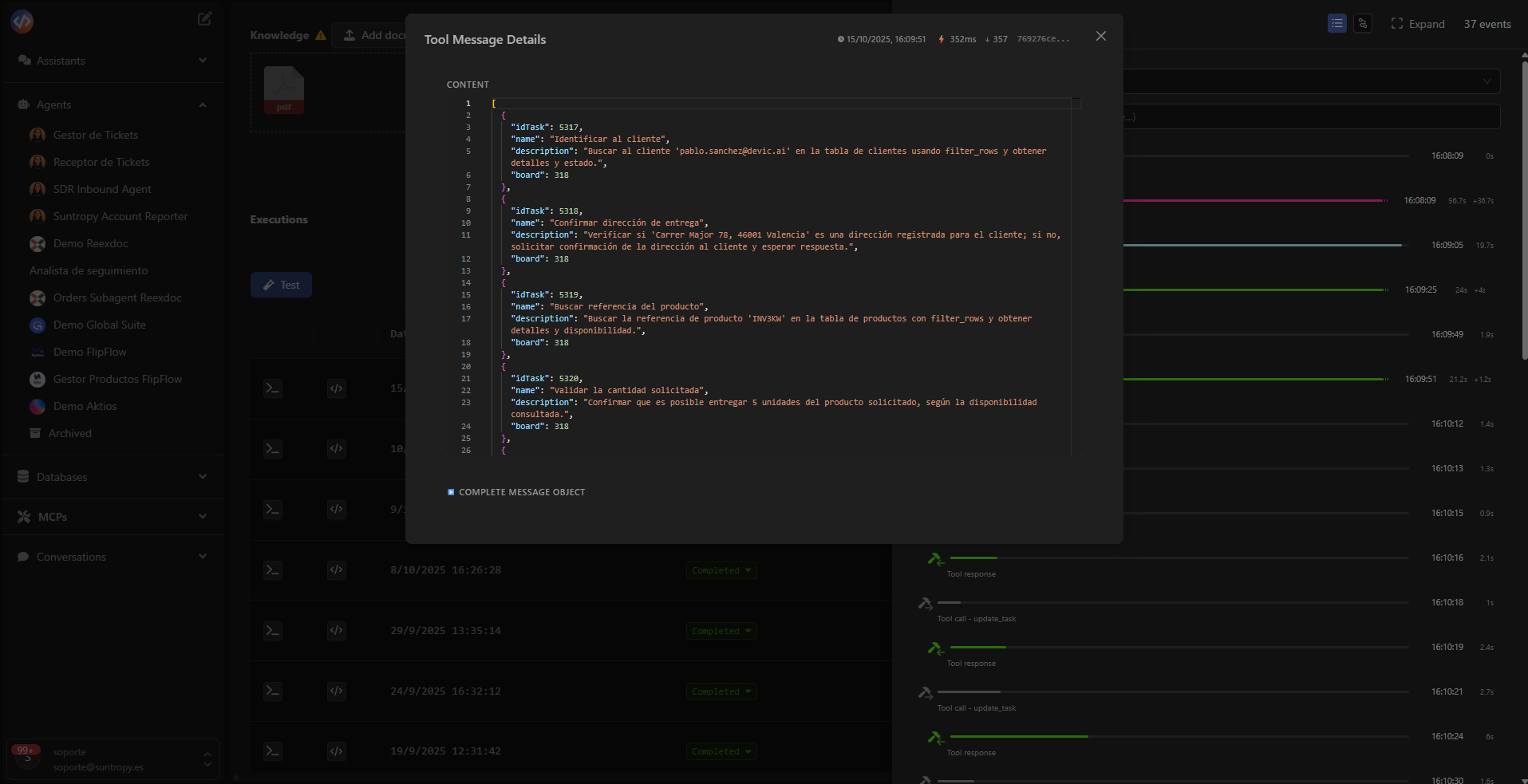
It is especially useful for auditing complex workflows or debugging unexpected behaviors.
Event Timeline
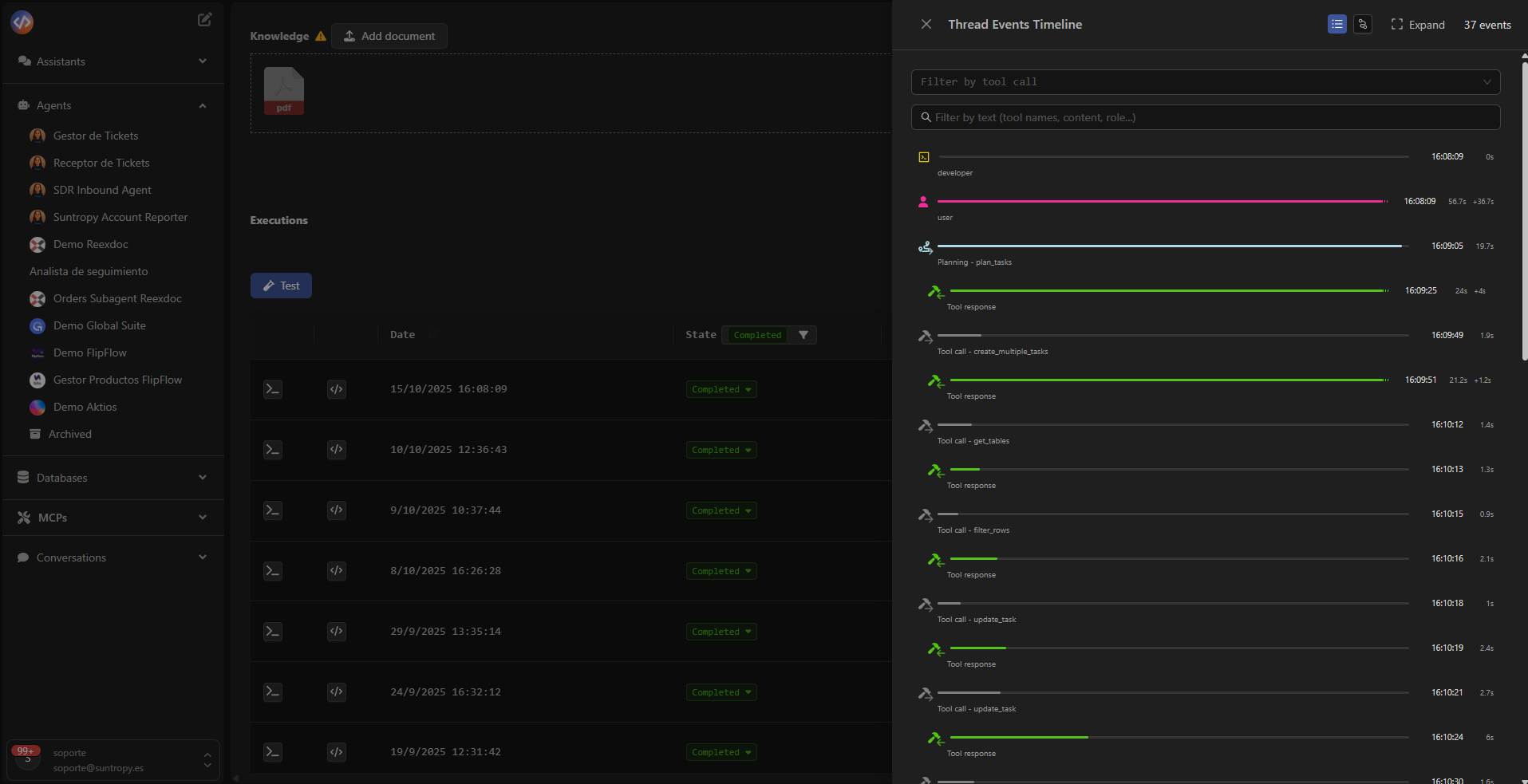
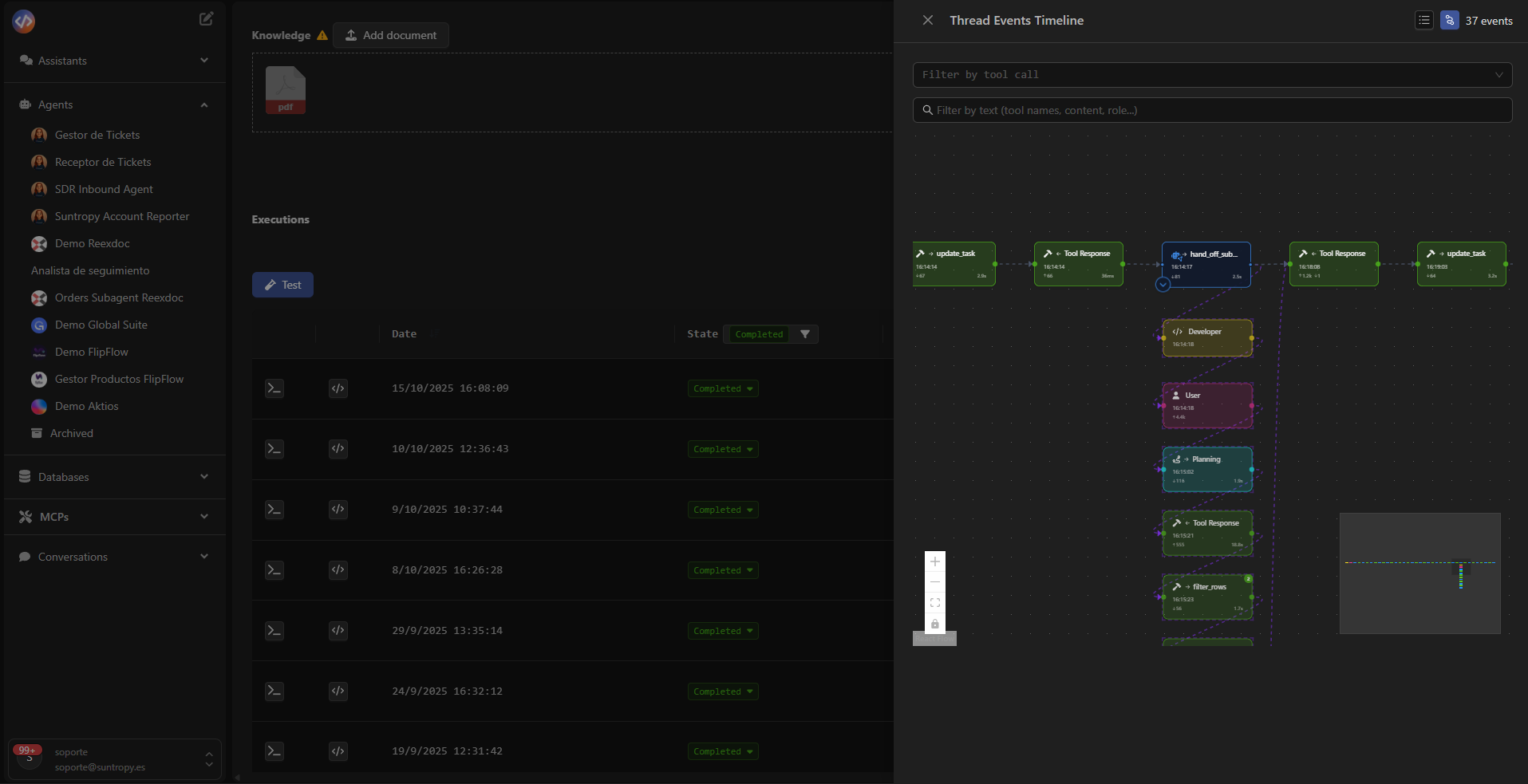
The Thread Events Timeline offers a visual and sequential representation of the agent’s entire execution, showing how user actions, the model, and tools interact.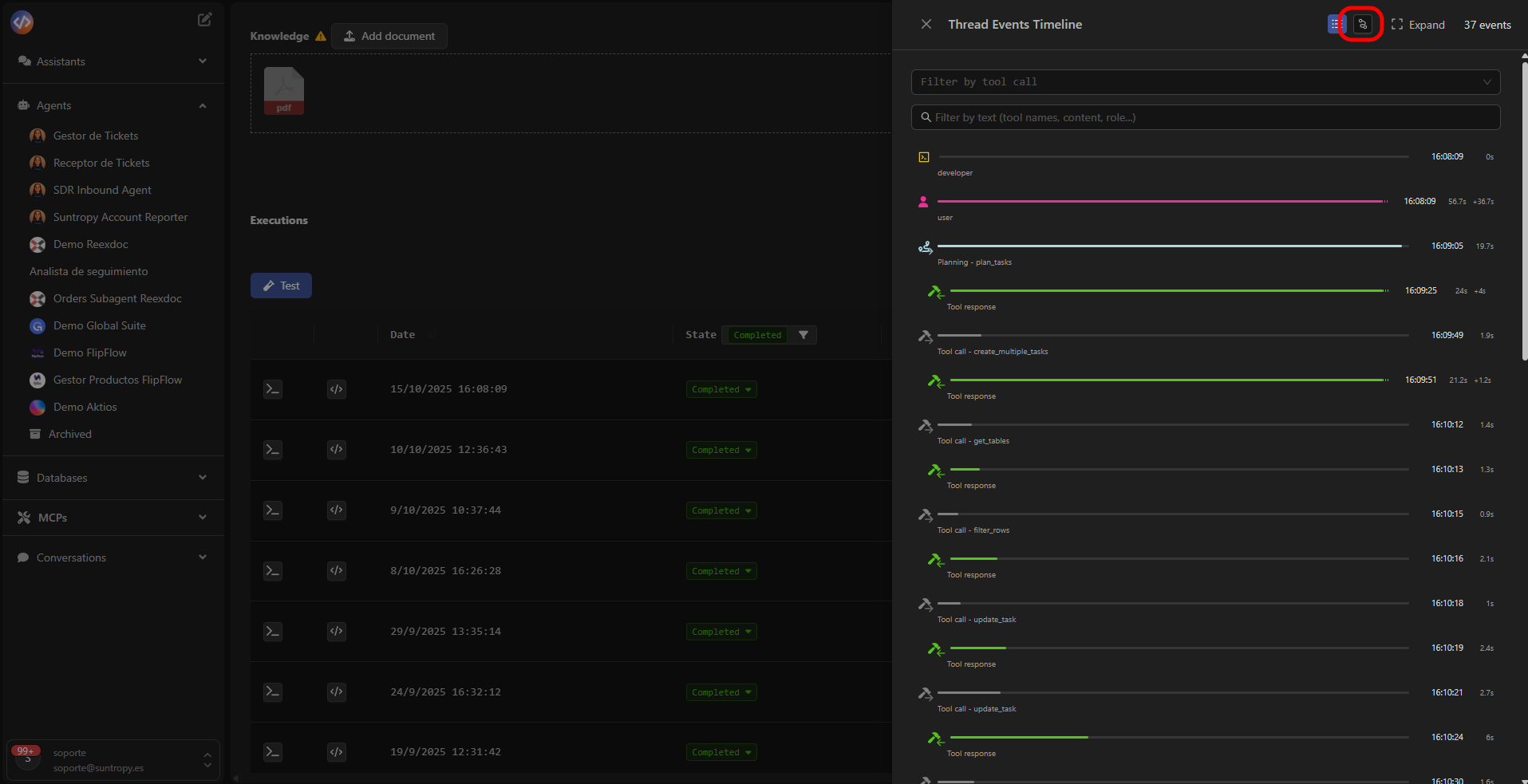
Export and External Analysis
Logs can be exported for analysis in external tools or integrated into corporate auditing and observability systems.This ensures complete traceability of the agents and reinforces operational control in production environments.
Devic’s logging system not only provides technical visibility but also serves as an essential tool for continuous improvement and validation of agent behavior.
Next Steps
Human in the Loop
Discover how to integrate human validation into your agents’ flow to approve, correct, or enrich decisions before final execution.
Tasks
Manage tasks generated by the agents, monitor their status, and control their progress within each execution.
Automatic Evaluations
Configure metrics and automatic evaluations to measure the performance, accuracy, and consistency of your agents.
Costs
Monitor token consumption, analyze execution costs, and optimize the use of models and resources.