> ## Documentation Index
> Fetch the complete documentation index at: https://docs.devic.ai/llms.txt
> Use this file to discover all available pages before exploring further.
# What My MCPs Are
> Create and manage your own MCP servers from internal APIs or services so language models can execute them directly.
## Overview
The **My MCPs** section allows you to transform your **APIs** or **internal services** into servers compatible with the **Model Context Protocol (MCP)** standard.\
Each MCP server groups a set of *tools* that language models can invoke directly from your agents or assistants.
In other words, Devic converts your API into a standard interface ready to perform real actions on your systems through natural language or automated workflows.
 ***
## Main panel
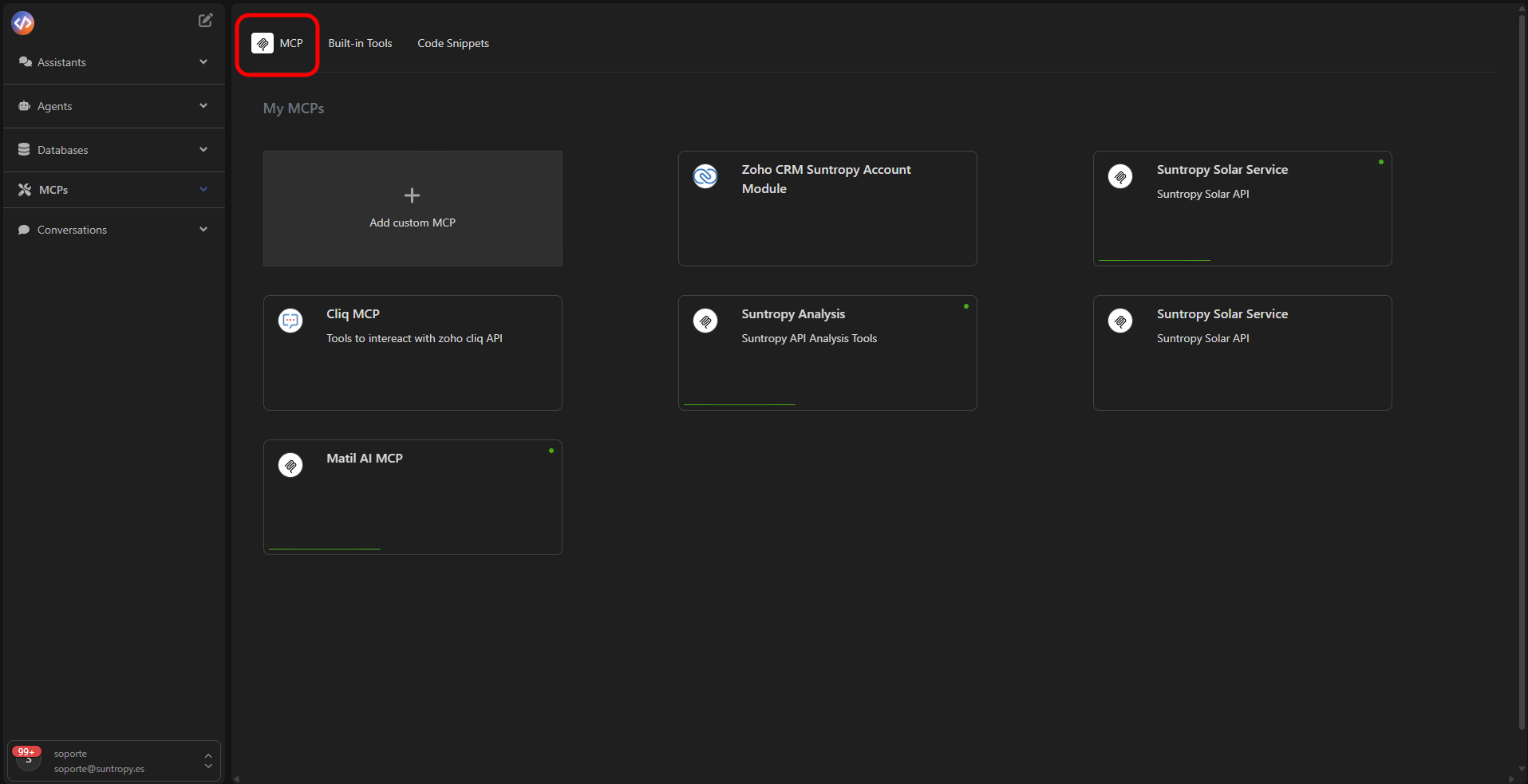
This view displays all MCPs created within your organization.\
Each card represents an active connector and includes:
* **MCP Name**
* **Service Description**
* **Status indicator** (green = active)
* **Quick access buttons:** edit, delete, or publish.
In the top-left corner, you’ll find the **Add custom MCP** button, which starts the process of creating a new connector based on your API.
Click Add custom MCP to begin configuring an MCP server based on your API specification (OpenAPI or JSON).
***
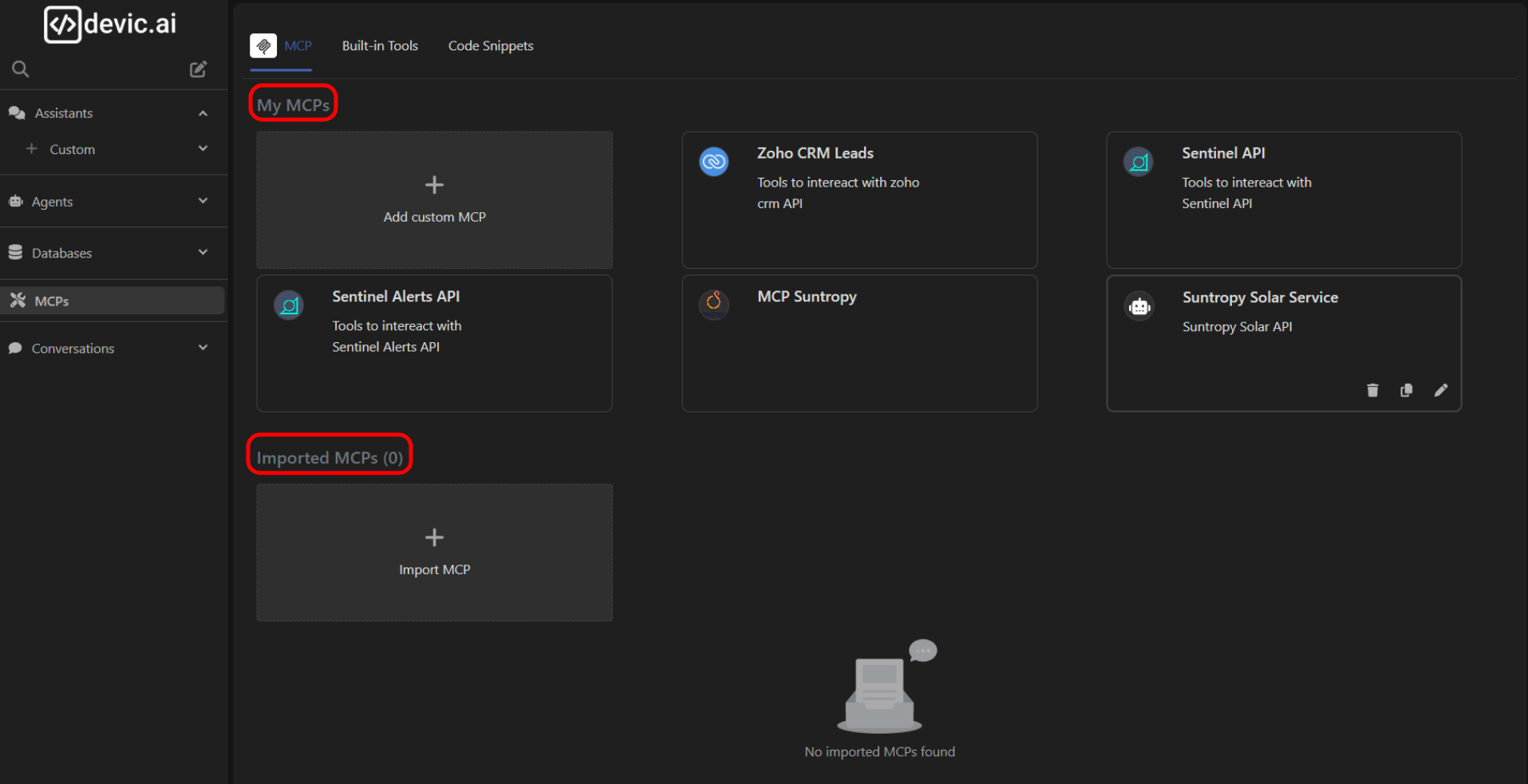
## Types of MCPs in the view
* **My MCPs:** connectors created by you from your own services or endpoints.
* **Imported:** external integrations loaded from a file or public URL, without altering their original structure.
Both types appear within the same view, organized in separate sections.
***
## Main panel
This view displays all MCPs created within your organization.\
Each card represents an active connector and includes:
* **MCP Name**
* **Service Description**
* **Status indicator** (green = active)
* **Quick access buttons:** edit, delete, or publish.
In the top-left corner, you’ll find the **Add custom MCP** button, which starts the process of creating a new connector based on your API.
Click Add custom MCP to begin configuring an MCP server based on your API specification (OpenAPI or JSON).
***
## Types of MCPs in the view
* **My MCPs:** connectors created by you from your own services or endpoints.
* **Imported:** external integrations loaded from a file or public URL, without altering their original structure.
Both types appear within the same view, organized in separate sections.
 ***
Learn how to import your first API and transform it into a functional MCP.
***
Learn how to import your first API and transform it into a functional MCP.