> ## Documentation Index
> Fetch the complete documentation index at: https://docs.devic.ai/llms.txt
> Use this file to discover all available pages before exploring further.
# MCP Sessions and Activity
> Monitor your MCP server’s activity in real time, including active sessions, tool calls, and overall performance.
## Sessions Panel
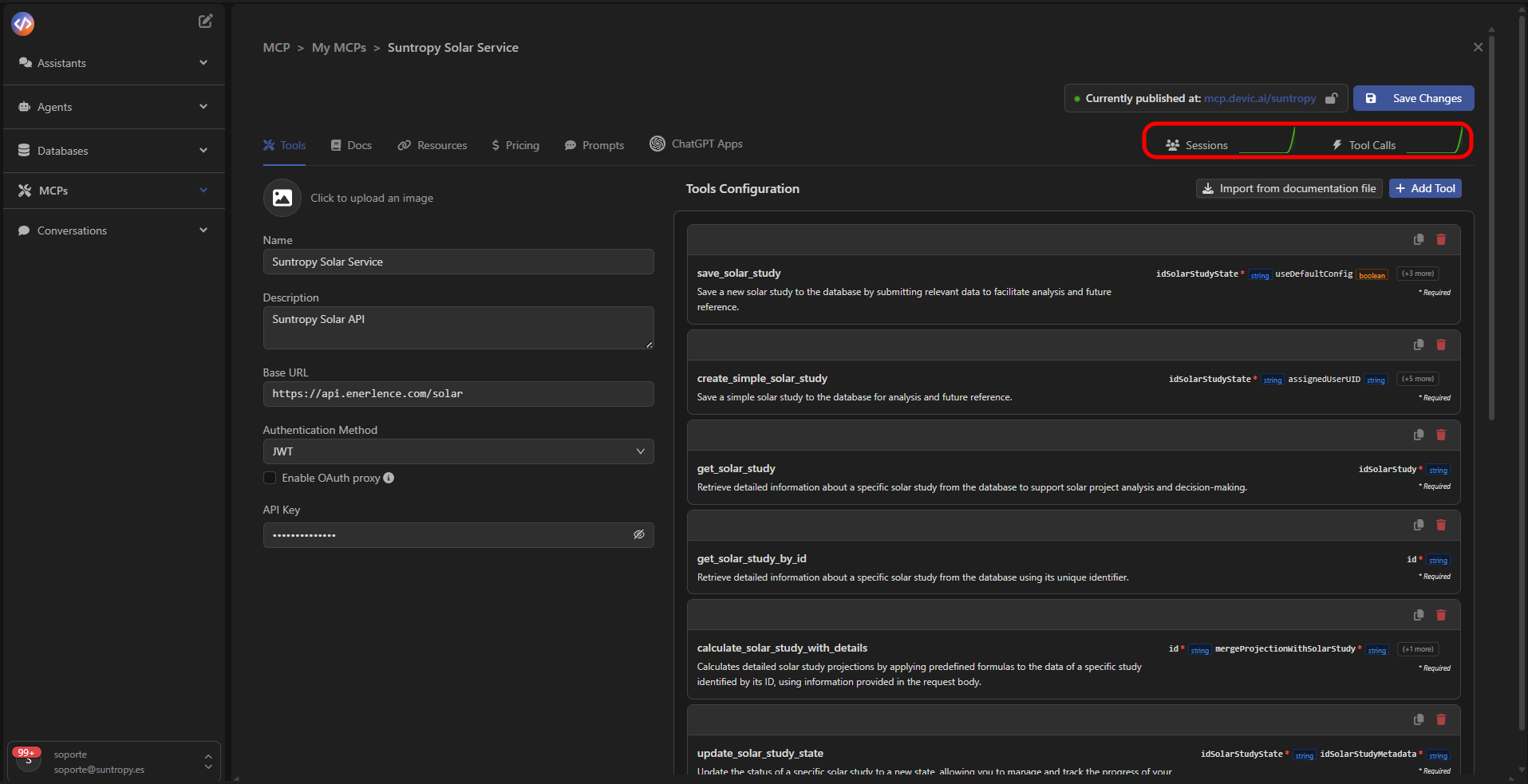
Once your MCP is published, you can access the **Sessions** tab to monitor in real time how agents or external services are interacting with your tools.\
From this panel, you can see usage statistics, average session duration, and details about each active connection.
 ***
## Session Analytics
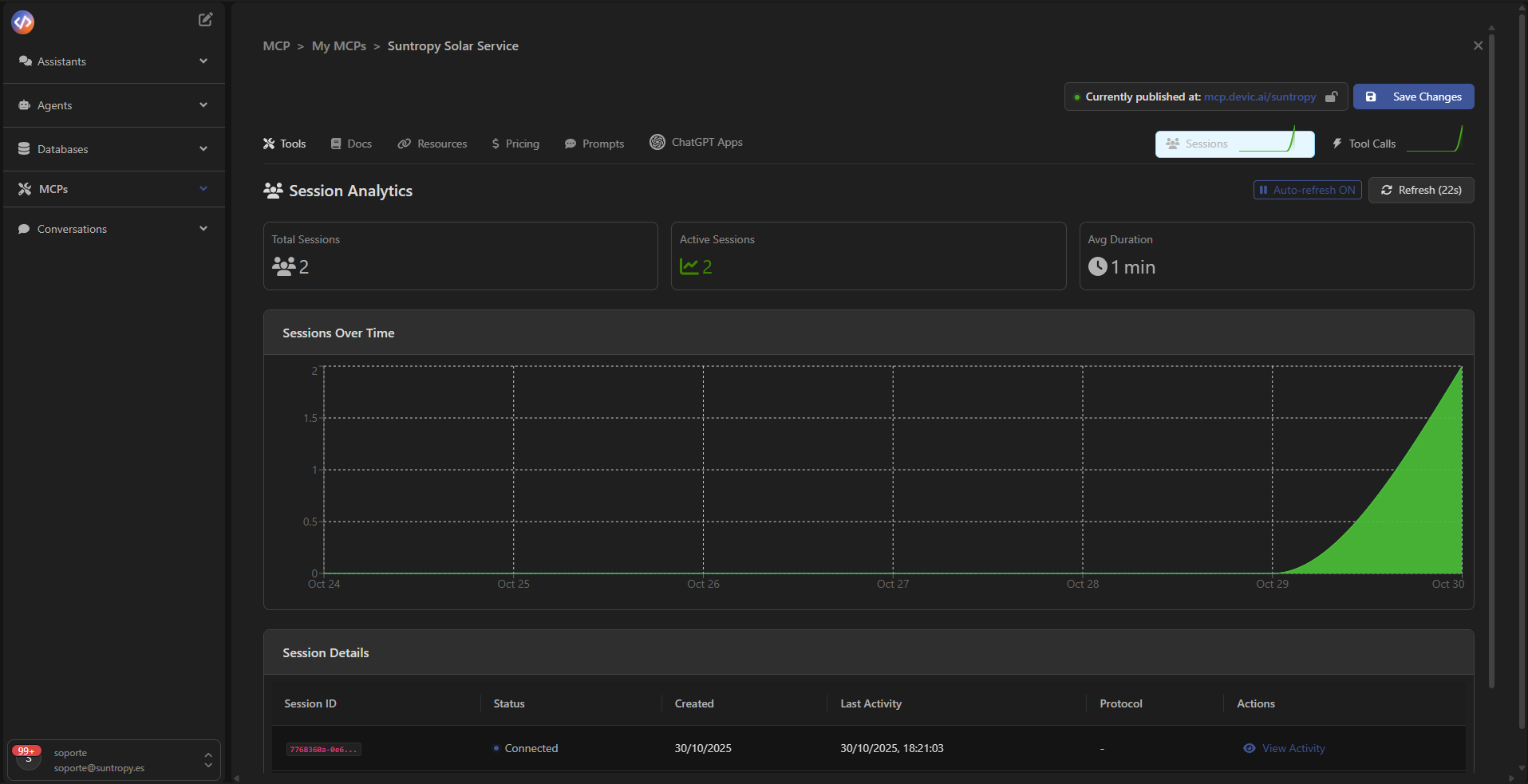
At the top of the panel, you’ll find the main indicators:
* **Total Sessions:** total number of sessions created.
* **Active Sessions:** how many sessions are currently active.
* **Avg Duration:** average duration of active sessions.
The **Sessions Over Time** chart displays the evolution of connections over time, helping you identify activity peaks.
***
## Session Analytics
At the top of the panel, you’ll find the main indicators:
* **Total Sessions:** total number of sessions created.
* **Active Sessions:** how many sessions are currently active.
* **Avg Duration:** average duration of active sessions.
The **Sessions Over Time** chart displays the evolution of connections over time, helping you identify activity peaks.
 ***
## Session Details
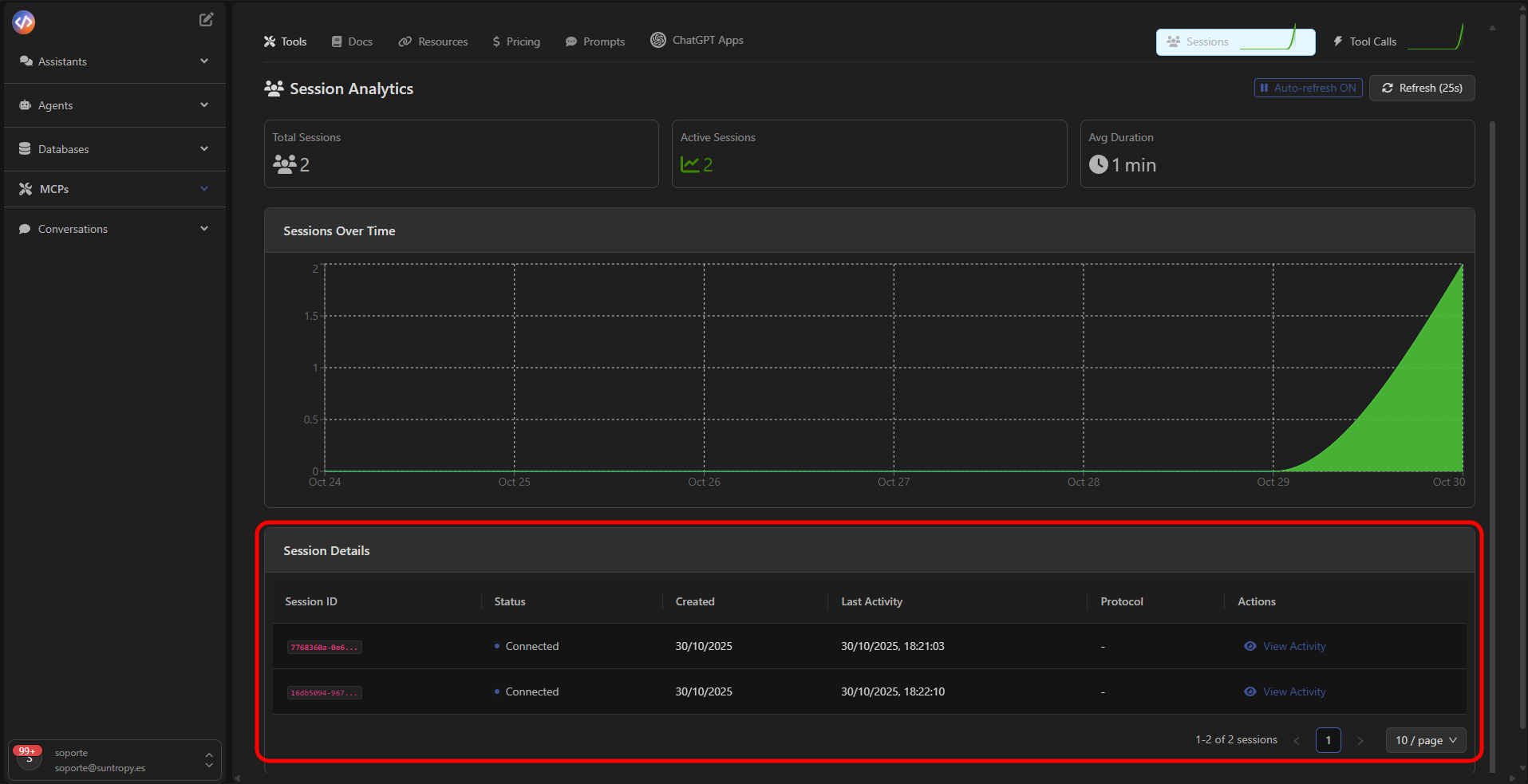
Below the chart, the **Session Details** table lists all connections made to the MCP.
Each row includes:
* **Session ID:** unique identifier of the session.
* **Status:** current session status (e.g., *Connected*).
* **Created / Last Activity:** timestamps of creation and last interaction.
* **Protocol:** protocol used for the connection.
* **Actions:** button to inspect the session’s activity.
***
## Session Details
Below the chart, the **Session Details** table lists all connections made to the MCP.
Each row includes:
* **Session ID:** unique identifier of the session.
* **Status:** current session status (e.g., *Connected*).
* **Created / Last Activity:** timestamps of creation and last interaction.
* **Protocol:** protocol used for the connection.
* **Actions:** button to inspect the session’s activity.
 ***
## Detailed Session Activity
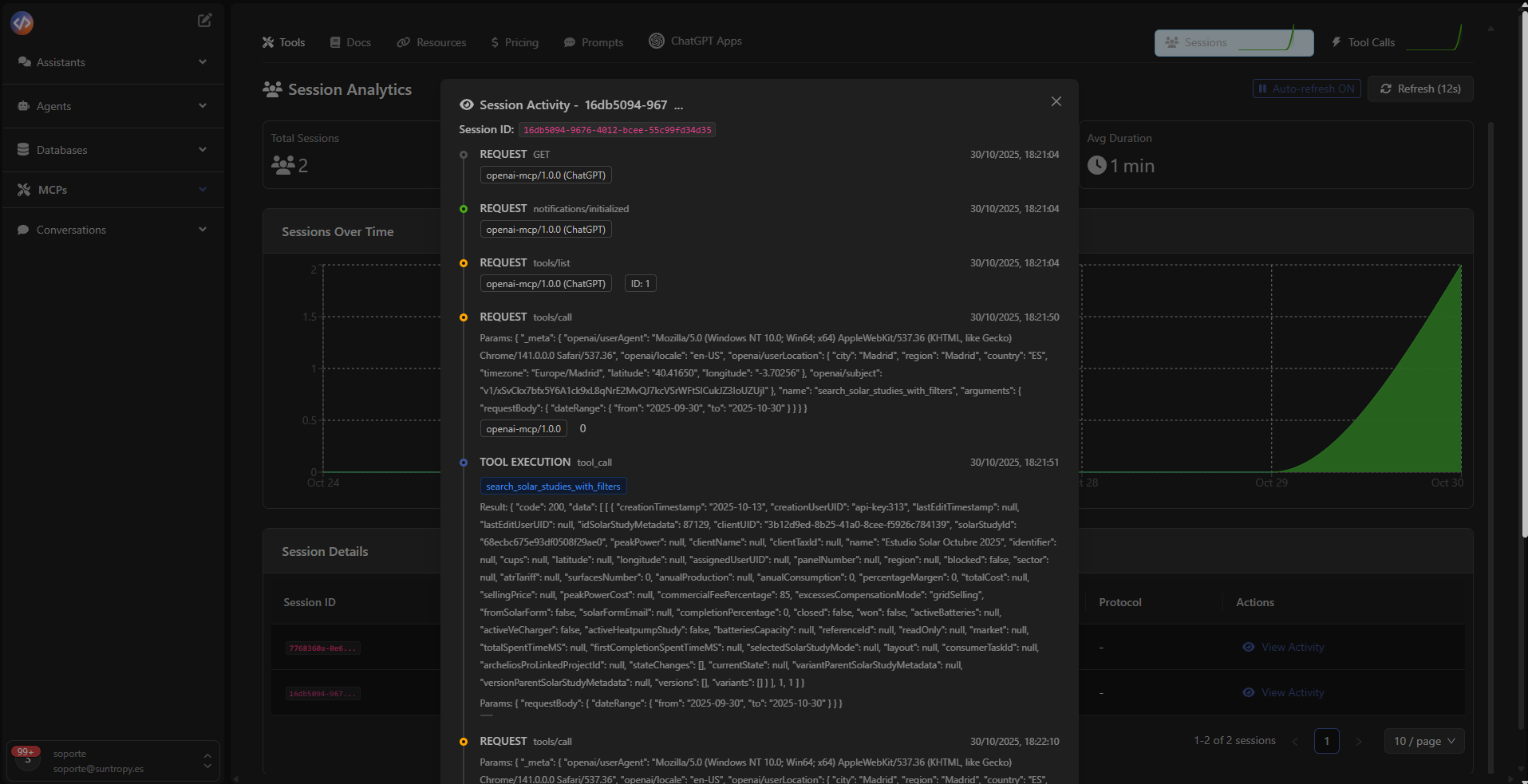
Clicking **View Activity** opens the **Session Activity** panel, where you can inspect each interaction within the session, including:
* **REQUESTS** made by the client or agent.
* **TOOL EXECUTIONS** triggered.
* **Results** and any error messages returned.
This allows you to audit agent behavior and troubleshoot issues in real time.
***
## Detailed Session Activity
Clicking **View Activity** opens the **Session Activity** panel, where you can inspect each interaction within the session, including:
* **REQUESTS** made by the client or agent.
* **TOOL EXECUTIONS** triggered.
* **Results** and any error messages returned.
This allows you to audit agent behavior and troubleshoot issues in real time.
 ***
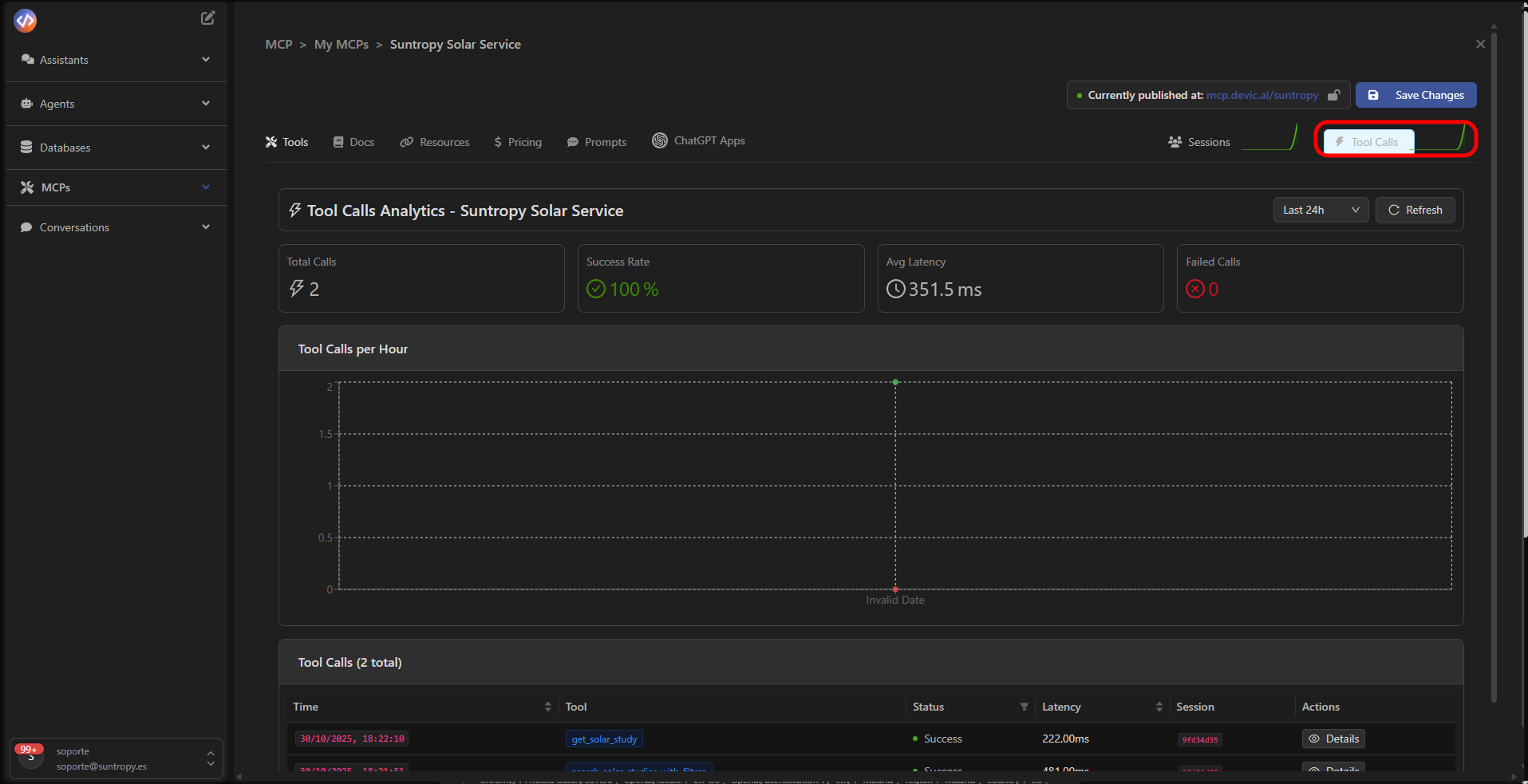
## Tool Calls Analytics
In the **Tool Calls** tab, you can analyze the performance of your tools within the MCP.\
Key metrics include:
* **Total Calls:** total number of executions.
* **Success Rate:** percentage of successful executions.
* **Avg Latency:** average response time.
* **Failed Calls:** executions that resulted in an error.
***
## Tool Calls Analytics
In the **Tool Calls** tab, you can analyze the performance of your tools within the MCP.\
Key metrics include:
* **Total Calls:** total number of executions.
* **Success Rate:** percentage of successful executions.
* **Avg Latency:** average response time.
* **Failed Calls:** executions that resulted in an error.
 ***
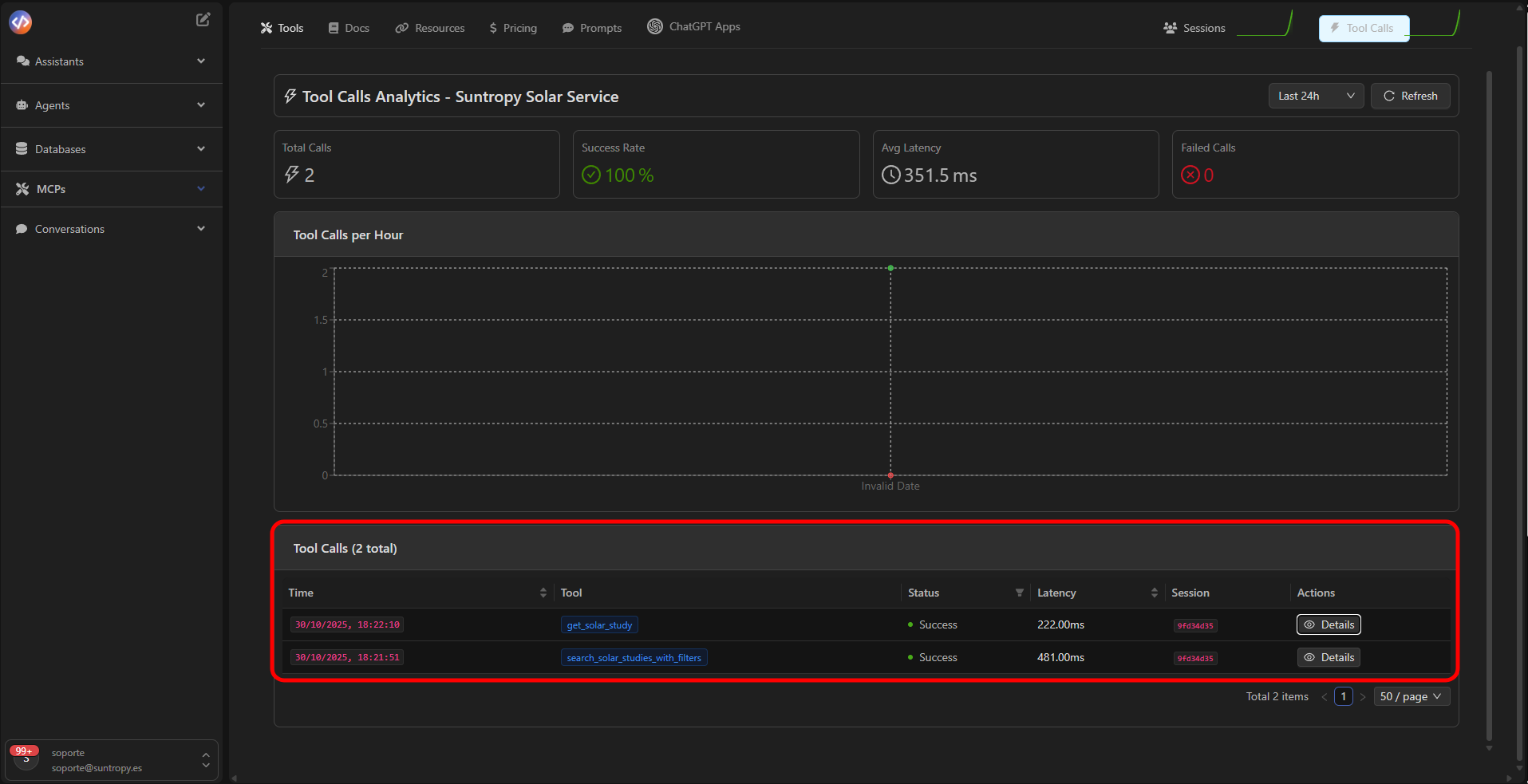
## Execution History
The lower table displays all recorded tool calls, including:
* **Exact execution time**
* **Tool used**
* **Status (Success / Failed)**
* **Measured latency**
* **Associated session**
***
## Execution History
The lower table displays all recorded tool calls, including:
* **Exact execution time**
* **Tool used**
* **Status (Success / Failed)**
* **Measured latency**
* **Associated session**
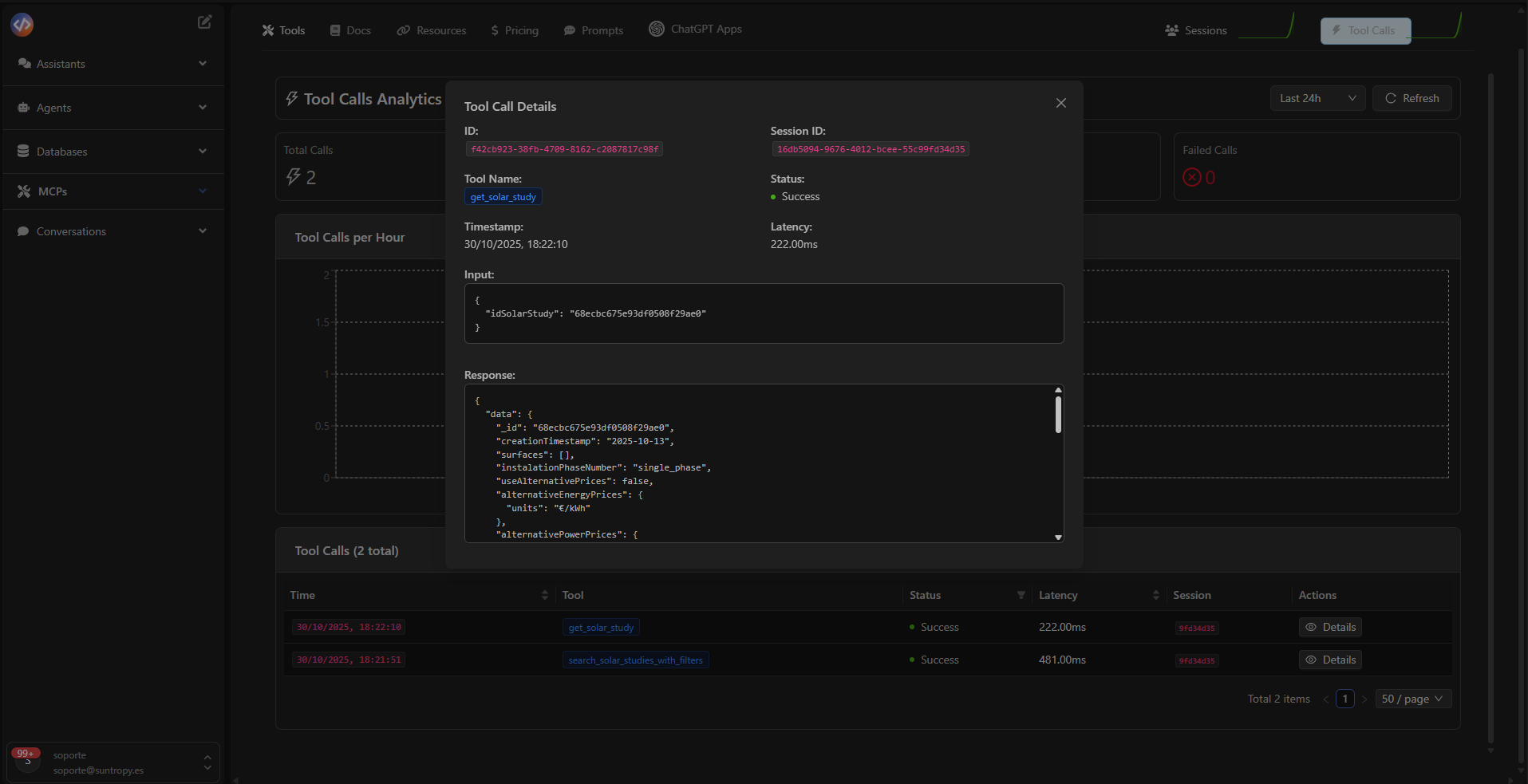
 Clicking **Details** lets you review the full log of the execution, including the **input**, **output**, and any errors returned by the API.
 ***
Learn how to create your own widgets to integrate with ChatGPT when invoking your MCP.
***
Learn how to create your own widgets to integrate with ChatGPT when invoking your MCP.