> ## Documentation Index
> Fetch the complete documentation index at: https://docs.devic.ai/llms.txt
> Use this file to discover all available pages before exploring further.
# Publish MCP
> Make your MCP available to agents, assistants, or external services through a public or private URL.
## Overview
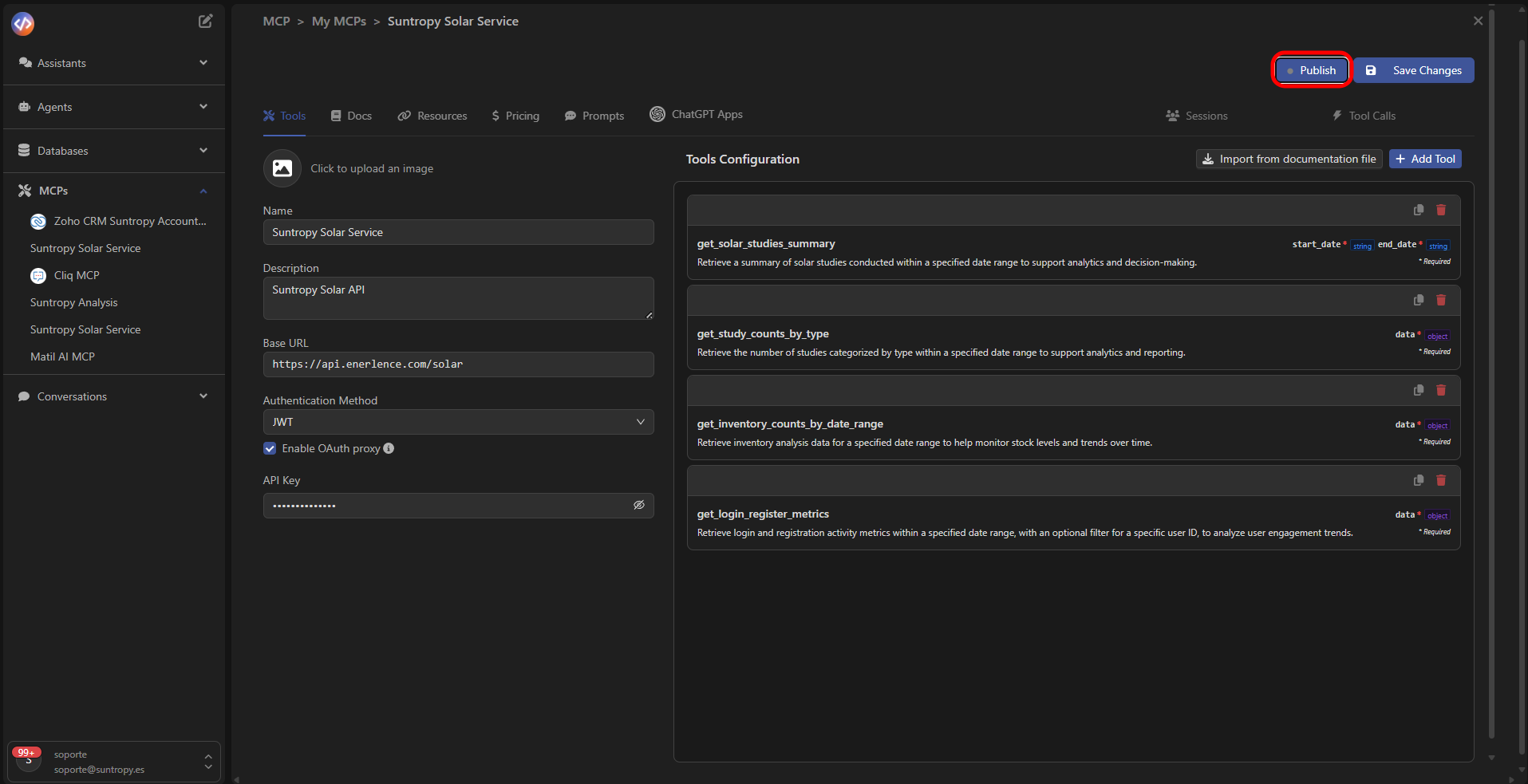
After configuring and validating your tools, the final step is to **publish** the MCP so it can be used by agents, assistants, or external environments.
To do this, click the **Publish** button located at the top right of the panel.
 ***
## MCP Visibility
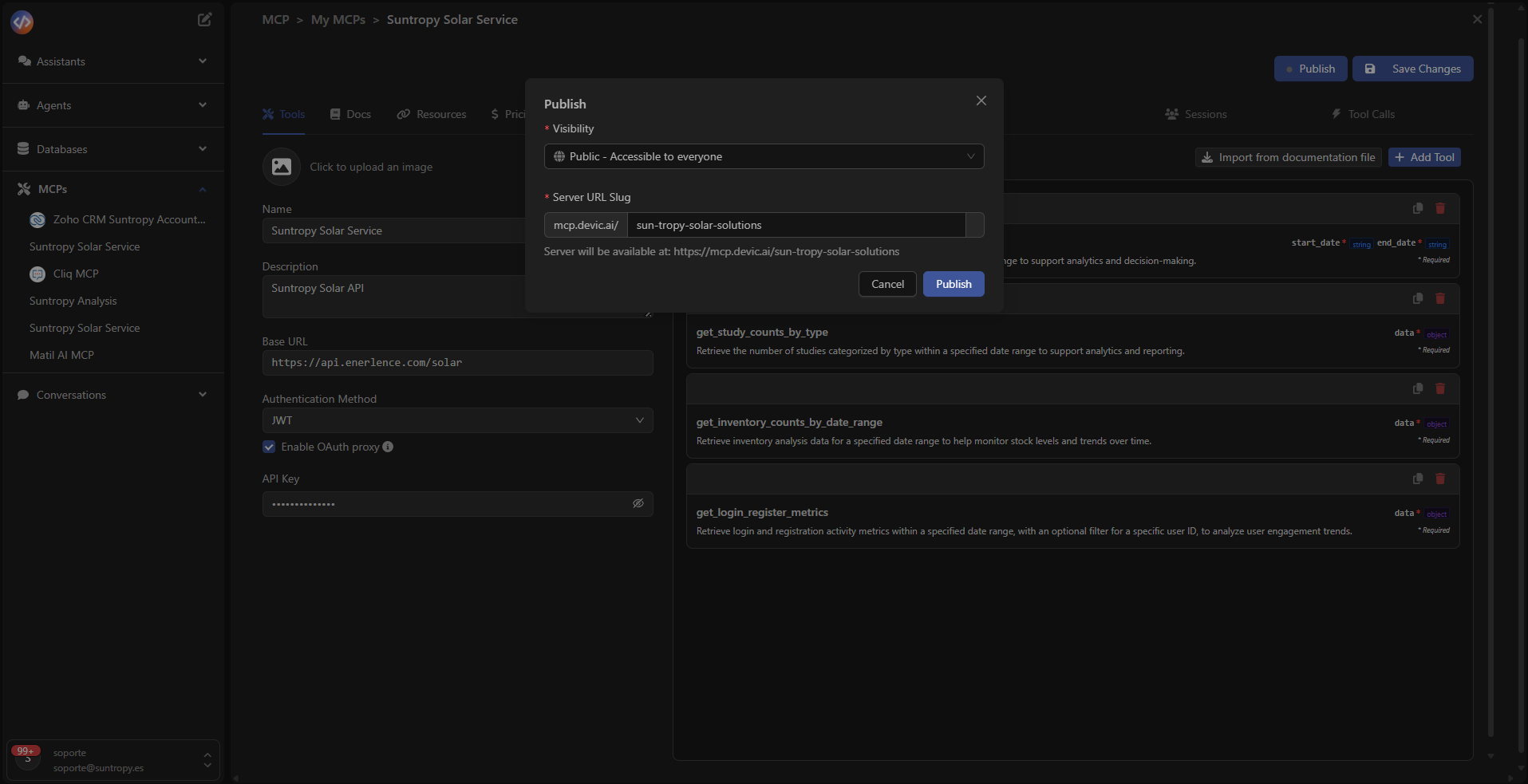
When selecting *Publish*, a configuration window opens where you can choose who will have access to the MCP server.
Available options:
* **Private — Only accessible by you:**\
The MCP will only be accessible from your environment or by your agents.\
Ideal for internal integrations or testing environments.
* **Public — Accessible to everyone:**\
Makes the MCP available to any environment that supports the MCP protocol, such as ChatGPT or other Devic instances.\
This option generates a **public access URL** for the server.
***
## MCP Visibility
When selecting *Publish*, a configuration window opens where you can choose who will have access to the MCP server.
Available options:
* **Private — Only accessible by you:**\
The MCP will only be accessible from your environment or by your agents.\
Ideal for internal integrations or testing environments.
* **Public — Accessible to everyone:**\
Makes the MCP available to any environment that supports the MCP protocol, such as ChatGPT or other Devic instances.\
This option generates a **public access URL** for the server.
 ***
## Generated URL
During publication, Devic automatically creates a URL under the domain:
`https://mcp.devic.ai/`
That address becomes the endpoint from which agents or external systems can invoke the MCP tools.
***
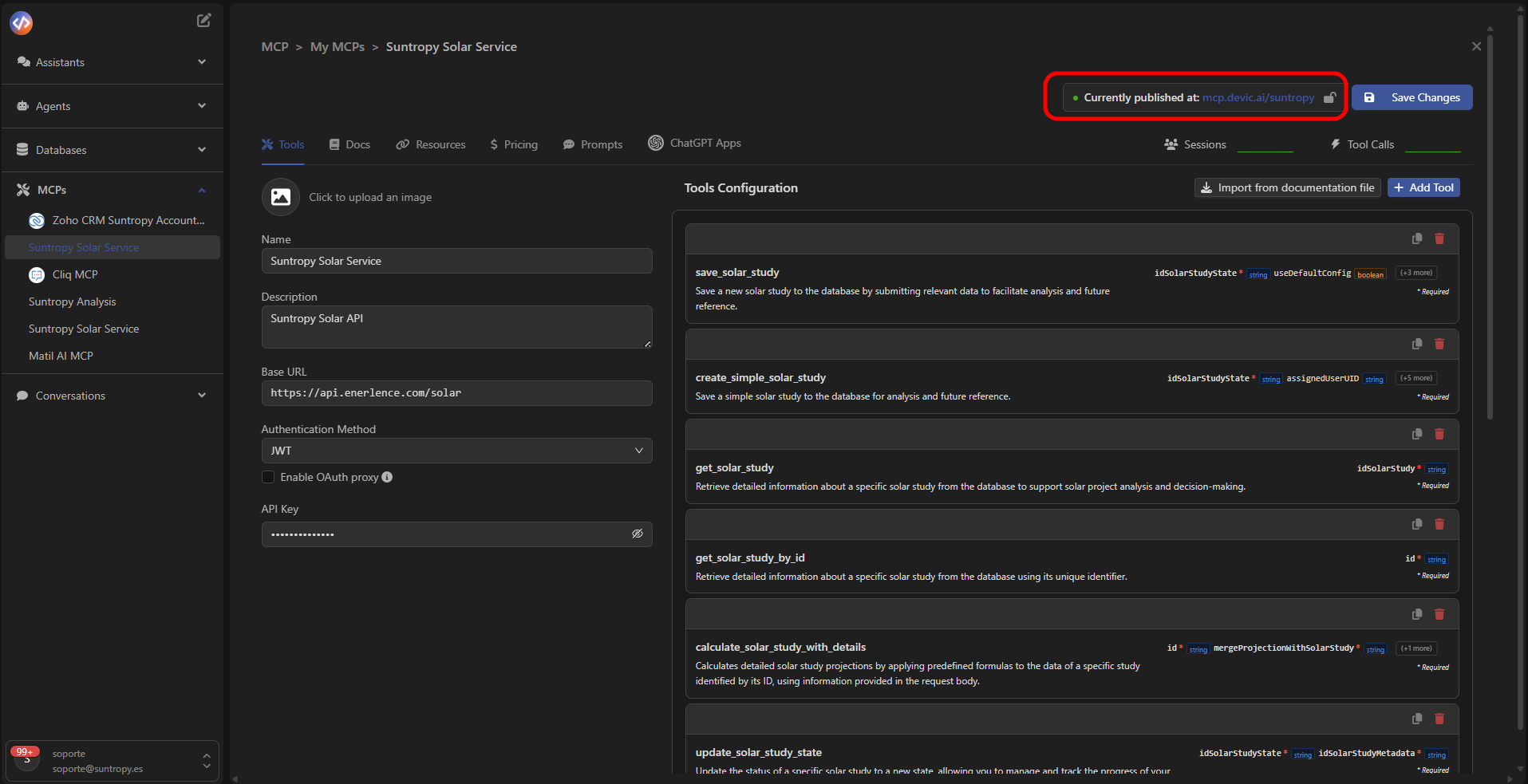
Once the publication is finished, you will receive a success notification and the MCP link will appear at the top of the panel.
***
## Generated URL
During publication, Devic automatically creates a URL under the domain:
`https://mcp.devic.ai/`
That address becomes the endpoint from which agents or external systems can invoke the MCP tools.
***
Once the publication is finished, you will receive a success notification and the MCP link will appear at the top of the panel.
 ***
## After publishing
Once active, the MCP:
* Is hosted on Devic's infrastructure.
* Can be consumed by agents and assistants.
* Can be exposed to LLMs such as ChatGPT, Claude, Cursor, etc.
* Updates automatically if you modify its tools or configuration.
***
Learn how to execute and monitor sessions of your active MCPs.
***
## After publishing
Once active, the MCP:
* Is hosted on Devic's infrastructure.
* Can be consumed by agents and assistants.
* Can be exposed to LLMs such as ChatGPT, Claude, Cursor, etc.
* Updates automatically if you modify its tools or configuration.
***
Learn how to execute and monitor sessions of your active MCPs.