> ## Documentation Index
> Fetch the complete documentation index at: https://docs.devic.ai/llms.txt
> Use this file to discover all available pages before exploring further.
# Integration with LLMs
> Connect your MCPs with language models like ChatGPT, Claude, or Cursor, and enable their use from agents and assistants in Devic.
## Introduction
Integrating with **language models (LLMs)** allows your tools and services (MCPs) to be consumed directly by conversational models such as **ChatGPT**, **Claude**, **Cursor**, or even by **Agents** and **Assistants** defined within the Devic platform.
This turns your MCPs into **live conversational extensions**, capable of executing real functions from your SaaS or infrastructure when a model invokes them through natural language.
***
## Example: integration with ChatGPT
When a custom MCP is published through its URL, **it can be made available to any language model** compatible with the MCP standard.\
This includes ChatGPT, which allows you to configure custom connectors and invoke tools directly through conversation.
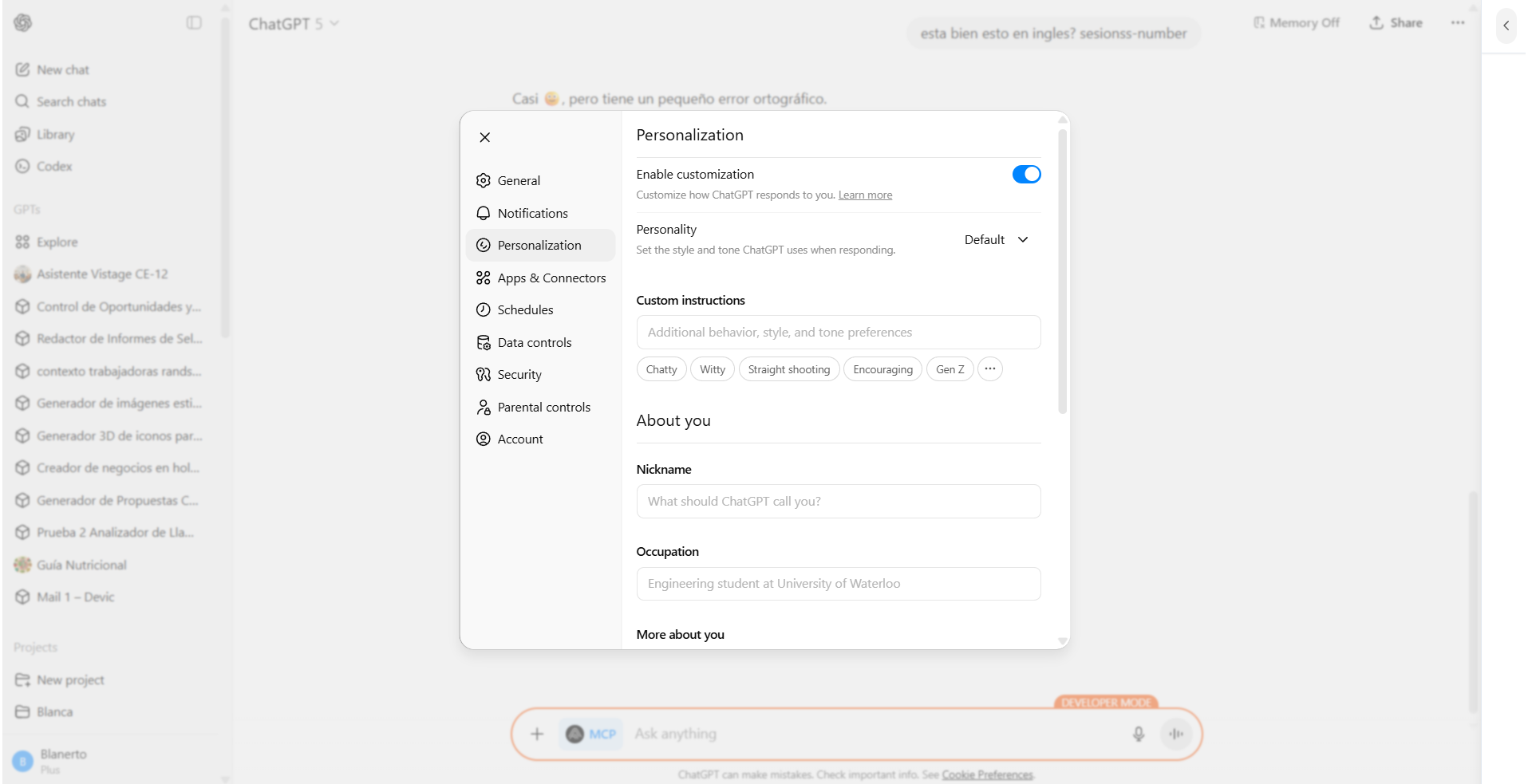 ### How to enable it
1. Go to the **Connectors** section in ChatGPT.
2. Enable **Developer Mode**.
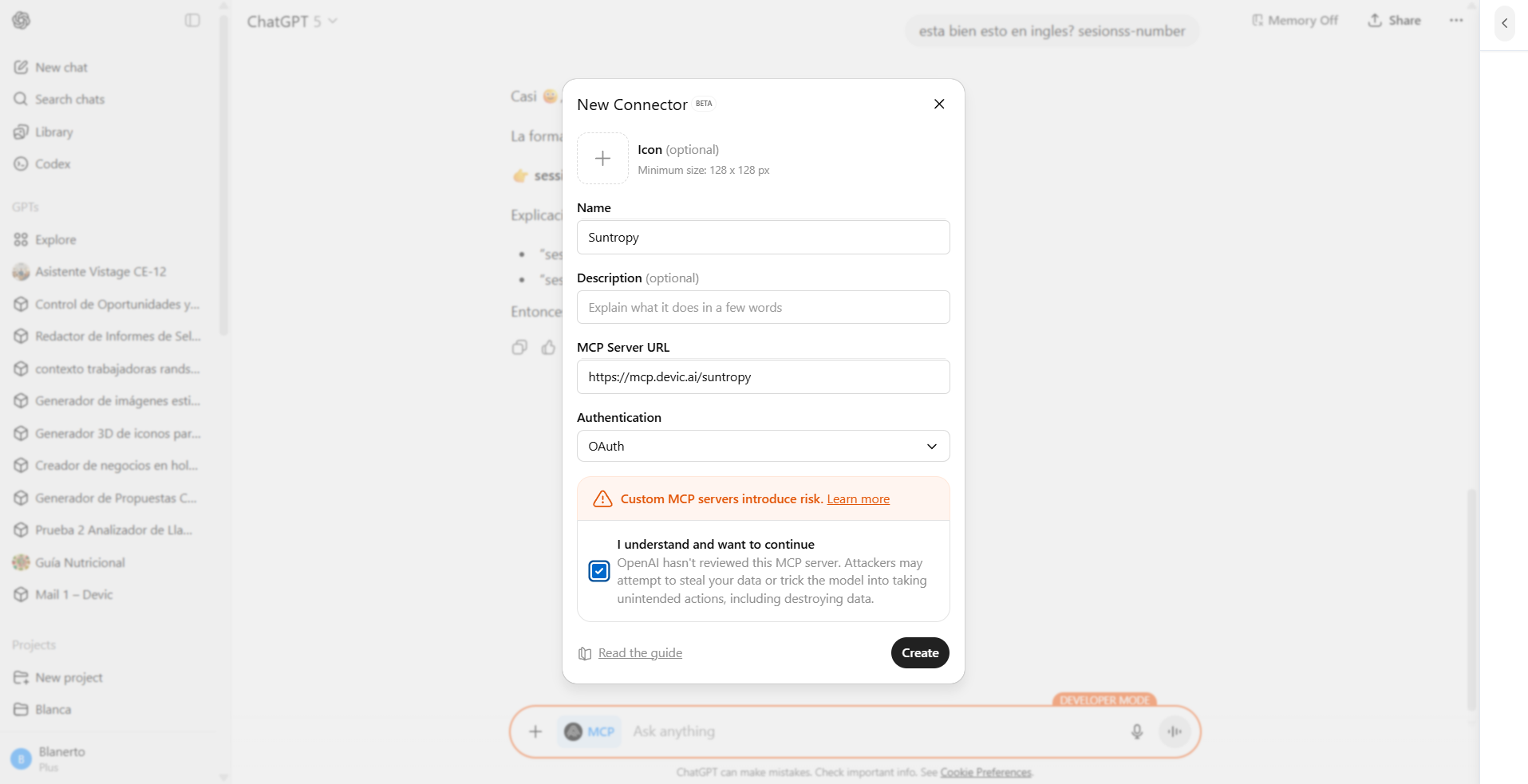
3. Create a new custom connector by entering the **MCP URL** (e.g., `https://mcp.devic.ai/suntropy-solar-service`).
4. Select the **actions (tools)** you want to expose.
5. Save the changes — ChatGPT will now be able to communicate with your MCP.
### How to enable it
1. Go to the **Connectors** section in ChatGPT.
2. Enable **Developer Mode**.
3. Create a new custom connector by entering the **MCP URL** (e.g., `https://mcp.devic.ai/suntropy-solar-service`).
4. Select the **actions (tools)** you want to expose.
5. Save the changes — ChatGPT will now be able to communicate with your MCP.
 > 💡 **Tip:** From this point on, ChatGPT can invoke your tools directly within the conversational flow, allowing users to interact with your SaaS via natural language.
***
## Example of real execution
Once the MCP is connected, users can ask natural-language questions such as:
> *“How many solar inverters do I have available?”*\
> *“Show me the summary of solar studies for September.”*
The model, through the MCP, executes the corresponding tools and renders the visual results defined with widgets.
> 💡 **Tip:** From this point on, ChatGPT can invoke your tools directly within the conversational flow, allowing users to interact with your SaaS via natural language.
***
## Example of real execution
Once the MCP is connected, users can ask natural-language questions such as:
> *“How many solar inverters do I have available?”*\
> *“Show me the summary of solar studies for September.”*
The model, through the MCP, executes the corresponding tools and renders the visual results defined with widgets.
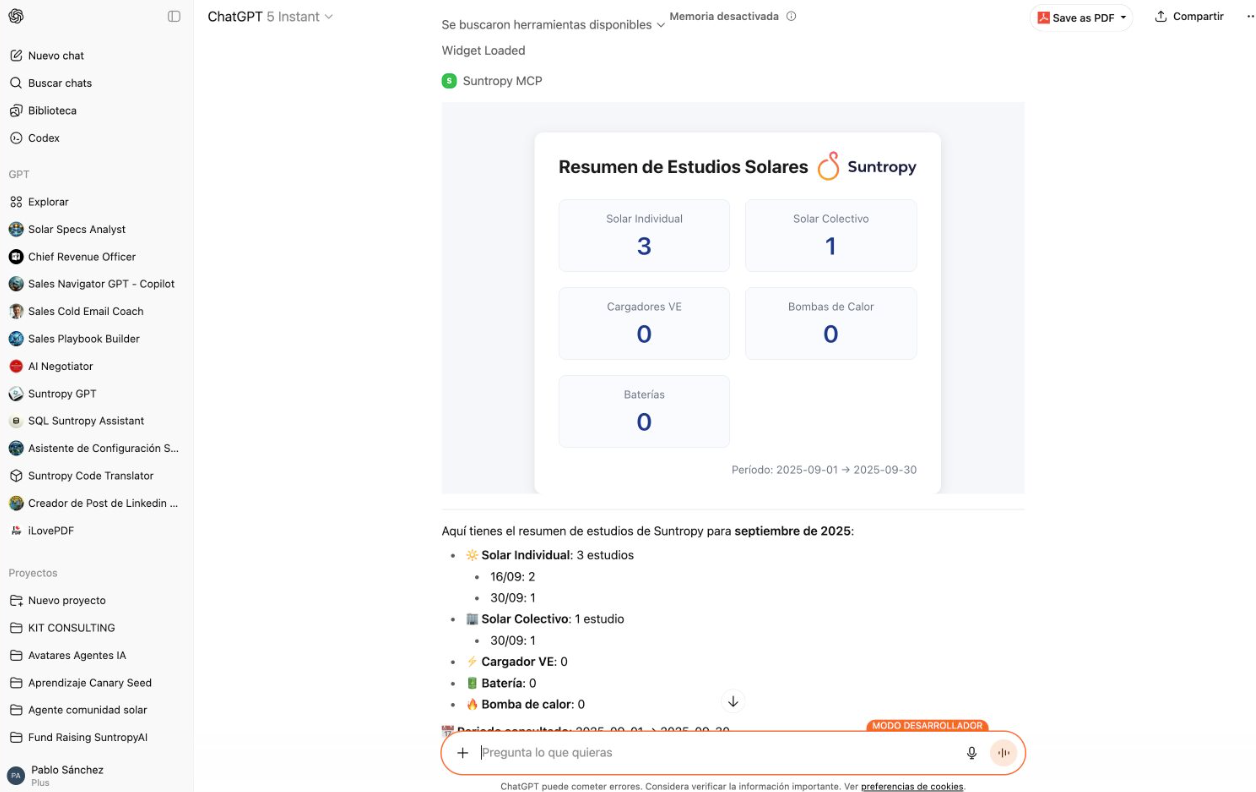 This not only displays data but can do so with **your SaaS branding**, thanks to widgets defined in Devic.
***
## Integration from Agents and Assistants
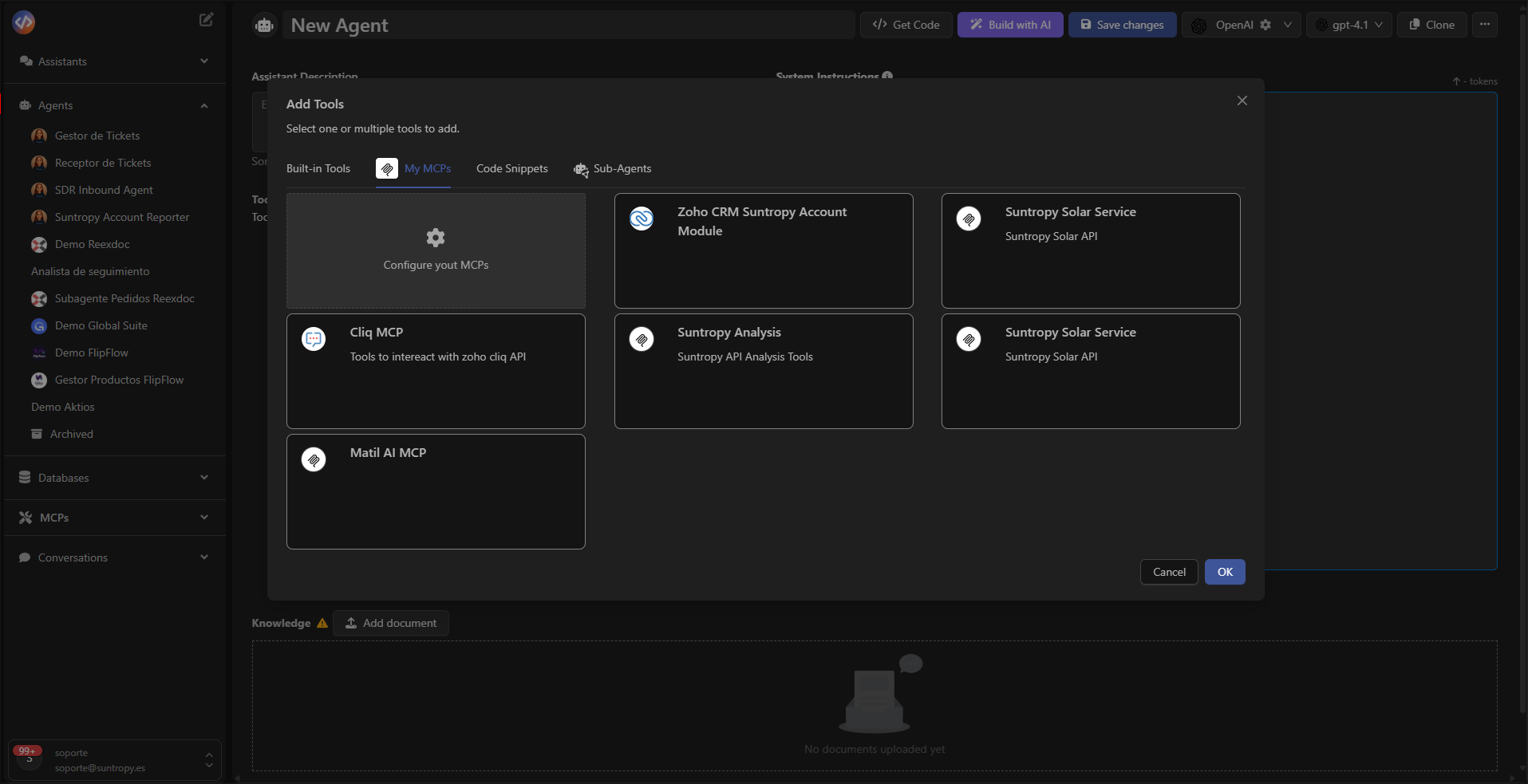
Beyond integration with ChatGPT or Claude, **MCPs can also be consumed directly from Agents and Assistants configured in Devic**.\
This allows your internal automations, workflows, or enterprise assistants to benefit from the same integration capabilities as an external language model.
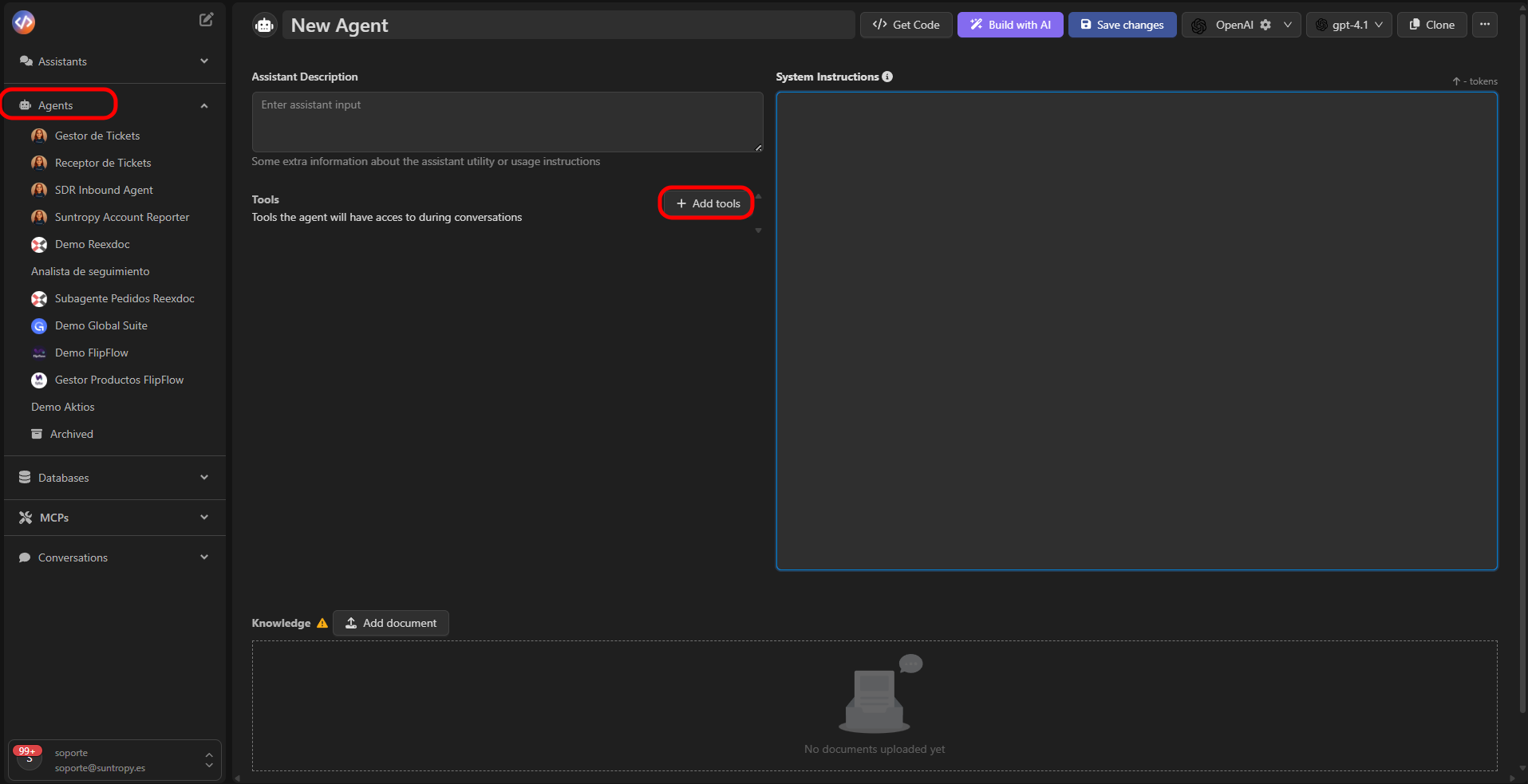
* **Agents** can invoke MCPs within their task flows or scheduled executions.\
See the specific documentation:\
👉 [Agents → Tools](../agents/tools)
* **Assistants** can use MCPs during conversations or project integrations, showing interactive results or embedding widgets.\
See the specific documentation:\
👉 [Assistants → Tools](../assistants/tools)
This not only displays data but can do so with **your SaaS branding**, thanks to widgets defined in Devic.
***
## Integration from Agents and Assistants
Beyond integration with ChatGPT or Claude, **MCPs can also be consumed directly from Agents and Assistants configured in Devic**.\
This allows your internal automations, workflows, or enterprise assistants to benefit from the same integration capabilities as an external language model.
* **Agents** can invoke MCPs within their task flows or scheduled executions.\
See the specific documentation:\
👉 [Agents → Tools](../agents/tools)
* **Assistants** can use MCPs during conversations or project integrations, showing interactive results or embedding widgets.\
See the specific documentation:\
👉 [Assistants → Tools](../assistants/tools)
 ##
##
 ***
## Next steps
Learn how Devic agents can execute autonomous processes, make data-driven decisions, and orchestrate intelligent tools within your workflows.
Discover how assistants enable real-time conversational interactions, integrating data and tools from your SaaS environment.
Explore how to create, query, and connect internal or vector databases to enhance agents’ and assistants’ reasoning capabilities.
Browse the complete list of integrated tools available in Devic and learn how to use them within your MCPs or custom agents.
***
## Next steps
Learn how Devic agents can execute autonomous processes, make data-driven decisions, and orchestrate intelligent tools within your workflows.
Discover how assistants enable real-time conversational interactions, integrating data and tools from your SaaS environment.
Explore how to create, query, and connect internal or vector databases to enhance agents’ and assistants’ reasoning capabilities.
Browse the complete list of integrated tools available in Devic and learn how to use them within your MCPs or custom agents.