> ## Documentation Index
> Fetch the complete documentation index at: https://docs.devic.ai/llms.txt
> Use this file to discover all available pages before exploring further.
# Integrations
> Connect Gmail, HubSpot, Drive and hundreds of other apps in two clicks, and turn them into tools your agents can use.
An **integration** connects a third-party application to Devic and turns what it can do into tools your agents can call.
The alternative — and what this replaces — is building a tool server by hand for every app: registering an OAuth application, declaring each tool, keeping the refresh token alive, and storing credentials somewhere. Integrations do all of that for you, and the account credentials never land in Devic's database.
 ***
## From an app to a working tool
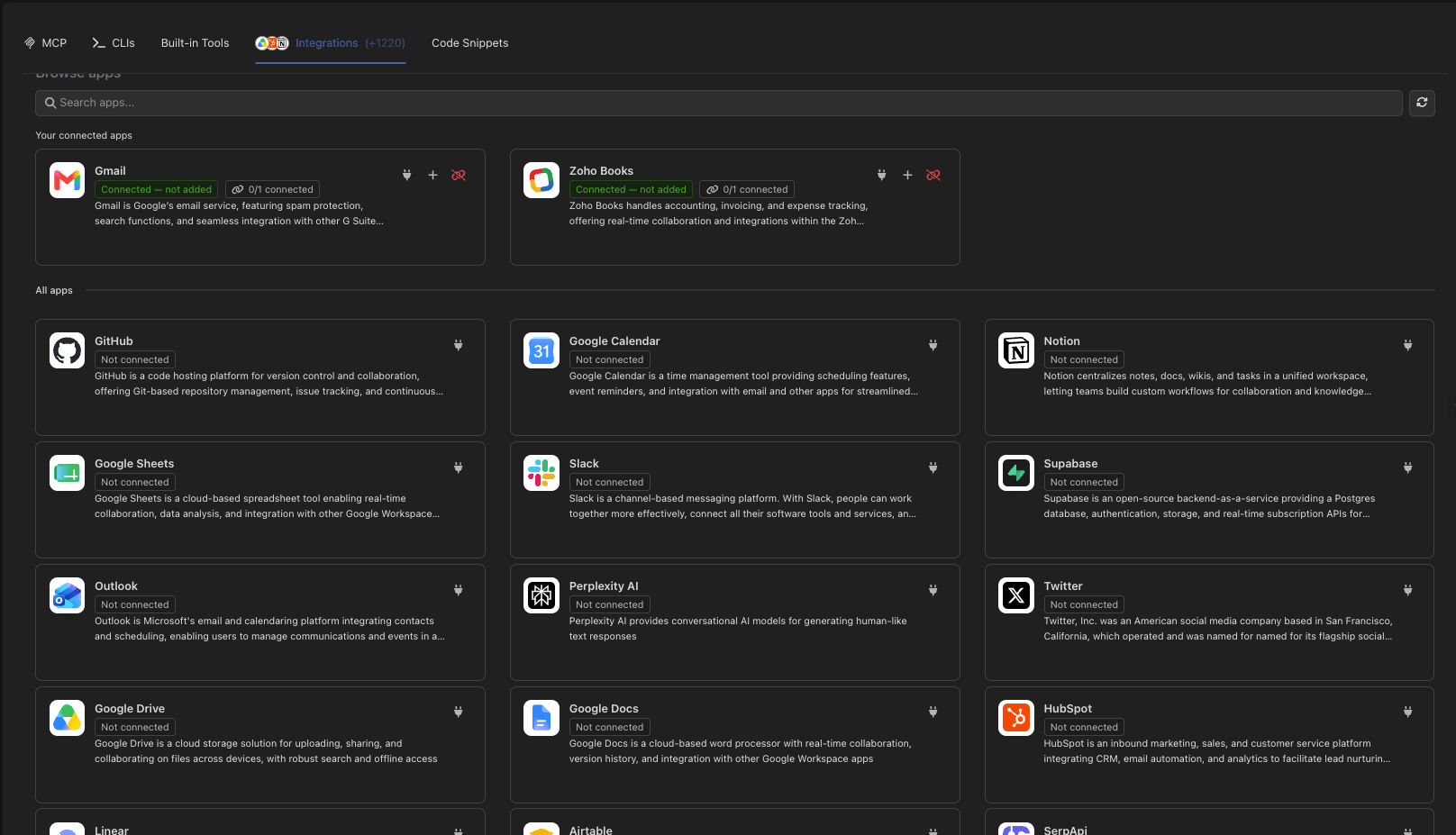
Browse or search the catalogue. Hundreds of applications, from mail and calendars to CRMs and file storage.
Authorise it. Most apps open the provider's own consent screen; apps that authenticate with an API key are connected without leaving the page.
Devic creates a tool server bound to that connected account, exposing the app's tools.
Enable the ones the agent should have. An assistant offered sixty tools chooses worse than one offered six.
***
## From an app to a working tool
Browse or search the catalogue. Hundreds of applications, from mail and calendars to CRMs and file storage.
Authorise it. Most apps open the provider's own consent screen; apps that authenticate with an API key are connected without leaving the page.
Devic creates a tool server bound to that connected account, exposing the app's tools.
Enable the ones the agent should have. An assistant offered sixty tools chooses worse than one offered six.
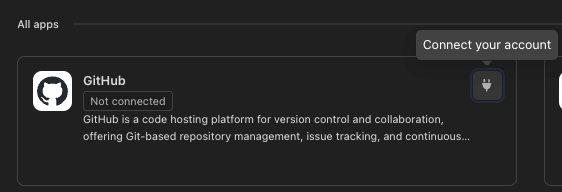 **One tool server is one account.** The connected account is pinned when the server is created, which is what lets two Google Drive accounts coexist as two servers instead of one that silently switches between them.
***
## Choosing which tools are exposed
A connected app usually offers far more tools than any single agent needs. The tool list of an integration shows what is exposed today and lets you browse the app's whole catalogue to add more.
**One tool server is one account.** The connected account is pinned when the server is created, which is what lets two Google Drive accounts coexist as two servers instead of one that silently switches between them.
***
## Choosing which tools are exposed
A connected app usually offers far more tools than any single agent needs. The tool list of an integration shows what is exposed today and lets you browse the app's whole catalogue to add more.
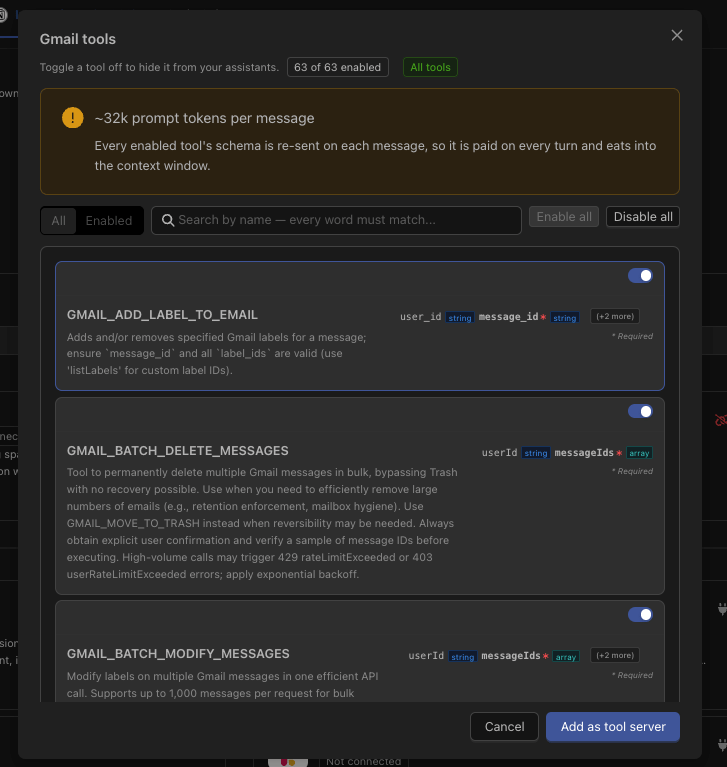 Tools can be searched by name — useful when an app has hundreds — and changing the selection touches only the selection: the connected account stays exactly as it was.
**Test a tool before trusting it.** Each tool can be run once against the connected account, through the same path an agent takes, so a green test means the agent will get the same result. It is a real call on real data: prefer read-only tools, and treat anything that creates, sends or deletes as a production action.
***
## Where connections live
An integration connected here belongs to the **workspace**: it is your account's connection, used by the agents you configure.
That is a different thing from letting *your end users* connect their own accounts from inside your product. Both exist, and they are deliberately separate.
Start an agent when something happens in a connected app.
Let each customer connect their own accounts, without ever seeing another's.
***
## Through the API
The whole flow is available programmatically — browse the catalogue, check what an app asks for, connect, poll until connected, build the server and pick its tools. See the [Integrations endpoints](/api-reference/endpoint/get-api-v1-integrations).
Tools can be searched by name — useful when an app has hundreds — and changing the selection touches only the selection: the connected account stays exactly as it was.
**Test a tool before trusting it.** Each tool can be run once against the connected account, through the same path an agent takes, so a green test means the agent will get the same result. It is a real call on real data: prefer read-only tools, and treat anything that creates, sends or deletes as a production action.
***
## Where connections live
An integration connected here belongs to the **workspace**: it is your account's connection, used by the agents you configure.
That is a different thing from letting *your end users* connect their own accounts from inside your product. Both exist, and they are deliberately separate.
Start an agent when something happens in a connected app.
Let each customer connect their own accounts, without ever seeing another's.
***
## Through the API
The whole flow is available programmatically — browse the catalogue, check what an app asks for, connect, poll until connected, build the server and pick its tools. See the [Integrations endpoints](/api-reference/endpoint/get-api-v1-integrations).