> ## Documentation Index
> Fetch the complete documentation index at: https://docs.devic.ai/llms.txt
> Use this file to discover all available pages before exploring further.
# Create a New Database
> Create and configure a native database in Devic to store structured information and connect it with your agents and MCPs.
## Overview
Native databases in Devic allow you to structure and manage information flexibly, without depending on external systems.\
From the main **Databases** view, you can create a new database in just a few steps and define its initial structure — name, entities, and custom fields.
***
## Create a New Database
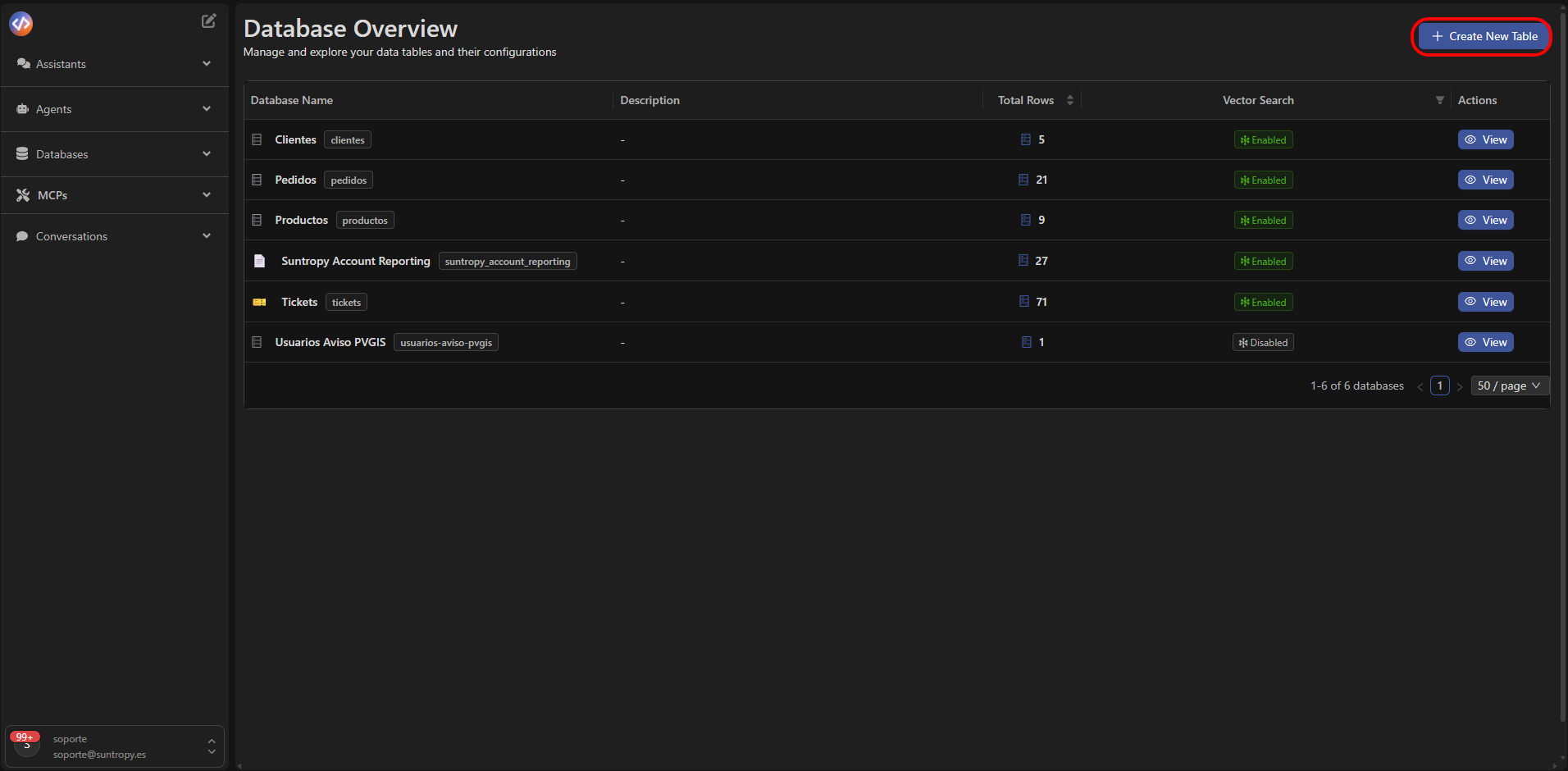
1. Click the **+ Create New Table** button in the upper-right corner of the panel.
2. In the **Create New Table** dialog, fill in the following fields:
* **Table Name** *(required)*: the visible name of the database, such as `Clients` or `Orders`.
* **Description** *(optional)*: a brief summary of the purpose of the database.
* **Entity Name (Singular)** *(required)*: the name of the individual entity (e.g., `client`).
* **Entity Name (Plural)** *(required)*: the plural name representing the collection of records (e.g., `clients`).
3. Select **Create Table** to confirm.
 ## Configure the Created Database
Once created, the table configuration view will open, where you can customize all its elements.
### Basic Information
* **Table Name:** edit the main name of the database.
* **Color:** assign a reference color to identify it visually in the panel.
* **Entity Name (singular/plural):** modify the names defined during creation.
* **Include table in smart search:** enable or disable inclusion of the table in global semantic searches.
## Configure the Created Database
Once created, the table configuration view will open, where you can customize all its elements.
### Basic Information
* **Table Name:** edit the main name of the database.
* **Color:** assign a reference color to identify it visually in the panel.
* **Entity Name (singular/plural):** modify the names defined during creation.
* **Include table in smart search:** enable or disable inclusion of the table in global semantic searches.
 ## Access Control
At the bottom of the page, you'll find the **Access Control** section, used to configure permissions for each database.
> *Note: This functionality is currently under development (coming soon).*
***
Learn how to view and edit records inside an existing database.
## Access Control
At the bottom of the page, you'll find the **Access Control** section, used to configure permissions for each database.
> *Note: This functionality is currently under development (coming soon).*
***
Learn how to view and edit records inside an existing database.