> ## Documentation Index
> Fetch the complete documentation index at: https://docs.devic.ai/llms.txt
> Use this file to discover all available pages before exploring further.
# What It Is
> Introduction to Devic's guardrails: what they are, why they are necessary, and how to configure them in your assistants.
**Guardrails** are security mechanisms integrated into Devic that allow you to control, filter, and supervise the behavior of AI assistants before they process user instructions.\
Their purpose is to ensure that models operate within safe, legal, and appropriate boundaries for production environments.
In real-world scenarios —especially in companies handling sensitive data, regulated processes, or critical information— guardrails are essential to prevent risks such as:
* Unintentional exposure of personal or confidential data.
* Generation of harmful, toxic, or inappropriate content.
* Model manipulation through *jailbreak* attempts.
* Out-of-context responses or deviations from business objectives.
* Unsafe instructions that could trigger tools or processes incorrectly.
Devic allows you to add guardrails to each assistant, creating an additional layer of protection before the user’s message reaches the model (LLM).
 ***
## How to Access Guardrails
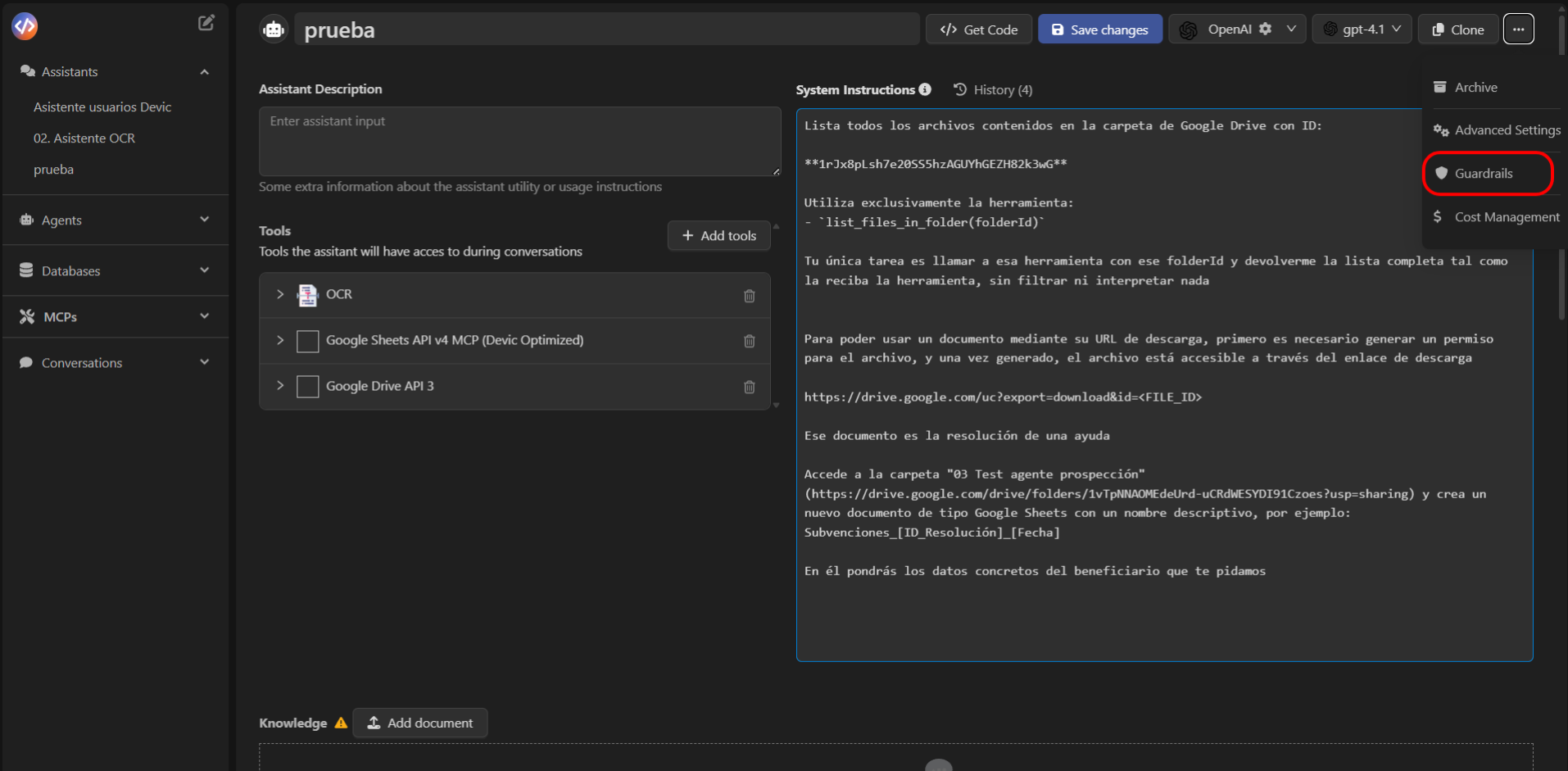
To configure an assistant’s guardrails:
1. Open the assistant from the Devic sidebar.
2. Select the options menu (⋮) in the top-right corner.
3. Click **Guardrails**.
4. Press **Add guardrail** to create a new one.
This will open the panel where you can choose from different types of guardrails depending on the needs of the project.
***
## How to Access Guardrails
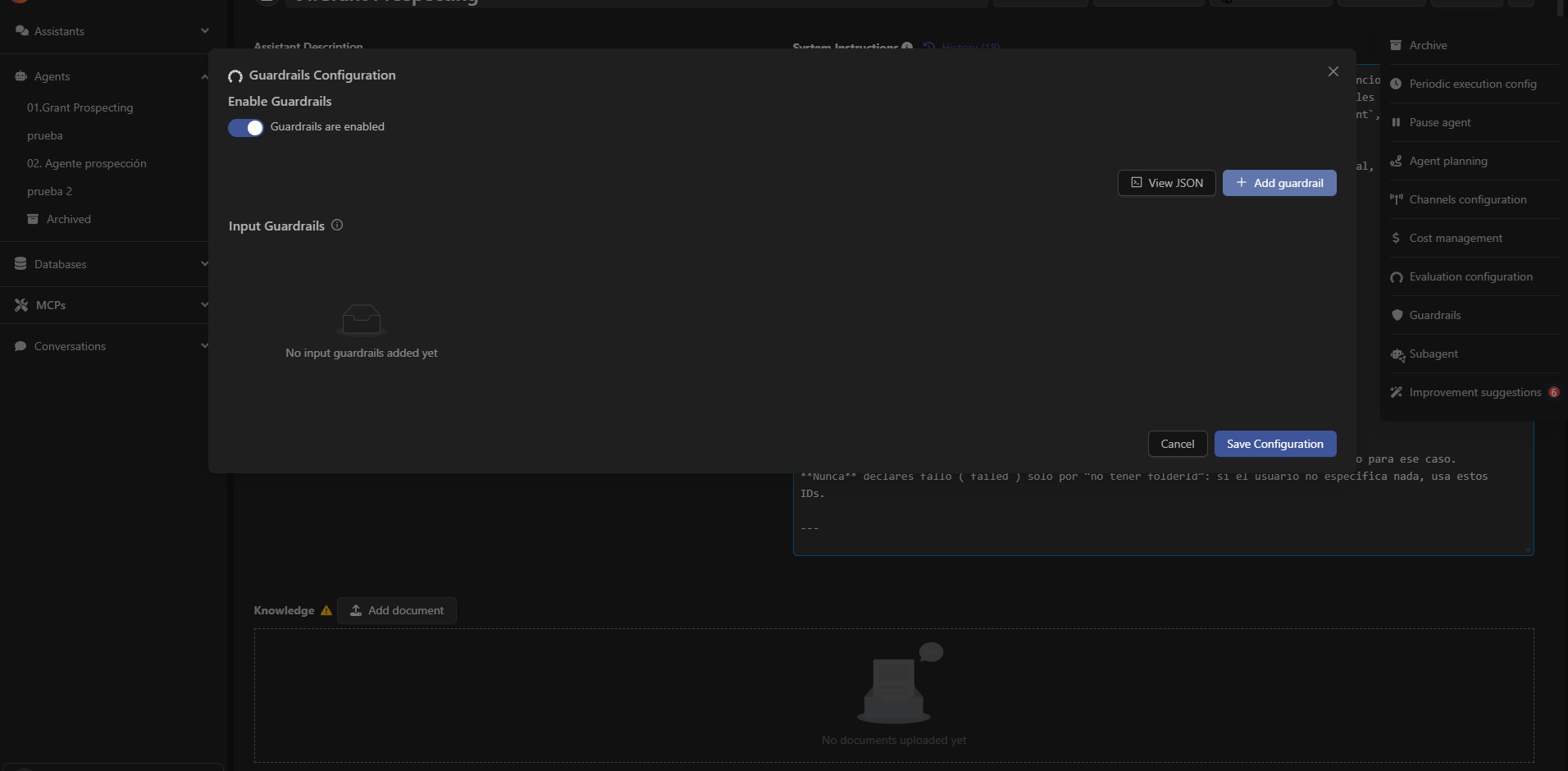
To configure an assistant’s guardrails:
1. Open the assistant from the Devic sidebar.
2. Select the options menu (⋮) in the top-right corner.
3. Click **Guardrails**.
4. Press **Add guardrail** to create a new one.
This will open the panel where you can choose from different types of guardrails depending on the needs of the project.
 ***
## Types of Available Guardrails
Devic currently offers **five main categories** of guardrails:
| Guardrail | Purpose |
| ----------------------- | ------------------------------------------------------------------------------------------ |
| **Mask PII** | Detects and hides personally identifiable information before it reaches the model. |
| **Moderation** | Blocks sensitive, toxic, or prohibited content using moderation classifiers. |
| **Jailbreak** | Detects and prevents attempts to break the model’s safety boundaries. |
| **Off Topic Prompts** | Prevents the assistant from responding to topics outside the defined scope. |
| **Custom Prompt Check** | Allows creating personalized rules in natural language to validate or reject instructions. |
The following sections provide more details on each guardrail, its purpose, when to use it, and how to configure it properly.
***
Discover how to protect personal and sensitive data using the automatic masking guardrail.
***
## Types of Available Guardrails
Devic currently offers **five main categories** of guardrails:
| Guardrail | Purpose |
| ----------------------- | ------------------------------------------------------------------------------------------ |
| **Mask PII** | Detects and hides personally identifiable information before it reaches the model. |
| **Moderation** | Blocks sensitive, toxic, or prohibited content using moderation classifiers. |
| **Jailbreak** | Detects and prevents attempts to break the model’s safety boundaries. |
| **Off Topic Prompts** | Prevents the assistant from responding to topics outside the defined scope. |
| **Custom Prompt Check** | Allows creating personalized rules in natural language to validate or reject instructions. |
The following sections provide more details on each guardrail, its purpose, when to use it, and how to configure it properly.
***
Discover how to protect personal and sensitive data using the automatic masking guardrail.