> ## Documentation Index
> Fetch the complete documentation index at: https://docs.devic.ai/llms.txt
> Use this file to discover all available pages before exploring further.
# AI Governance
> One place to see everything in your account that other people and other systems can reach.
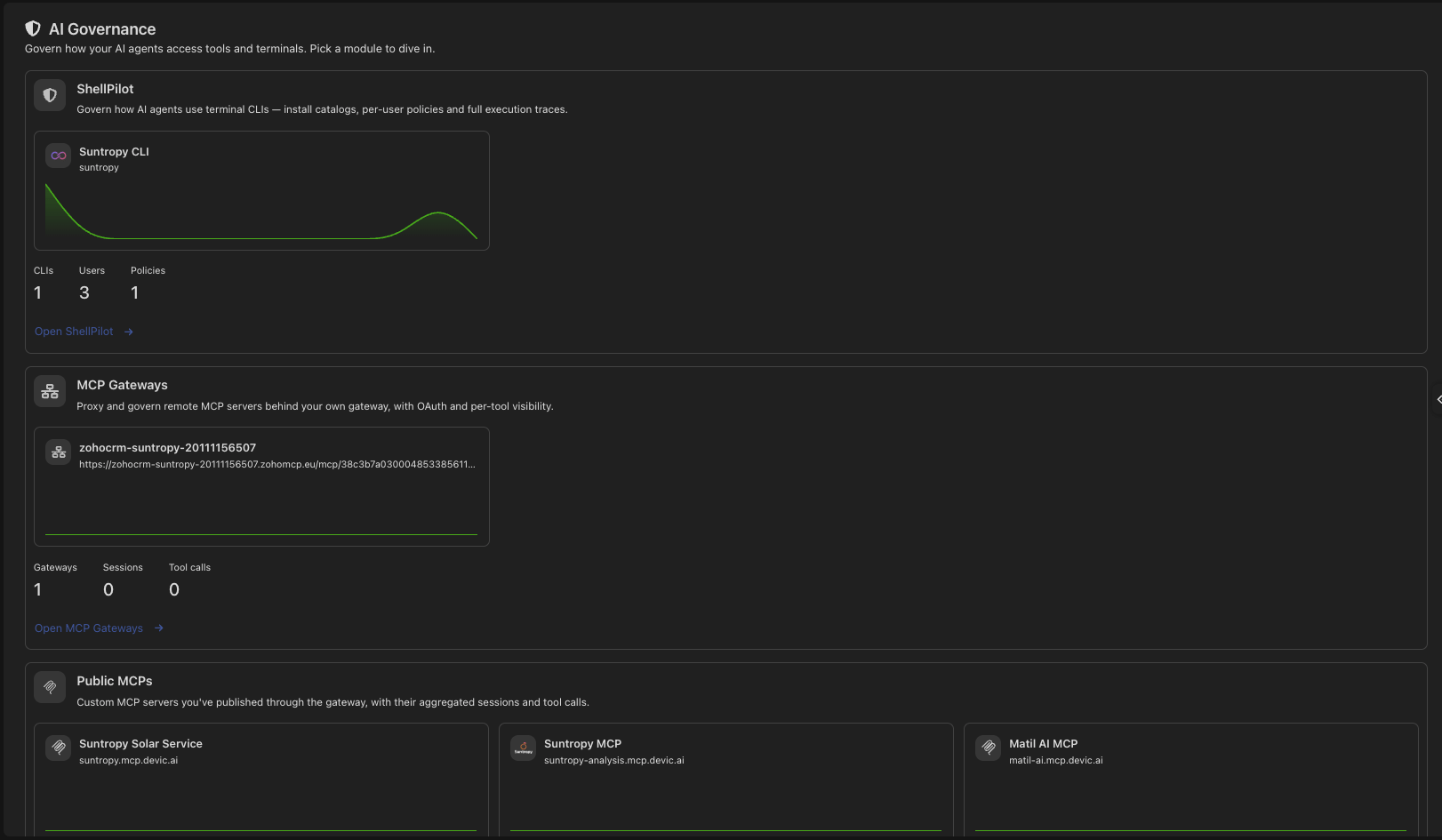
Most of Devic is about building things. **AI Governance** is about knowing what you have already built and who is using it — the surfaces that face outward, gathered on one screen.
 This section is for administrators.
***
## What it covers
How many, their addresses, sessions and tool calls. See [MCP Gateway](/devic/mcps/mcp-gateway).
The tool servers you publish as public MCPs, with the same activity figures.
Command-line tools, the users who hold them and the policies applied.
Each block shows counts, recent activity and the individual entries, so a spike is one click from the thing that caused it.
***
## The questions it answers
* **What is reachable from outside?** Every published MCP and gateway, with its address.
* **Who is using it?** Sessions and tool calls, attributable to a person when user management is on.
* **What did they run?** Tool calls with their arguments and outcome, searchable.
* **What is unused?** A published surface with no activity is a surface to retire.
***
## Attribution
Activity is attributed to a Devic user only when the gateway has **user management** enabled. Without it, sessions still appear but the user column shows as unavailable rather than empty — the difference between "nobody" and "not recorded" matters when you are reading a log.
***
## Related
Controls on what a model is allowed to say and do.
The other outward surface: your API keys.
This section is for administrators.
***
## What it covers
How many, their addresses, sessions and tool calls. See [MCP Gateway](/devic/mcps/mcp-gateway).
The tool servers you publish as public MCPs, with the same activity figures.
Command-line tools, the users who hold them and the policies applied.
Each block shows counts, recent activity and the individual entries, so a spike is one click from the thing that caused it.
***
## The questions it answers
* **What is reachable from outside?** Every published MCP and gateway, with its address.
* **Who is using it?** Sessions and tool calls, attributable to a person when user management is on.
* **What did they run?** Tool calls with their arguments and outcome, searchable.
* **What is unused?** A published surface with no activity is a surface to retire.
***
## Attribution
Activity is attributed to a Devic user only when the gateway has **user management** enabled. Without it, sessions still appear but the user column shows as unavailable rather than empty — the difference between "nobody" and "not recorded" matters when you are reading a log.
***
## Related
Controls on what a model is allowed to say and do.
The other outward surface: your API keys.