> ## Documentation Index
> Fetch the complete documentation index at: https://docs.devic.ai/llms.txt
> Use this file to discover all available pages before exploring further.
# Other Options
> Configure advanced functions of Devic agents, such as periodic executions, task planning, cost management, channels, evaluations, and specialized subagents.
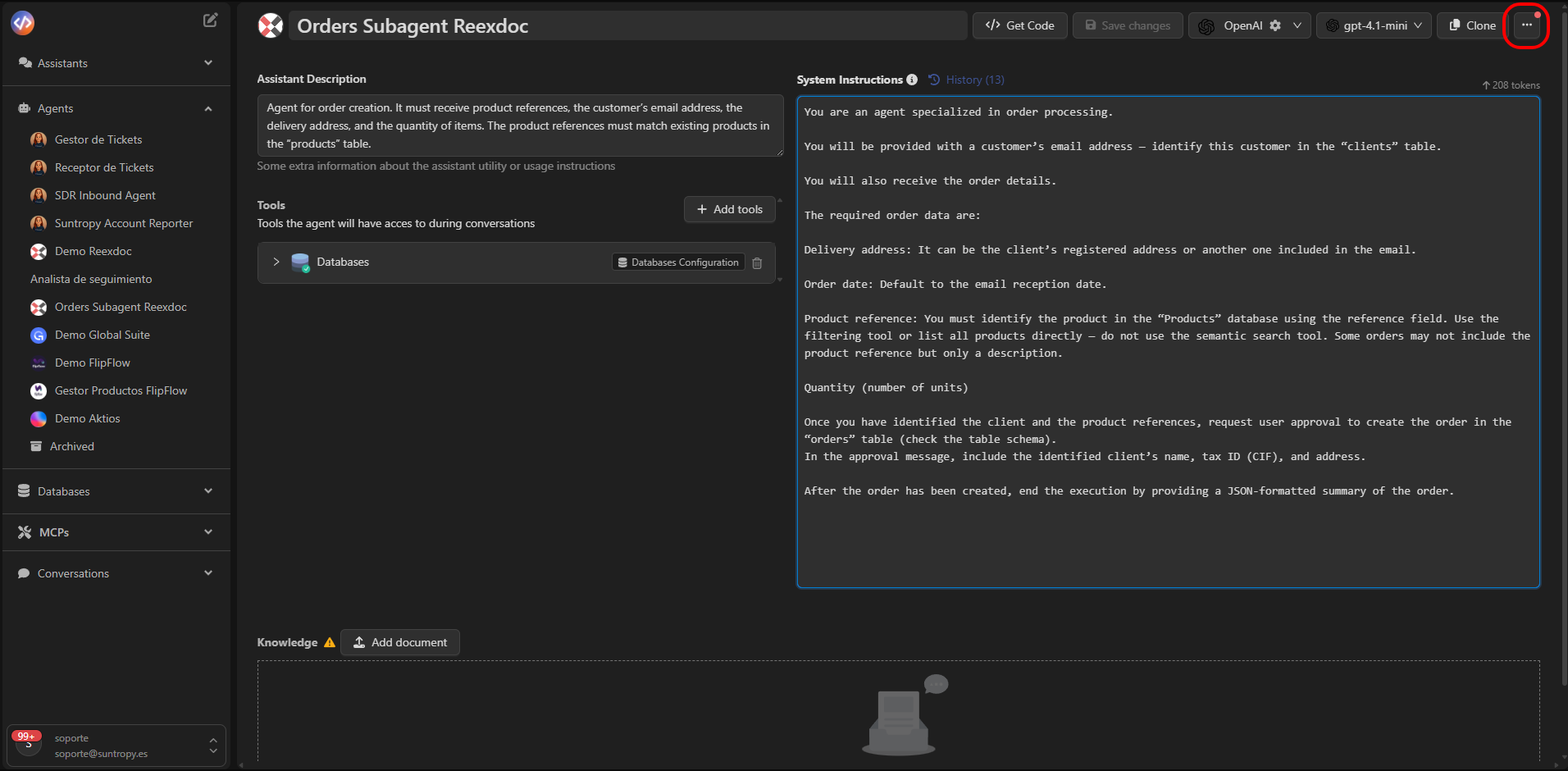
From the **Other Options** menu of each agent, Devic offers a set of advanced configurations that allow you to adjust its behavior, performance, and operational control.
These options extend the capabilities of agents beyond their basic setup, enabling automated scheduled executions, defining interactions with other systems, or specializing them for specific tasks.
 ***
## Periodic Executions
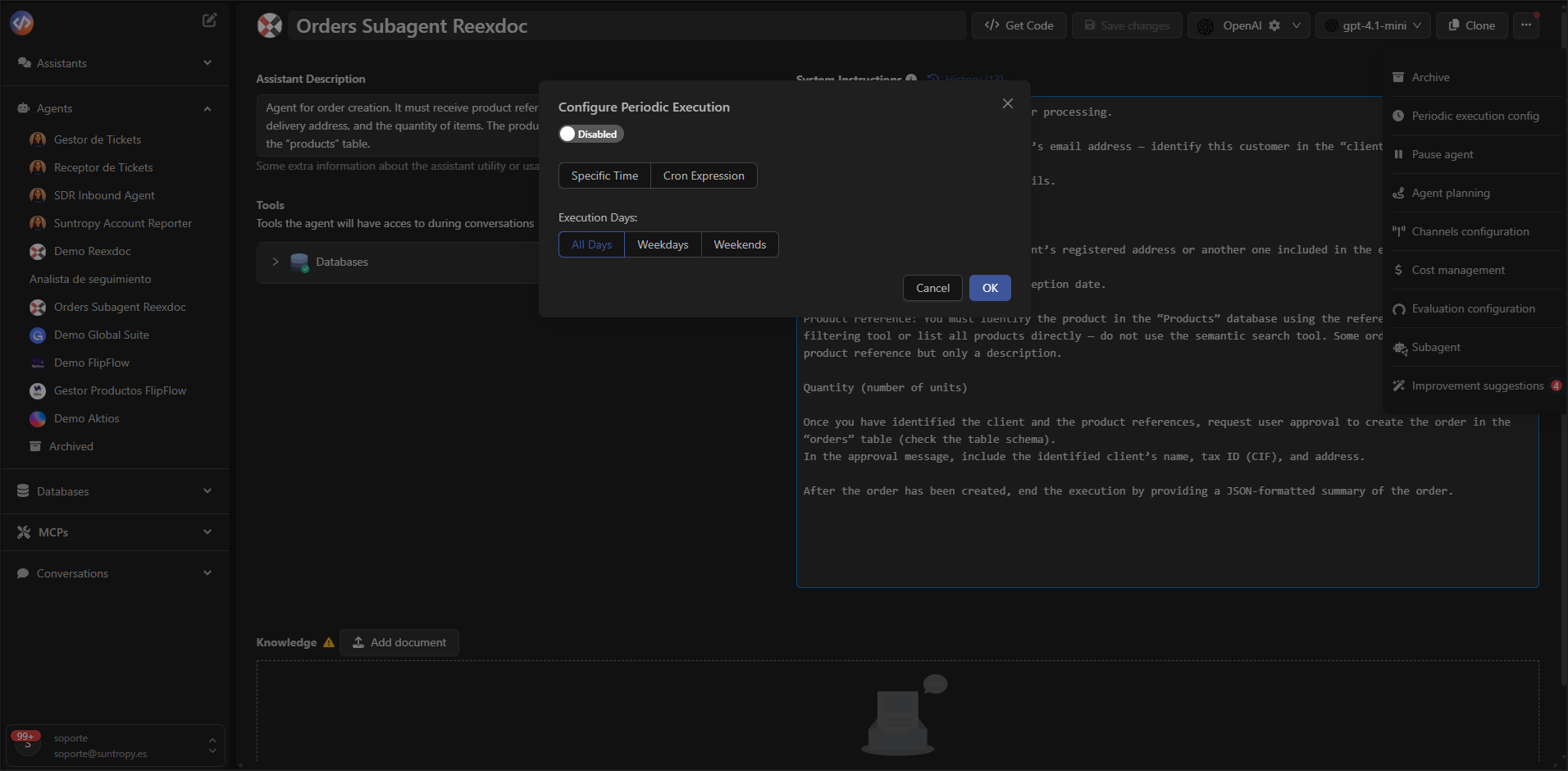
Allows scheduling the agent to **run automatically** at a defined frequency: daily, weekly, or custom.\
This way, the agent can perform maintenance tasks, generate reports, or carry out monitoring without manual intervention.
***
## Periodic Executions
Allows scheduling the agent to **run automatically** at a defined frequency: daily, weekly, or custom.\
This way, the agent can perform maintenance tasks, generate reports, or carry out monitoring without manual intervention.
 ***
## Pause Agent
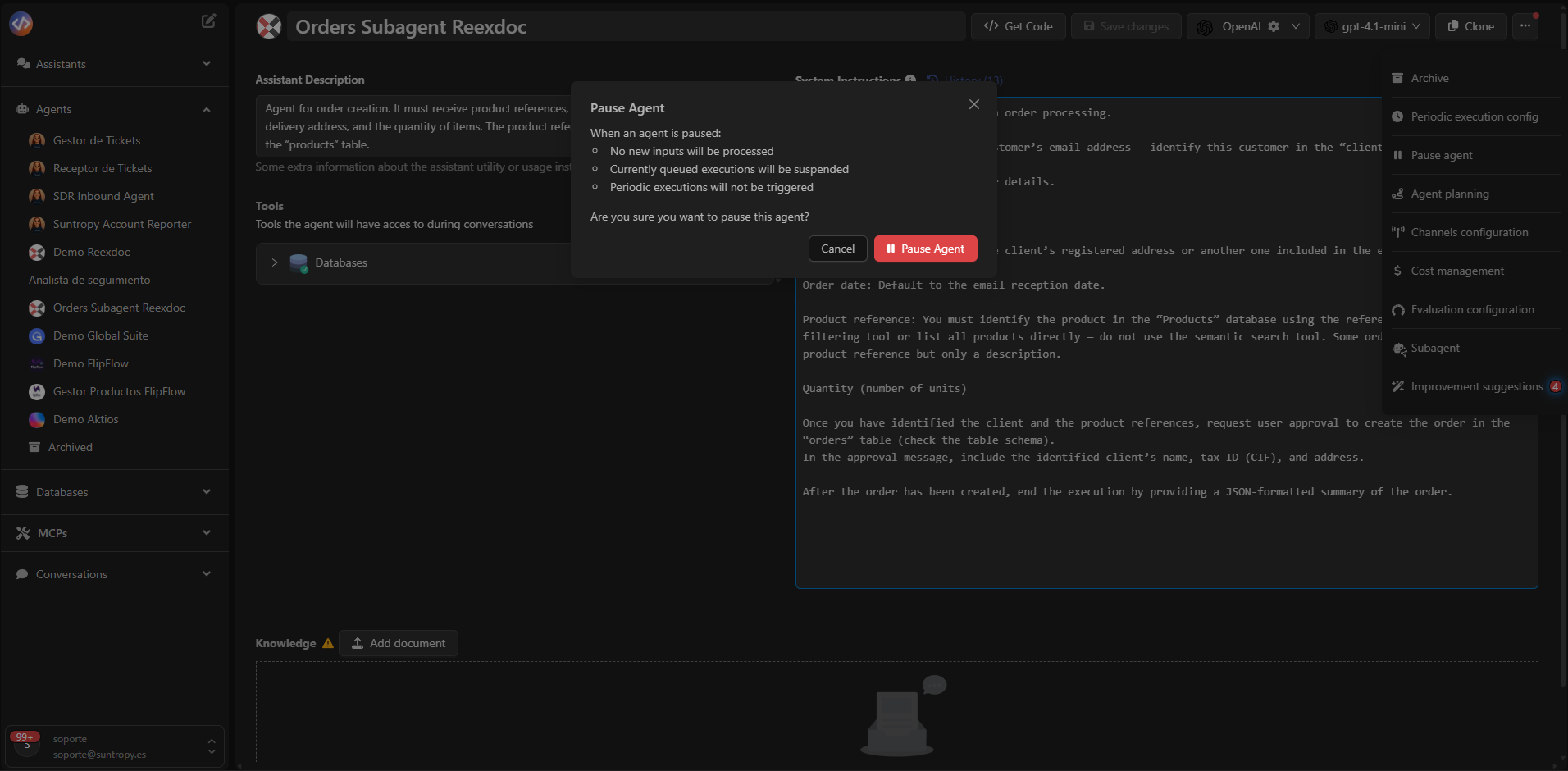
Temporarily suspends the agent's executions.\
While paused:
* New inputs are not processed.
* Queued executions are halted.
* Scheduled executions do not trigger.
This option is useful for making adjustments or performing maintenance without deleting the agent.
***
## Pause Agent
Temporarily suspends the agent's executions.\
While paused:
* New inputs are not processed.
* Queued executions are halted.
* Scheduled executions do not trigger.
This option is useful for making adjustments or performing maintenance without deleting the agent.
 ***
## Agent Task Planner
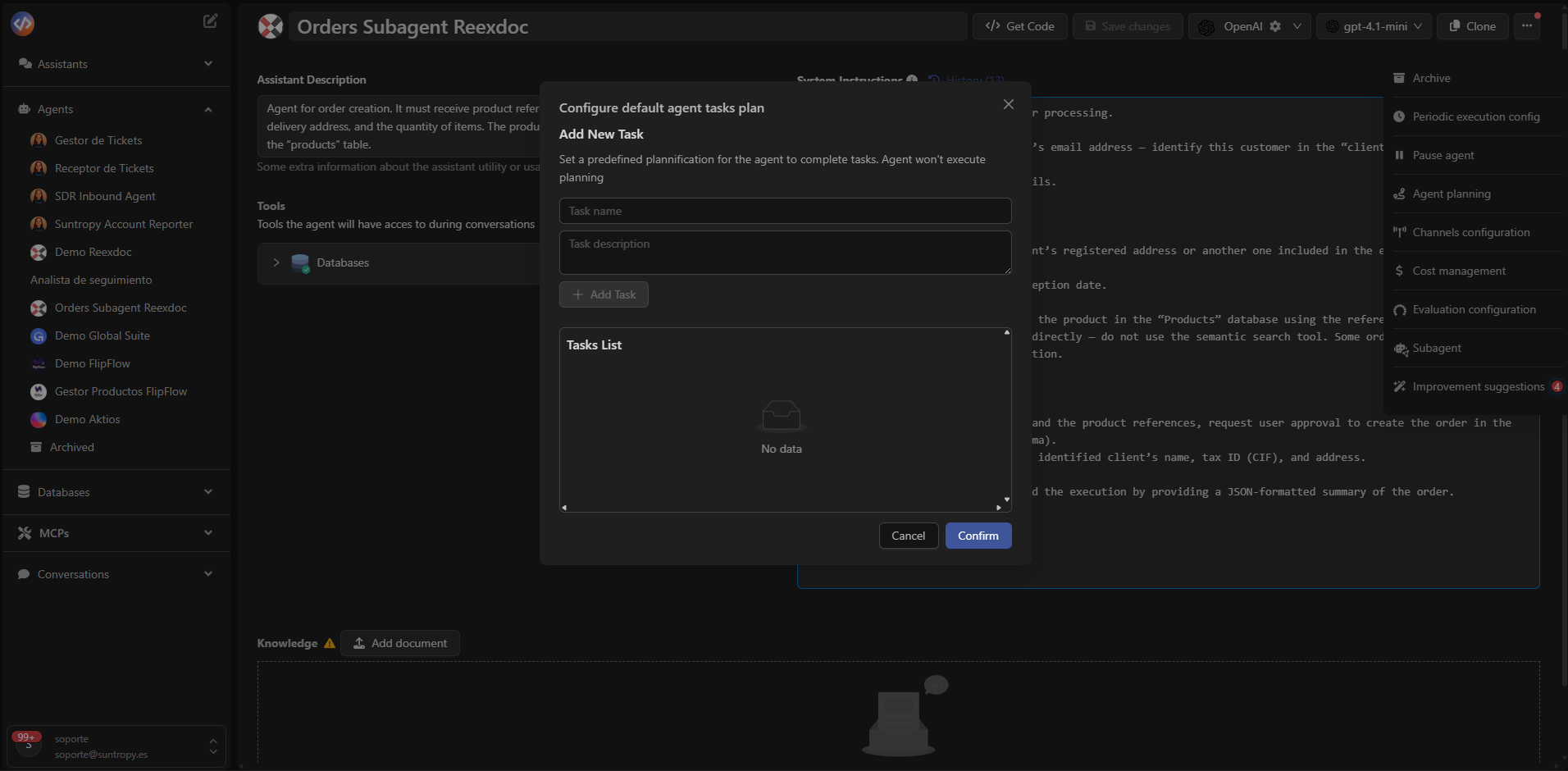
Allows defining **how the agent should execute its tasks** in a controlled manner.\
The user can establish a specific plan that serves as a guide or sequence, refining the agent's behavior for **increased coherence and operational performance**.
***
## Agent Task Planner
Allows defining **how the agent should execute its tasks** in a controlled manner.\
The user can establish a specific plan that serves as a guide or sequence, refining the agent's behavior for **increased coherence and operational performance**.
 ***
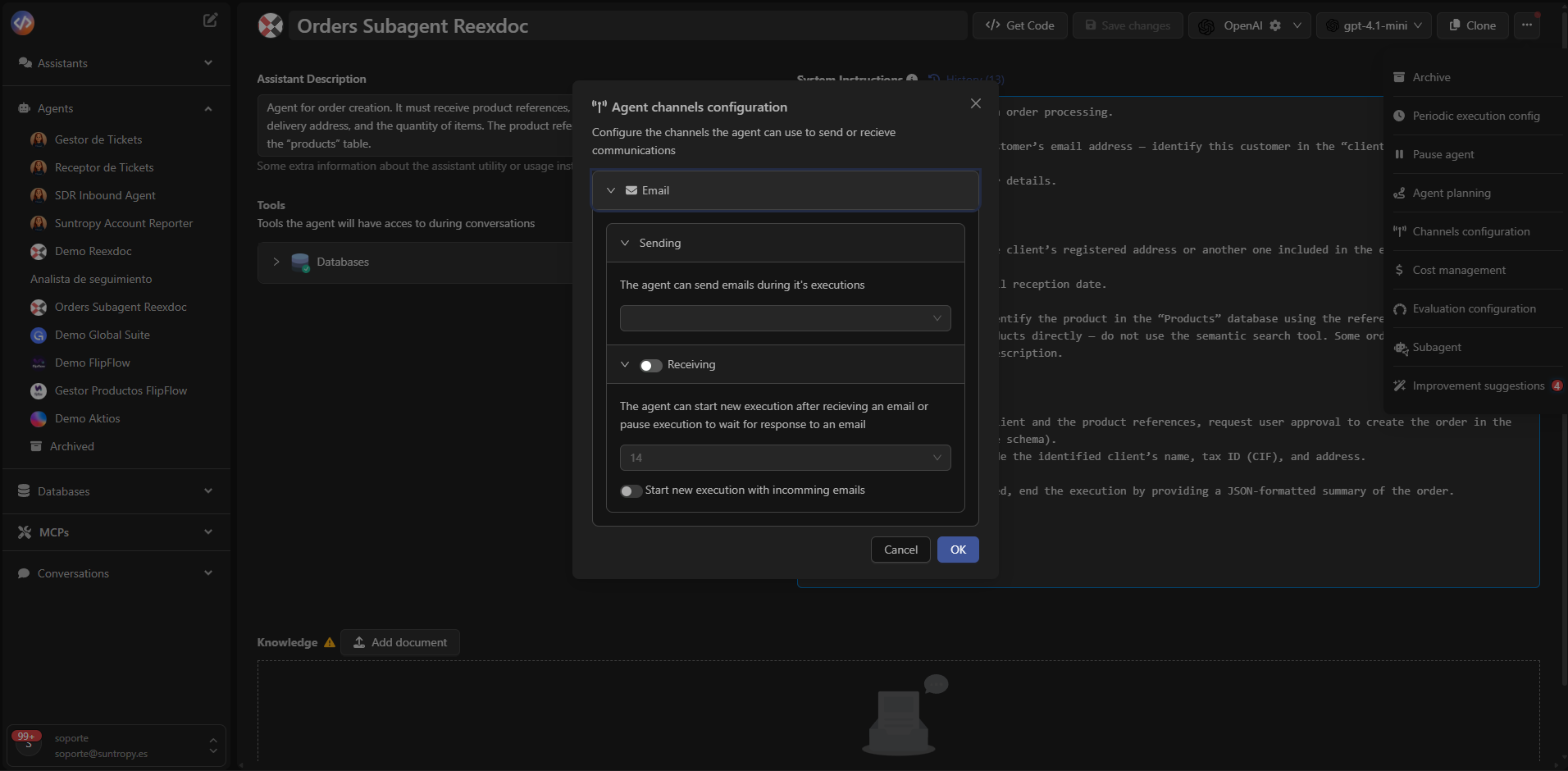
## Configure Channels
Configures the agent's **communication channels**, such as email, for sending and receiving information during executions.\
The agent can receive incoming messages, start new executions from emails, and filter by sender or subject.
***
## Configure Channels
Configures the agent's **communication channels**, such as email, for sending and receiving information during executions.\
The agent can receive incoming messages, start new executions from emails, and filter by sender or subject.
 ***
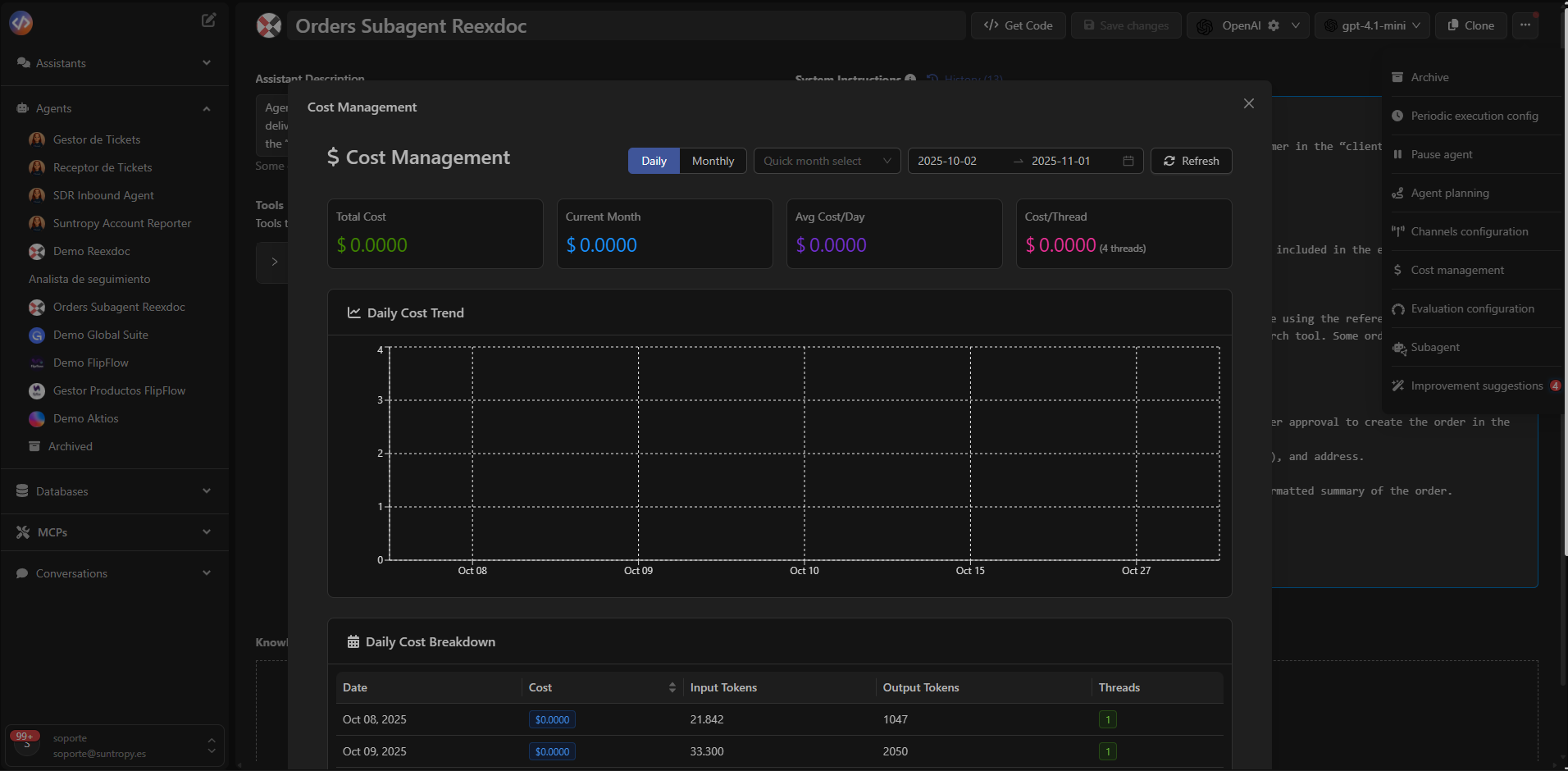
## Cost Management
Devic includes a **Cost Management** panel that shows the accumulated and detailed cost of the agent's executions.\
It includes metrics such as total cost, daily average, and cost per execution thread, along with time-based graphs.
***
## Cost Management
Devic includes a **Cost Management** panel that shows the accumulated and detailed cost of the agent's executions.\
It includes metrics such as total cost, daily average, and cost per execution thread, along with time-based graphs.
 ***
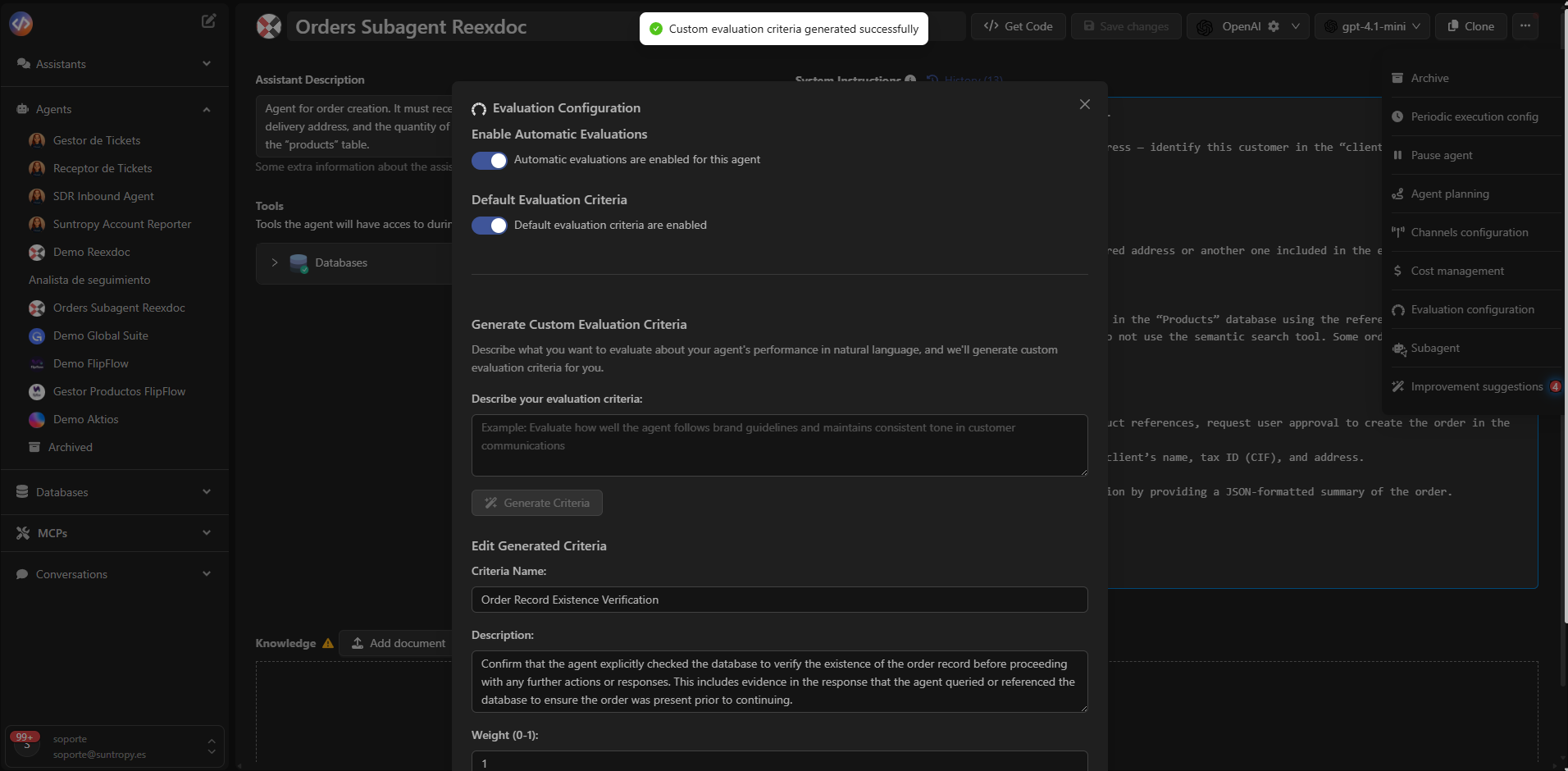
## Evaluation Configuration
This section defines the **automatic evaluations** that score the agent’s performance according to predefined criteria.\
Additionally, the user can **create custom evaluations** from the *Evaluation Configuration* panel.
***
## Evaluation Configuration
This section defines the **automatic evaluations** that score the agent’s performance according to predefined criteria.\
Additionally, the user can **create custom evaluations** from the *Evaluation Configuration* panel.
 ***
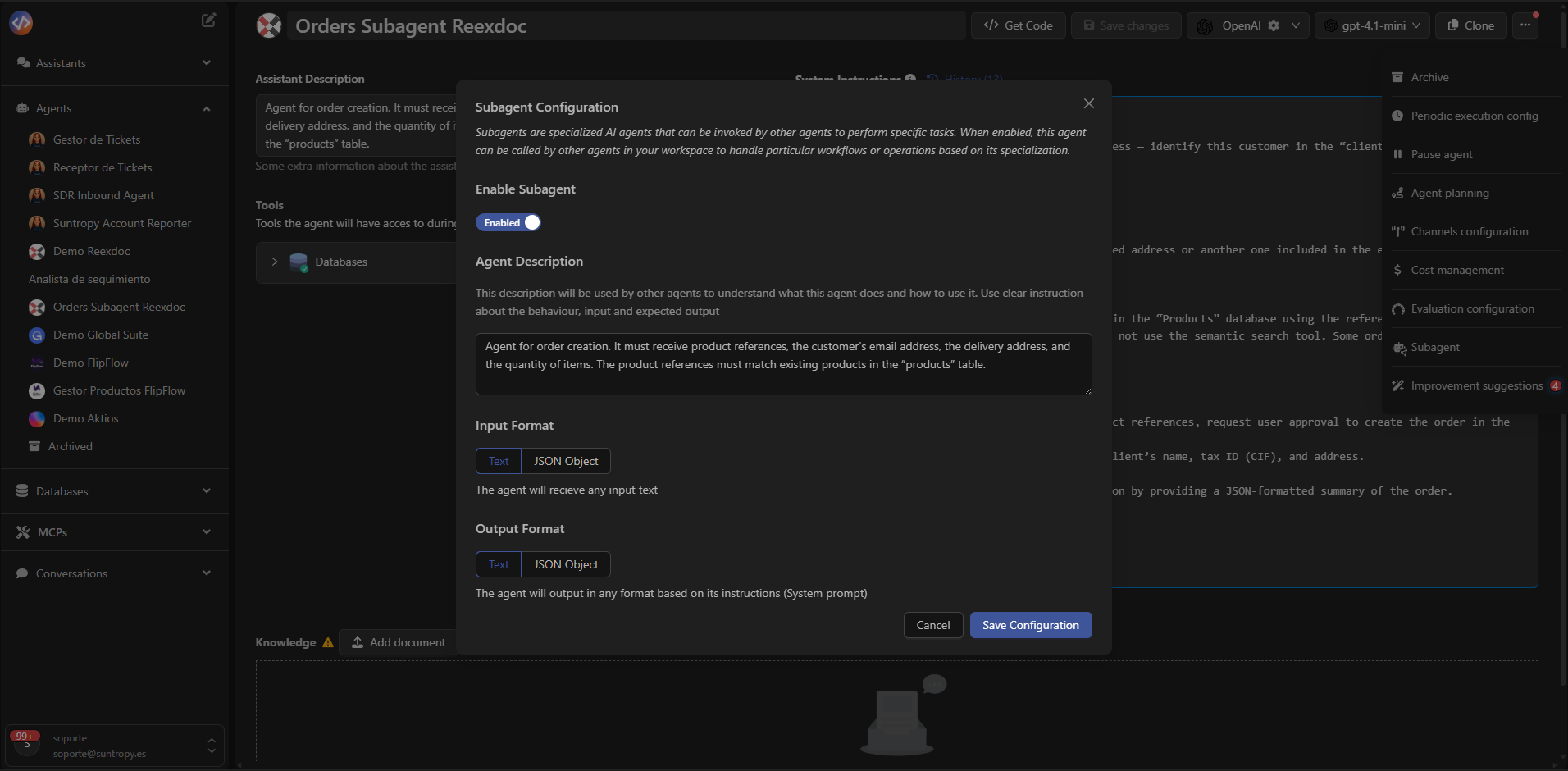
## Subagents
Enables transforming an agent into a **specialized subagent** for a specific task or set of tasks.\
Once enabled, it can be **invoked by other agents as a tool**, helping break down complex processes into specialized components.
***
## Subagents
Enables transforming an agent into a **specialized subagent** for a specific task or set of tasks.\
Once enabled, it can be **invoked by other agents as a tool**, helping break down complex processes into specialized components.
 ***
## Improvement Suggestions
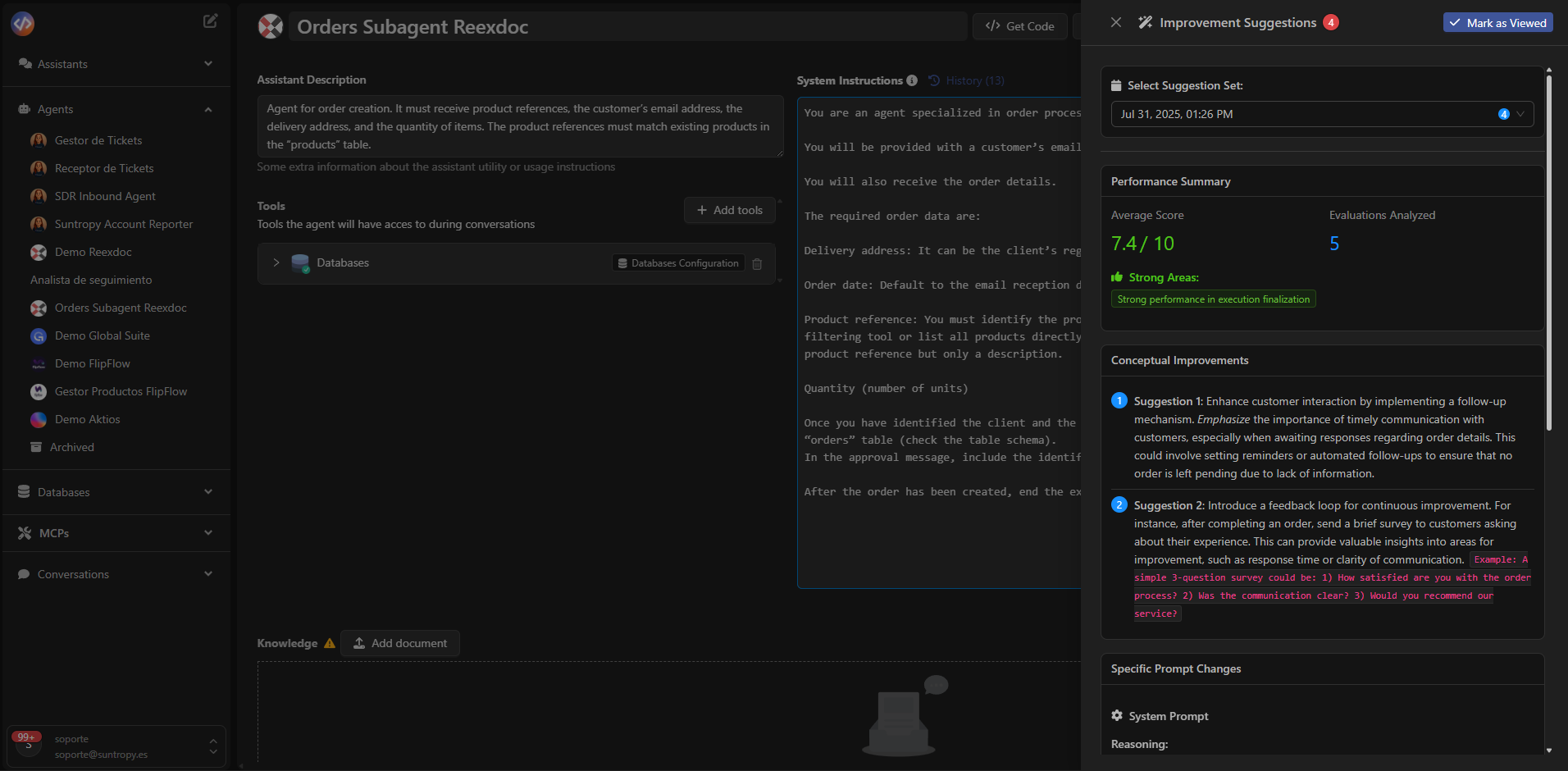
The **Improvement Suggestions** system analyzes the agent’s performance and proposes actions to improve its behavior, prompts, or strategies.\
These recommendations are generated based on previous evaluations and execution logs, contributing to a process of **continuous optimization**.
***
## Improvement Suggestions
The **Improvement Suggestions** system analyzes the agent’s performance and proposes actions to improve its behavior, prompts, or strategies.\
These recommendations are generated based on previous evaluations and execution logs, contributing to a process of **continuous optimization**.
 ***
Devic’s advanced options allow adapting agents to complex operational environments, combining autonomy, traceability, and control over their behavior and cost.
***
Explore all available guardrails and learn how to enhance security and control in your agents.
***
Devic’s advanced options allow adapting agents to complex operational environments, combining autonomy, traceability, and control over their behavior and cost.
***
Explore all available guardrails and learn how to enhance security and control in your agents.