> ## Documentation Index
> Fetch the complete documentation index at: https://docs.devic.ai/llms.txt
> Use this file to discover all available pages before exploring further.
# Mask PII
> Protect personal and sensitive data in prompts using Devic’s Mask PII guardrail.
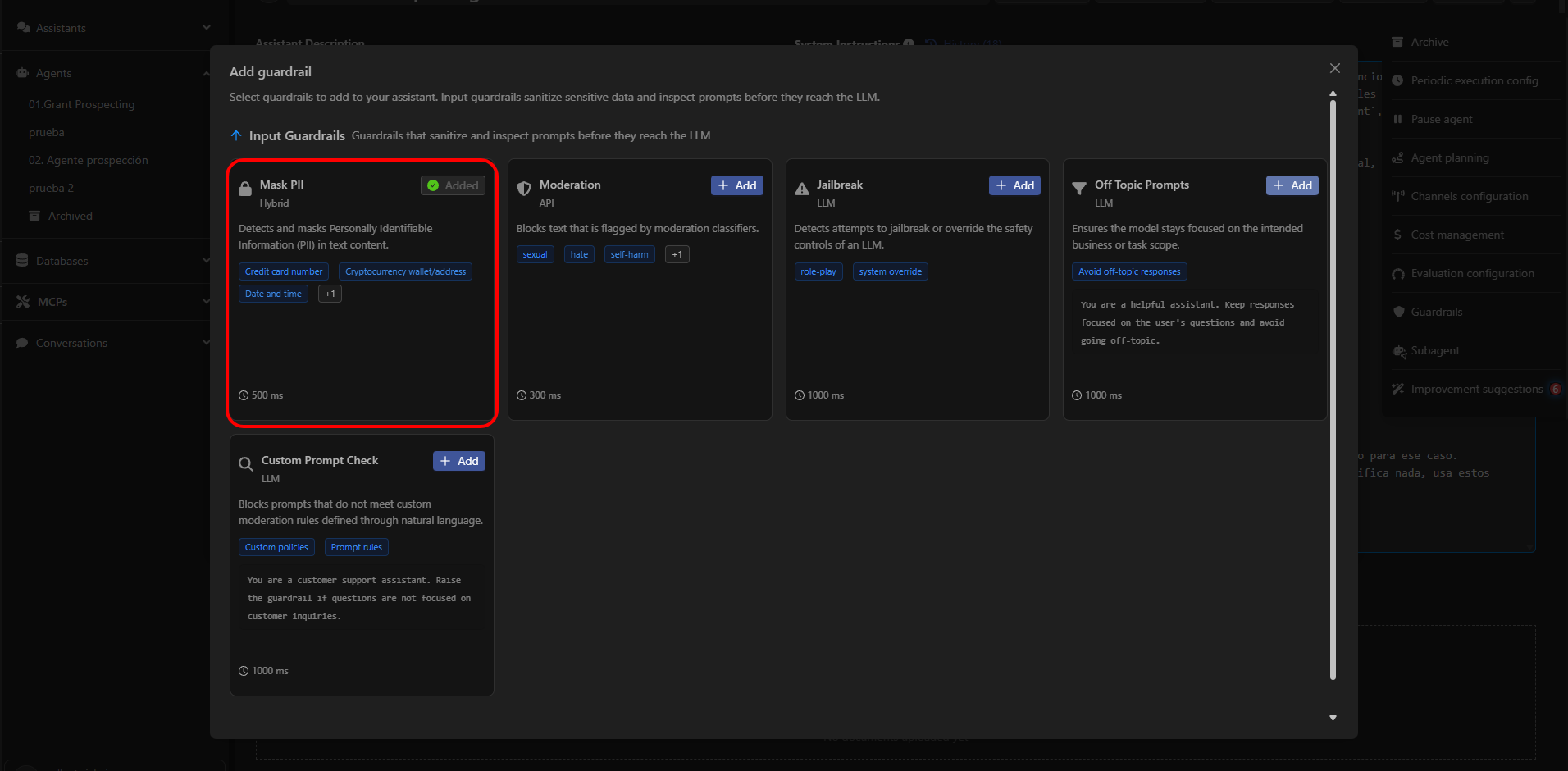
The **Mask PII** guardrail detects and masks personally identifiable information (PII) in the input text before it reaches the model. Its purpose is to ensure that agents do not process data that could compromise privacy or expose regulated information.
This guardrail scans the incoming text and automatically replaces sensitive data with safe placeholders, preserving the user’s intent without revealing their information.
 ***
## What Mask PII Detects
Mask PII analyzes the user’s input and replaces any detected personally identifiable information with a generic placeholder.\
Examples:
* “My card is 4111 1111 1111 1111” → “My card is \[CREDIT\_CARD\_NUMBER]”
* “I live at 123 Main St, NY” → “I live at \[LOCATION]”
* “My email is [john.doe@example.com](mailto:john.doe@example.com)” → “My email is \[EMAIL\_ADDRESS]”
This allows the agent to work with the message **without exposing real data**.
***
## Configurable PII Categories
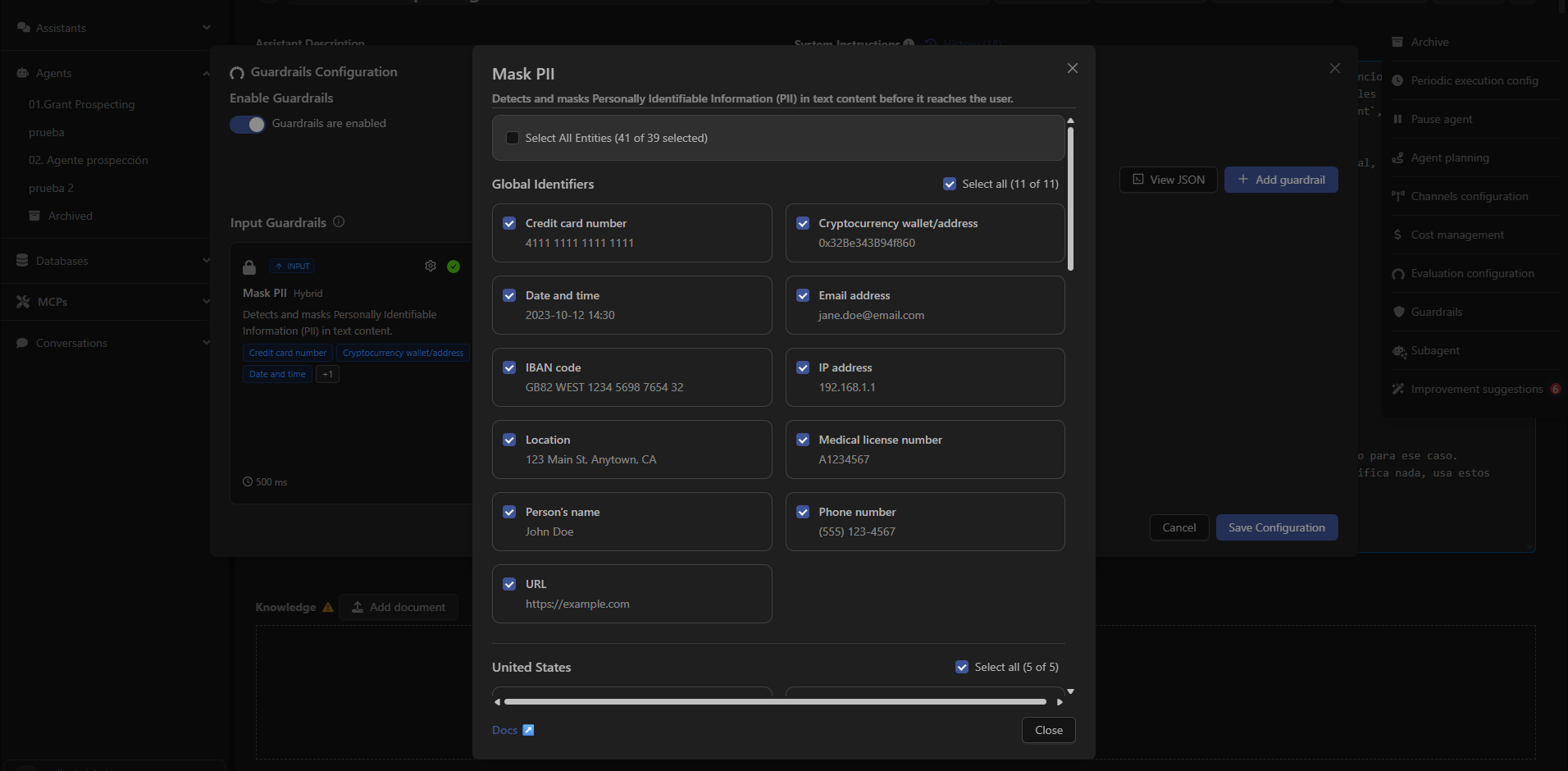
Devic allows you to enable or disable specific types of PII to be masked in user inputs.\
Available types include:
### **Global Identifiers**
* Credit card number
* Cryptocurrency wallet
* Date and time
* Email address
* IBAN
* IP address
* Location
* Medical license number
* Person name
* Phone number
* URL
### **United States**
* Bank account number
* Driver’s license number
* ITIN
* Passport number
* Social Security Number
### **United Kingdom**
* NHS Number
* National Insurance Number
Users can select each category individually or enable **Select All** in the interface.
***
## What Mask PII Detects
Mask PII analyzes the user’s input and replaces any detected personally identifiable information with a generic placeholder.\
Examples:
* “My card is 4111 1111 1111 1111” → “My card is \[CREDIT\_CARD\_NUMBER]”
* “I live at 123 Main St, NY” → “I live at \[LOCATION]”
* “My email is [john.doe@example.com](mailto:john.doe@example.com)” → “My email is \[EMAIL\_ADDRESS]”
This allows the agent to work with the message **without exposing real data**.
***
## Configurable PII Categories
Devic allows you to enable or disable specific types of PII to be masked in user inputs.\
Available types include:
### **Global Identifiers**
* Credit card number
* Cryptocurrency wallet
* Date and time
* Email address
* IBAN
* IP address
* Location
* Medical license number
* Person name
* Phone number
* URL
### **United States**
* Bank account number
* Driver’s license number
* ITIN
* Passport number
* Social Security Number
### **United Kingdom**
* NHS Number
* National Insurance Number
Users can select each category individually or enable **Select All** in the interface.
 ***
## When to Use Mask PII
Mask PII is recommended for agents that:
* Process instructions that may contain personal data.
* Operate in regulated environments (GDPR, HIPAA, internal compliance).
* Interact with end users and must avoid storing or forwarding sensitive information.
* Execute automated tasks where data must remain anonymized.
***
## How to Configure It
To enable Mask PII in an agent:
1. Open the agent from the sidebar panel.
2. Click the options menu (⋮) in the upper-right corner.
3. Select **Guardrails**.
4. Click **Add guardrail**.
5. Select **Mask PII**.
6. Choose the entities you want to mask.
7. Save the configuration.
***
Learn how to block sensitive or inappropriate content using the Moderation guardrail.
***
## When to Use Mask PII
Mask PII is recommended for agents that:
* Process instructions that may contain personal data.
* Operate in regulated environments (GDPR, HIPAA, internal compliance).
* Interact with end users and must avoid storing or forwarding sensitive information.
* Execute automated tasks where data must remain anonymized.
***
## How to Configure It
To enable Mask PII in an agent:
1. Open the agent from the sidebar panel.
2. Click the options menu (⋮) in the upper-right corner.
3. Select **Guardrails**.
4. Click **Add guardrail**.
5. Select **Mask PII**.
6. Choose the entities you want to mask.
7. Save the configuration.
***
Learn how to block sensitive or inappropriate content using the Moderation guardrail.