> ## Documentation Index
> Fetch the complete documentation index at: https://docs.devic.ai/llms.txt
> Use this file to discover all available pages before exploring further.
# Moderation
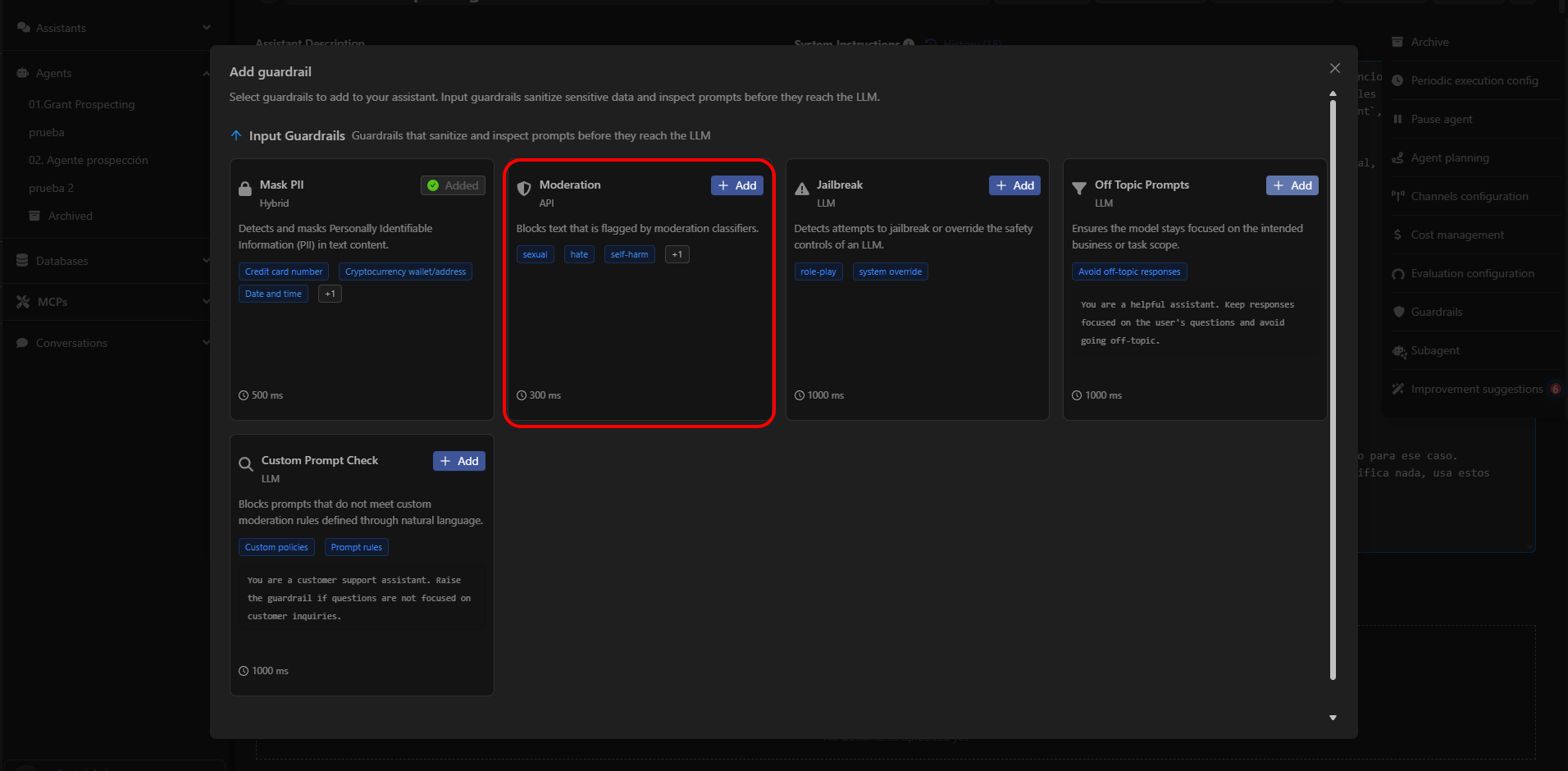
> Block sensitive, harmful, or inappropriate content before it reaches the model using Devic’s Moderation guardrail.
The **Moderation** guardrail analyzes input text and blocks any content considered unsafe or outside the defined policies.\
Its purpose is to prevent the agent from processing instructions that include toxic, harmful, explicit, discriminatory language, or anything that could compromise the integrity of the system or its users.
This guardrail uses specialized classifiers that determine whether the user’s content belongs to a restricted category.\
If a violation is detected, the message is stopped and not sent to the model.
 ***
## What Moderation Detects
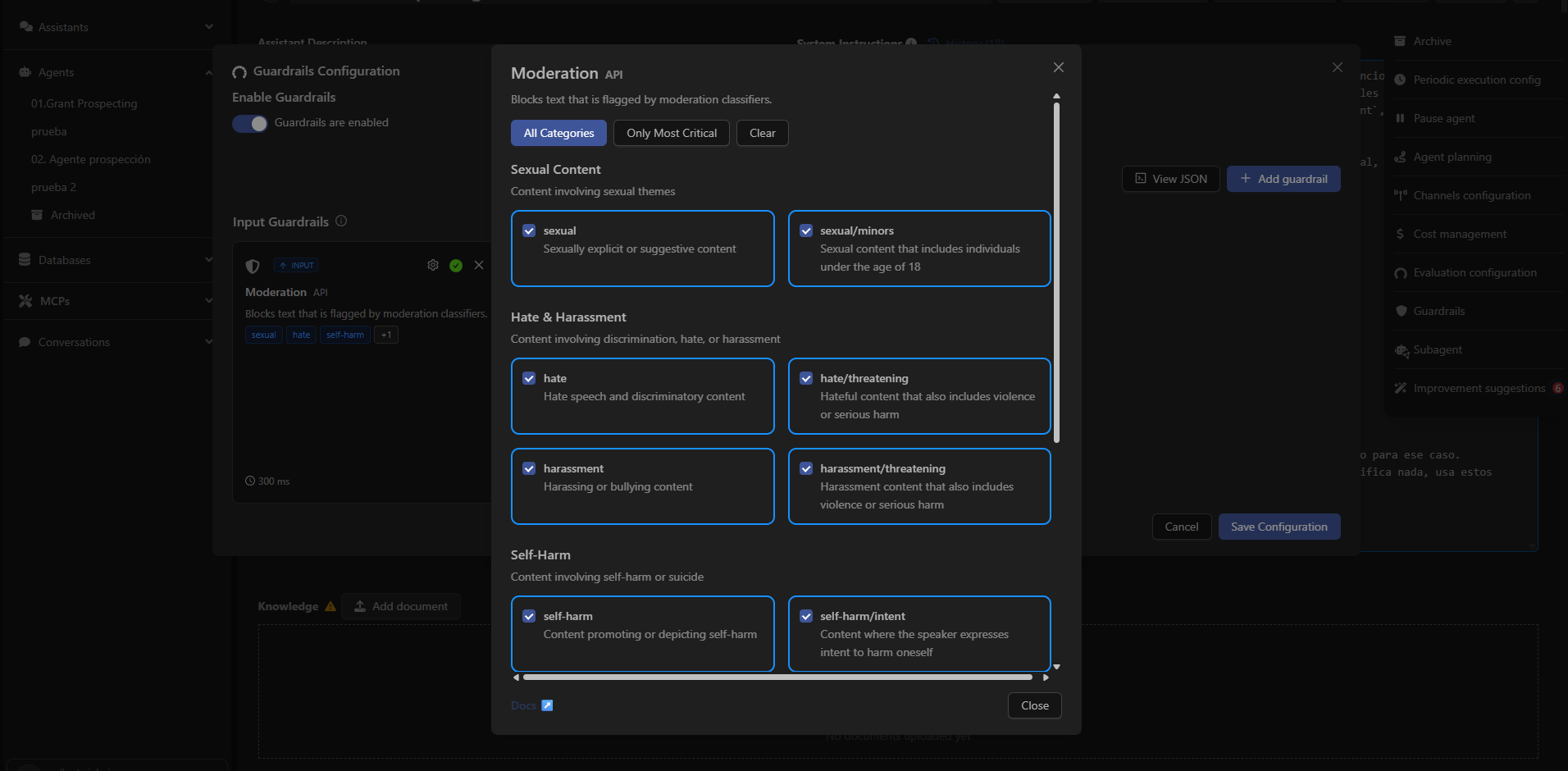
Moderation classifies and filters content across multiple risk categories.\
The user can enable only the categories relevant to their use case.
### Main Categories
#### Sexual Content
Content involving sexual topics.
Includes:
* sexual → Explicit or suggestive sexual content.
* sexual/minors → Sexual content involving individuals under 18.
***
#### Hate & Harassment
Content involving hate, discrimination, or harassment.
Includes:
* hate → Hate speech or discriminatory content.
* hate/threatening → Language combining hate with violence or serious harm.
* harassment → Intimidation or harassment content.
* harassment/threatening → Harassment involving threats or violence.
***
#### Self-Harm
Content involving self-harm or suicide.
Includes:
* self-h harm → Content that promotes or depicts self-harm.
* self-harm/intent → Expressions indicating intent to harm oneself.
***
## What Moderation Detects
Moderation classifies and filters content across multiple risk categories.\
The user can enable only the categories relevant to their use case.
### Main Categories
#### Sexual Content
Content involving sexual topics.
Includes:
* sexual → Explicit or suggestive sexual content.
* sexual/minors → Sexual content involving individuals under 18.
***
#### Hate & Harassment
Content involving hate, discrimination, or harassment.
Includes:
* hate → Hate speech or discriminatory content.
* hate/threatening → Language combining hate with violence or serious harm.
* harassment → Intimidation or harassment content.
* harassment/threatening → Harassment involving threats or violence.
***
#### Self-Harm
Content involving self-harm or suicide.
Includes:
* self-h harm → Content that promotes or depicts self-harm.
* self-harm/intent → Expressions indicating intent to harm oneself.
 ***
## How to Configure It in Devic
1. Open an agent from the sidebar.
2. Access the options menu (⋮) in the top-right corner.
3. Select **Guardrails**.
4. Click **Add guardrail**.
5. Choose **Moderation** from the list and enable it.
6. Select the categories you want to block, or use the buttons:
* **All Categories** → enables all.
* **Only Most Critical** → enables only severe risks.
* **Clear** → disables all categories.
***
Learn how to protect your agents from attempts to break their security boundaries.
***
## How to Configure It in Devic
1. Open an agent from the sidebar.
2. Access the options menu (⋮) in the top-right corner.
3. Select **Guardrails**.
4. Click **Add guardrail**.
5. Choose **Moderation** from the list and enable it.
6. Select the categories you want to block, or use the buttons:
* **All Categories** → enables all.
* **Only Most Critical** → enables only severe risks.
* **Clear** → disables all categories.
***
Learn how to protect your agents from attempts to break their security boundaries.